38
Speakers Selectable size
L/R LARGE*, SMALL
C/RS/LS LARGE*, SMALL, NONE
SW YES*, NO
* Factory preset
LARGE: The cone diameter is 6.3 inches or larger.
SMALL: The cone diameter is smaller than 6.3 inches.
Selectable Distance
range
1ft through 29ft
(Settings available in 1ft increments)
The factory preset value: 12ft(L/R/C)
6ft(RS/LS)
Selectable Output
Level range
-6dB through +6dB
(Settings available in 1dB increments)
The factory preset value is 0dB.
0dB
SW
12ft/0dB
L
LS
6ft/0dB
LS
6ft/0dB
12ft/0dB
C
12t/0dB
R
MENU [SPEAKER SETTINGS]
TEST START FINISH
Press c/d to select the preferred item, then
press a/b to select the preferred setting, then
press ENTER.
6
0dB
SW
12ft/0dB
L
LS
6ft/0dB
RS
6ft/0dB
12ft/0dB
C
12t/0dB
R
MENU [SPEAKER SETTINGS]
LARGE 12ft 0dB
SIZE DISTANCE LEVEL
Repeat steps 5 and 6 until each speaker’s size,
and level are set.
7
NOTE
• The speakers L and R, LS and RS move relative to one another.
• The speakers L and R are automatically set to “LARGE” when the
subwoofer SW is set to “NO”, even after speakers L and/or R are
set to “SMALL”.
• The images of speakers set to “NONE” disappear or are greyed
out on the screen.
• As for a subwoofer, there are no settings for distance only for level.
SETTINGS
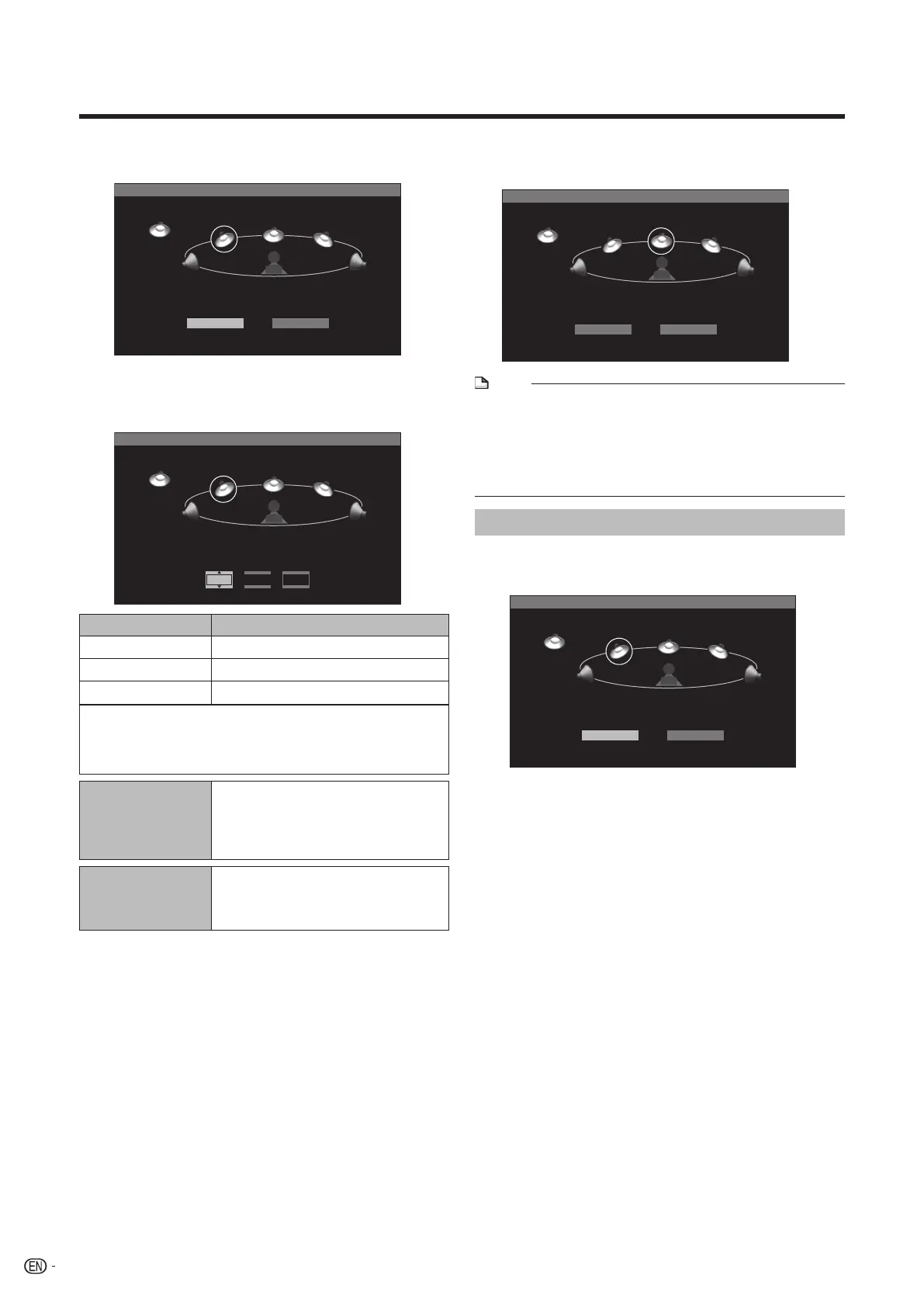
Press a/b/c/d to select the speaker, then
press ENTER.
5
0dB
SW
12ft/0dB
L
LS
6ft/0dB
RS
6ft/0dB
12ft/0dB
C
12t/0dB
R
MENU [SPEAKER SETTINGS]
TEST START FINISH
Checking the setup sound
Press a/b/c/d to select “TEST START”, then
press ENTER.
8
0dB
SW
12ft/0dB
L
LS
6ft/0dB
LS
6ft/0dB
12ft/0dB
C
12t/0dB
R
MENU [SPEAKER SETTINGS]
TEST START FINISH
• After switching to TEST mode, you can hear the Test
sound from each speaker in turn.
• If you press a/b/c/d to select the preferred
speaker while the TEST sound is present, you
can hear the TEST sound of the speaker that you
selected.
• If you press a/b/c/d to select “TEST TONE
STOP” and press ENTER, you can stop the Test
sound
BD-HP20U_en_e.indd 38BD-HP20U_en_e.indd 38 2007/08/06 10:21:042007/08/06 10:21:04


 To Next Page