39
Settings
q
SETTINGS
0dB
SW
12ft/0dB
L
LS
6ft/0dB
RS
6ft/0dB
12ft/0dB
C
12t/0dB
R
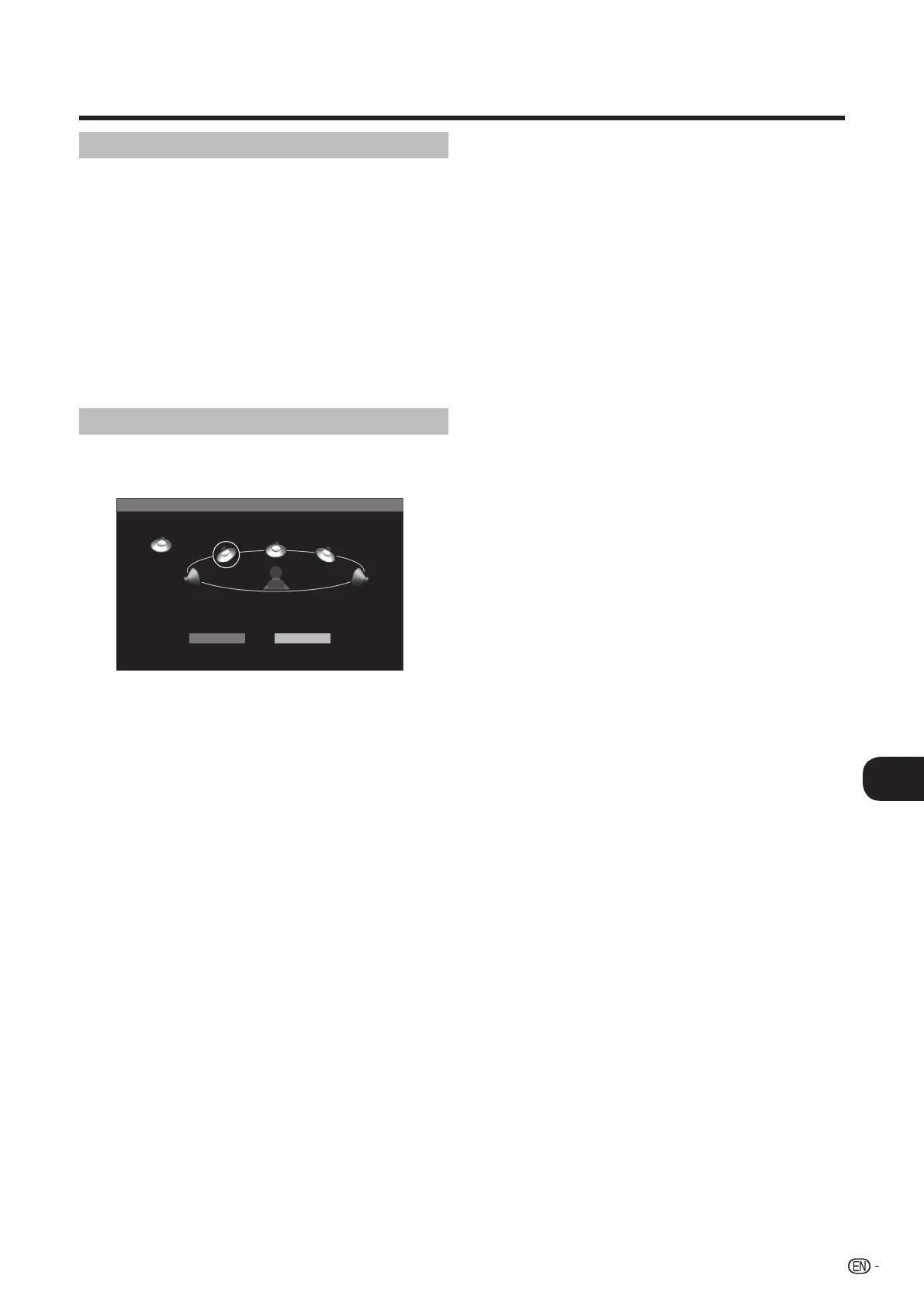
MENU [SPEAKER SETTINGS]
TEST START FINISH
Completing the settings
12 Press a/b/c/d to select “FINISH”, then press
ENTER.
Resetting the setup
• When the sound volume of each speaker is uneven, reset
the settings separately.
• As for a subwoofer, you can adjust LEVEL only.
Press ENTER while the TEST sound is present
from the speaker that you want to reset the
setting.
10 Press c/d to select the “LEVEL”, then press
a/b to preferred setting, then press ENTER.
11 Repeat steps 9 and 10 until each speaker is
reset.
9
13 Press SETUP or EXIT to exit.
BD-HP20U_en_e.indd 39BD-HP20U_en_e.indd 39 2007/08/06 10:21:092007/08/06 10:21:09


 To Next Page