EasyManua.ls Logo

Sharp CD-DD4500 - User Manual

Sharp CD-DD4500
48 pages
Print Icon
To Next Page IconTo Next Page
Loading...
Thank you for purchasing this SHARP product.
To obtain the best performance from this product, please read this
manual carefully. It will guide you in operating your SHARP product.
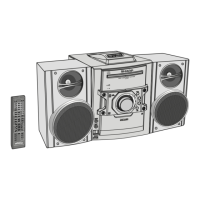
CD-DD4500 Mini Component System consisting of CD-DD4500 (main unit),
CP-DD4500 (Front), center (GBOXS0064AWM1), surround (R)
(GBOXS2008AWM1) and surround (L) (GBOXS4008AWM1) speaker sys-
tem.
MINI COMPONENT SYSTEM
MODEL
CD-DD4500
OPERATION MANUAL

Other manuals for Sharp CD-DD4500

Questions and Answers

  • C
    Claudia OwensSep 7, 2025
    How to stop my Sharp Stereo System radio from making unusual noise?
    • C
      christopher89Sep 7, 2025
      If your Sharp Stereo System radio is producing unusual noise, consider these solutions: * Check if the unit is near a TV or computer. * Ensure the FM/AM loop aerial is correctly placed. * Move the AC power lead away from the aerial if it's nearby.
  • M
    Molly HaydenAug 22, 2025
    Why is my Sharp Stereo System remote control not working?
    • L
      Linda BaxterAug 22, 2025
      The remote control might not be operating because the AC power cord of the unit is not plugged in, the battery polarity is not respected, the batteries are dead, the distance or angle is incorrect, or the remote control sensor is receiving strong light. Check these possible causes.
  • T
    tinadiazSep 4, 2025
    What to do if Sharp CD-DD4500 Stereo System playback doesn't start or stops?
    • L
      Lauren HuntSep 4, 2025
      If playback on your Sharp Stereo System doesn't start, stops midway, or isn't working right, consider these points: * Check if the disc is loaded upside down. * Confirm the disc meets the required standards. * Inspect the disc for distortions or scratches.
  • C
    Christopher BartonSep 3, 2025
    What to do if there is no sound coming from my Sharp CD-DD4500?
    • S
      Sarah Thomas DDSSep 3, 2025
      If you're not hearing any sound from your Sharp Stereo System, there are a few things to check: * Make sure the volume isn't set to “0”. * Ensure headphones are not connected. * Verify the speaker wires are properly connected.
  • T
    Terry RojasSep 2, 2025
    How to fix the clock if it is not on time on my Sharp CD-DD4500?
    • A
      andrew26Sep 2, 2025
      If the clock on your Sharp Stereo System is not on time, it might be due to a power failure. Reset the clock.
  • M
    millerdeannaAug 31, 2025
    What to do if there is no sound or low sound from the center or surround speakers of my Sharp Stereo System?
    • J
      Janice HigginsAug 31, 2025
      If there is no sound or the sound is too low from the center or surround speakers of your Sharp Stereo System, check if the “SP SIZE” item is set to “NO” in the “SET UP” operation and whether the volume is too low.
  • J
    Jessica BensonAug 30, 2025
    Why is the balance between the left and right channels bad on my Sharp CD-DD4500?
    • E
      Edward JonesAug 30, 2025
      A bad balance between the left and right channels on your Sharp Stereo System could be because the front and surround speakers are not connected to the correct left and right channels, or if an external unit is connected, the left and right channels are not connected properly. Check these connections.
  • A
    Ashley MooreAug 28, 2025
    Why does my Sharp CD-DD4500 have hum or excessive noise?
    • L
      Luke CombsAug 29, 2025
      Hum or excessive noise in your Sharp Stereo System might be due to the speaker cord being plugged in incorrectly, the speaker cord running past other electronic equipment, or dirty plugs or terminals. Check these possible causes.
  • P
    Philip ColeAug 27, 2025
    What to do if my Sharp Stereo System doesn't respond when I press a button?
    • W
      william54Aug 27, 2025
      If your Sharp Stereo System doesn't respond when a button is pressed, set the unit to the power stand-by mode and then turn it back on. If the unit still malfunctions, reset it.
  • S
    sedwardsAug 26, 2025
    Why is my Sharp Stereo System TIMER indicator flashing?
    • E
      evansscottAug 27, 2025
      The TIMER indicator may be flashing because the speaker wire is shorted or the unit was used at high volume for many hours. Check these possible causes.

Summary

Special Notes

Explanation of Graphical Symbols

Explains the meaning of graphical symbols used in the manual for user safety.

Important Safeguards

Safety Instructions and Precautions

Details important safety guidelines for installation, use, and servicing of the appliance.

General Information

Precautions

Details important guidelines and warnings for operating the SHARP CD-DD4500 system safely and correctly.

Preparation for Use

Speaker Setup and Placement

Details the types of speakers included and provides guidance on their optimal placement for surround sound.

System Connections

Provides a diagram and instructions for connecting the various components and speakers to the system.

CD Playback

Listening to a CD

Guides users on how to load, play, and select CDs on the multi-disc player.

Radio

Tape Playback

Tape Recording

Recording from the Radio

Details the process of recording audio directly from radio broadcasts onto a cassette tape.

Surround Operation

Dolby Digital Mode

Explains how to connect a DVD player and listen to audio using the Dolby Digital surround sound mode.

References

Troubleshooting Chart

Provides solutions for common problems encountered with the CD player, tuner, cassette deck, and general system operation.

Consumer Limited Warranty

Sharp CD-DD4500 Specifications

General IconGeneral
TunerFM/AM
RadioYes
CD PlayerYes
Playable MediaCD, CD-R
Speakers2-way speakers

Related product manuals