EasyManua.ls Logo

Sharp DV-NC65S - User Manual

Sharp DV-NC65S
101 pages
Print Icon
To Next Page IconTo Next Page
Loading...
VCR/DVD-KOMBINATON
COMBINAZIONE VCR/DVD
DV-NC65S
BEDIENUNGSANLEITUNG
MANUALE DI ISTRUZIONI
OPEN/CLOSE
OPERATE
EJECT/STOP
REW
PLAY/X2
REC
CH
VCR/DVD
SELECTOR
TIMER
VCR DVD
PLAY
STOP
LINE IN 3 VIDEO L - AUDIO - R
/
DV-NC65
DVD / CD PLAYER
PAL
®
DV-NC65S
BEDIENUNGSANLEITUNG/MANUALE DI ISTRUZIONI
Der Regionalkode für diesen DVD-Spieler ist 2.
Il numero regionale per questa Unità è 2.
NTSC/PAL
2
TINS-A268WJZZ
SHARP CORPORATION
Osaka, Japan
SHARP ELECTRONICS (EUROPE) GmbH
Sonninstraße 3, 20097 Hamburg, Germany
Der Zellstoff zure
Herstellung dieses
Papiers kommt zu
100% aus nachhaltig
bewirtschafteten
Wäldern
Il 100% della pasta
itilizzata per
produrre questa carta
proviene da foreste
sostenibili
Gedruckt in GrossBritannien
Stampato in Gran Bretagna
DVNC65Sdicover.pm6 20/9/02, 11:07 am1
Downloaded from: http://www.usersmanualguide.com/

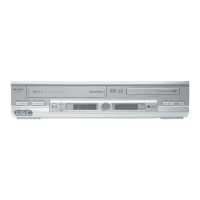
Table of Contents

Other manuals for Sharp DV-NC65S

Questions and Answers

  • C
    Casey ArroyoSep 6, 2025
    Why is my Sharp DVD VCR Combo desired channel having interference?
    • L
      Laura JosephSep 6, 2025
      The signal strength may be weak, or the same channel with a better signal strength may have been tuned in on another VCR preset channel. The TV aerial may also need adjusting.
  • S
    sanderslindaAug 22, 2025
    What to do if my Sharp DVD VCR Combo has no power?
    • M
      marciahouseAug 22, 2025
      First, ensure the power cord is properly connected to both the unit and the power outlet. If it is, try unplugging the unit briefly, then plugging it back in. This can reset the safety mechanisms.
  • J
    Jeffery ShermanSep 3, 2025
    Why is my Sharp DVD VCR Combo tape automatically ejected?
    • A
      Allison WoodSep 4, 2025
      The record-protection tab may have been removed from the cassette.
  • K
    Kara WilcoxSep 2, 2025
    What to do if my Sharp DVD VCR Combo is not playing back in Stereo?
    • R
      Roger ShawSep 2, 2025
      Ensure the VCR is connected to a stereo TV with a SCART lead. Also, the programme you are watching may not be broadcasted in stereo.
  • M
    Matthew SmithSep 1, 2025
    Why is the playback picture snowy on my Sharp DVD VCR Combo?
    • R
      russellstuartSep 1, 2025
      Try adjusting the tracking using CH '/\'. You could also try another tape. If the issue persists, the video heads may be contaminated.
  • S
    shelbyallenAug 30, 2025
    What to do if my Sharp DVD VCR Combo TV will not tune in to the VCR?
    • R
      Robert WalkerAug 30, 2025
      Check that all the cables are correctly connected. Also, consult your TV manual for instructions on how to correctly tune your TV.
  • D
    Douglas McdonaldAug 29, 2025
    What to do if my Sharp DVD VCR Combo tape can not be loaded?
    • Q
      qvargasAug 29, 2025
      Ensure that there is no other tape in the VCR and that you are loading the tape correctly.
  • J
    Jeanne MooreAug 27, 2025
    Why is there no colour on my Sharp DVD VCR Combo?
    • S
      Shawn ParkAug 27, 2025
      Make sure all the cables are connected properly and the VCR power cord is properly plugged in.
  • R
    Russell KellerAug 27, 2025
    Why is there no picture appearing on my Sharp DVD VCR Combo?
    • R
      Robin JohnsonAug 27, 2025
      Ensure that your TV is set to the video channel and that all connecting cables are properly connected.
  • R
    Randy MorrowAug 25, 2025
    Why is the remote not working on my Sharp DVD VCR Combo?
    • A
      allison17Aug 26, 2025
      Check if the batteries are loaded correctly and are not flat. Ensure the remote's signal emitter is pointing at the unit and that there are no obstacles between them. Also, make sure the VCR/DVD CHANGE switch is correctly set.

Sharp DV-NC65S Specifications

General IconGeneral
BrandSharp
ModelDV-NC65S
CategoryDVD Player
LanguageEnglish

Related product manuals