ER-A520/A530 Dealer Knowledge Book
Page 156 of 266 Specifications subject to change without notice: Revision date 10/07
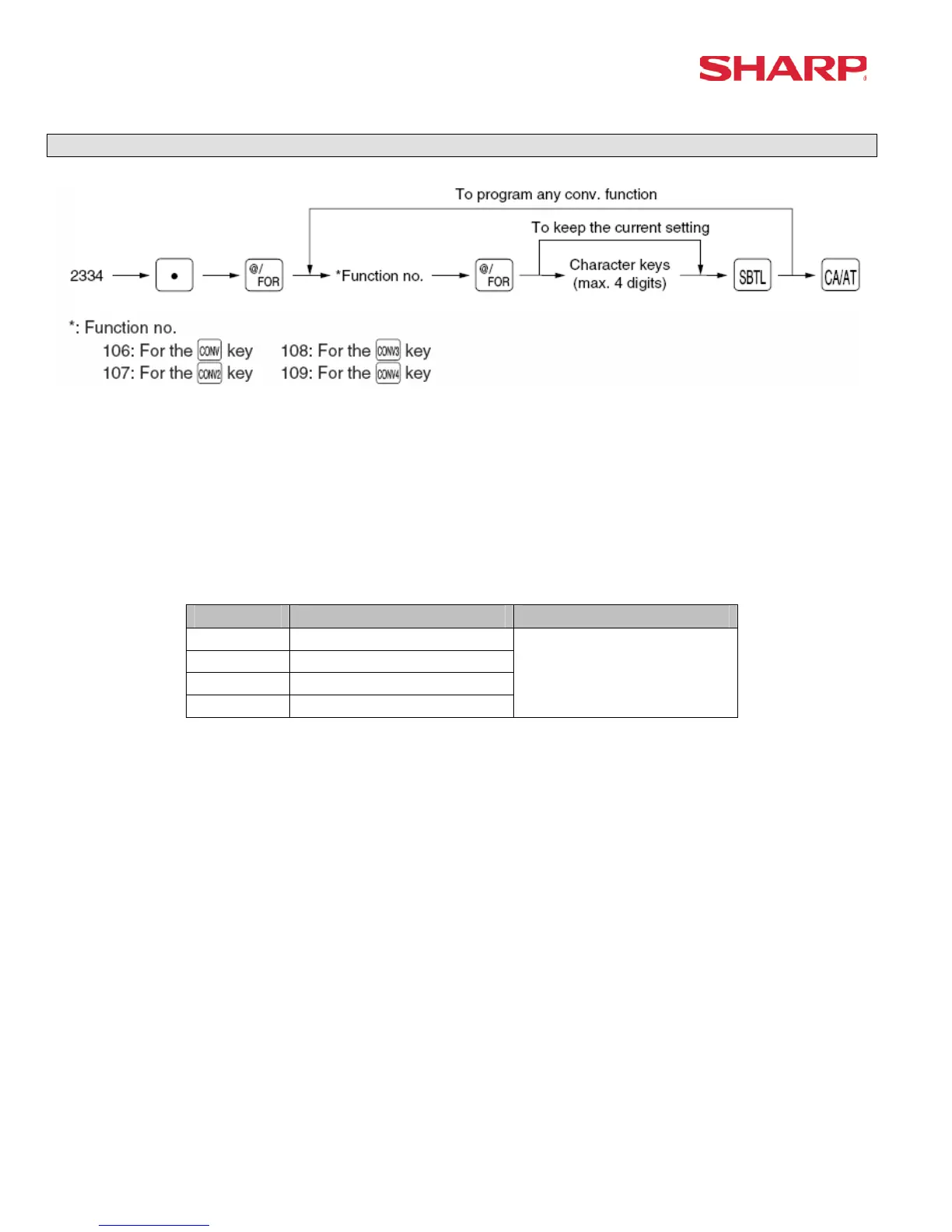
Currency Text - 2334
Characters can be entered by using the character keys or by character code entry. The key
sequence for entering character codes is as follows:
XXX Æ [00] key XXX: Character Code (3 digits)
MRS = Spaces
No. Function Range
106 Conversion 1
107 Conversion 2
108 Conversion 3
109 Conversion 4
4 Characters
Note: The symbol programmed in this job is printed with the (+) amounts of foreign currency. The
character is printed at the left side of the amount.
[Example – in the case where $US is programmed]
I CONV1 1.234567 I
I $US1.23 I
If the characters are programmed as space, then the character is ignored.





 To Next Page