ER-A520/A530 Dealer Knowledge Book
Page 174 of 266 Specifications subject to change without notice: Revision date 10/07
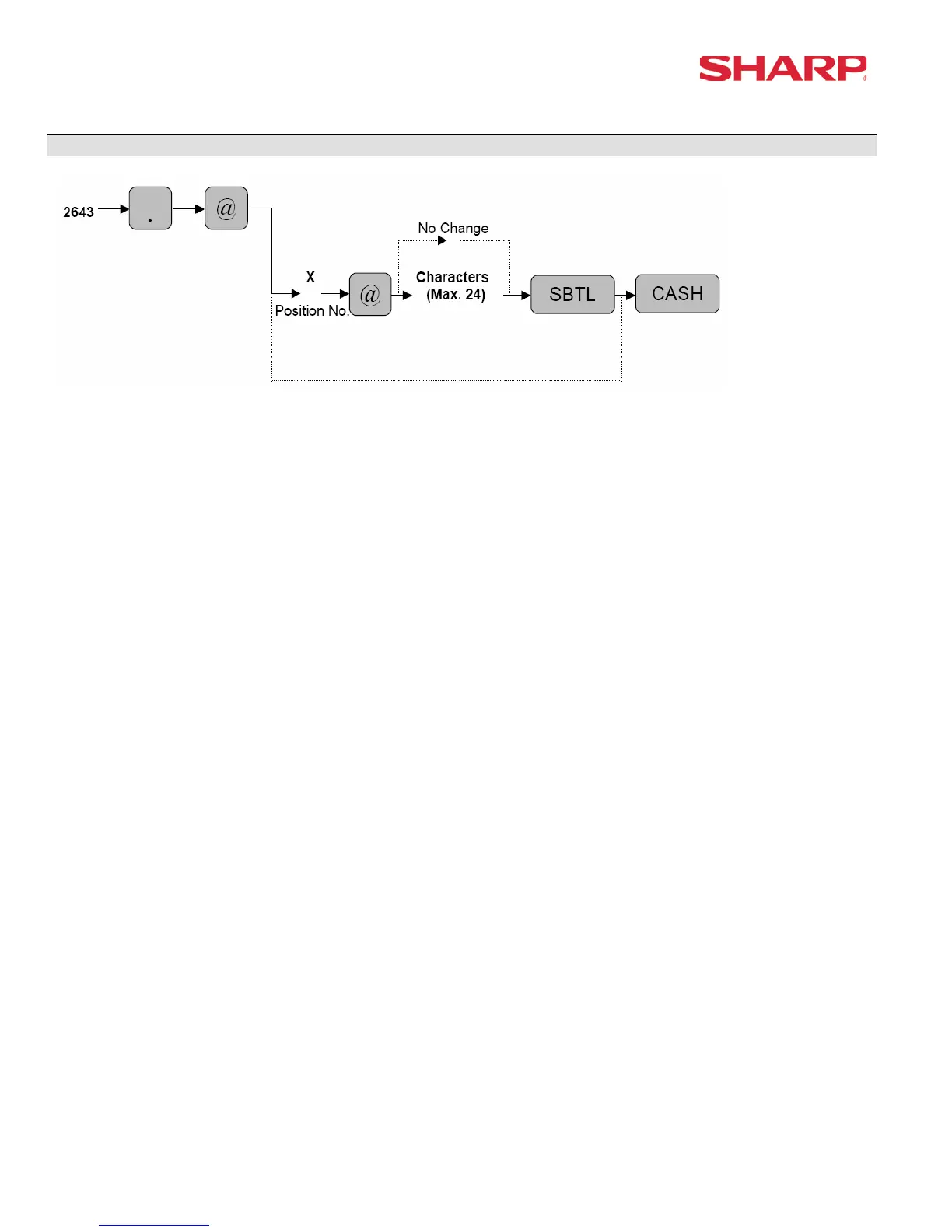
Slip Text Programming – 2643
X : Position Code = 1 – 3
Line : Maximum 24 Characters
Characters can be entered by using the character keys or by character code entry. The key
sequence for entering character codes is as follows:
XXX Æ [00] key XXX: Character Code (3 digits)
MRS = “Space “
“Space “
“Space ”
Note: Validation message format is preset in SRV Job #928-A.




 To Next Page