To Next PageTo Next Page
 Need help?
Do you have a question about the Sharp FP-J60TA and is the answer not in the manual?
Observe basic safety precautions to reduce risk of shock, fire, or injury.
Troubleshooting tips if the main unit interferes with radio or TV reception.
Covers operating position, movement, filter handling, and exterior cleaning.
Guidelines for choosing locations to ensure optimal performance and longevity.
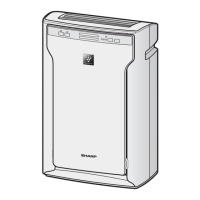
Identifies the components visible on the front of the main unit.
Identifies the components visible on the back of the main unit.
Explains the function of each button and indicator light on the operation panel.
Details the information displayed, including PM2.5, Wattage, and Humidity.
Step-by-step guide on how to correctly install the air purifier filters.
Basic instructions on how to turn the air purifier on and off.
Details on Auto, Clean Ion Shower, Plasmacluster Ion Spot, Sleep, and Pollen modes.
Configure the unit to automatically start or stop at a set time.
Learn how to activate child lock and switch display information.
Instructions for enabling or disabling the Plasmacluster Ion feature.
Adjust the brightness of the Front Display and Cleanliness Monitor.
Configure the unit to resume operation after power interruption.
Customize sensitivity for Light, Dust, and Odor sensors.
Instructions for wiping the exterior and cleaning the back panel (pre-filter).
Guidelines for cleaning and handling the HEPA and Deodorizing filters.
Procedure for cleaning the electrode section of the Plasmacluster Ion unit.
Information on filter life, replacement indicators, and disposal.
Details on the unit's lifespan, replacement indicator, and disposal.
Addresses problems like persistent odors, incorrect cleanliness readings, and sensor issues.
Covers clicking sounds, no operation, filter indicator flashing, and display errors.
Details on power supply, fan speed, noise level, rated power, and dimensions.
Specifies recommended room sizes for optimal operation and Plasmacluster effect.
Observe basic safety precautions to reduce risk of shock, fire, or injury.
Troubleshooting tips if the main unit interferes with radio or TV reception.
Covers operating position, movement, filter handling, and exterior cleaning.
Guidelines for choosing locations to ensure optimal performance and longevity.
Identifies the components visible on the front of the main unit.
Identifies the components visible on the back of the main unit.
Explains the function of each button and indicator light on the operation panel.
Details the information displayed, including PM2.5, Wattage, and Humidity.
Step-by-step guide on how to correctly install the air purifier filters.
Basic instructions on how to turn the air purifier on and off.
Details on Auto, Clean Ion Shower, Plasmacluster Ion Spot, Sleep, and Pollen modes.
Configure the unit to automatically start or stop at a set time.
Learn how to activate child lock and switch display information.
Instructions for enabling or disabling the Plasmacluster Ion feature.
Adjust the brightness of the Front Display and Cleanliness Monitor.
Configure the unit to resume operation after power interruption.
Customize sensitivity for Light, Dust, and Odor sensors.
Instructions for wiping the exterior and cleaning the back panel (pre-filter).
Guidelines for cleaning and handling the HEPA and Deodorizing filters.
Procedure for cleaning the electrode section of the Plasmacluster Ion unit.
Information on filter life, replacement indicators, and disposal.
Details on the unit's lifespan, replacement indicator, and disposal.
Addresses problems like persistent odors, incorrect cleanliness readings, and sensor issues.
Covers clicking sounds, no operation, filter indicator flashing, and display errors.
Details on power supply, fan speed, noise level, rated power, and dimensions.
Specifies recommended room sizes for optimal operation and Plasmacluster effect.
 General
| Brand | Sharp |
|---|---|
| Model | FP-J60TA |
| Category | Air Cleaner |
| Language | English |