EN-4
2
CONNECTION OF THE AIR PURIFIER AND A ROUTER
INITIAL CONNECTION SETTINGS
1.
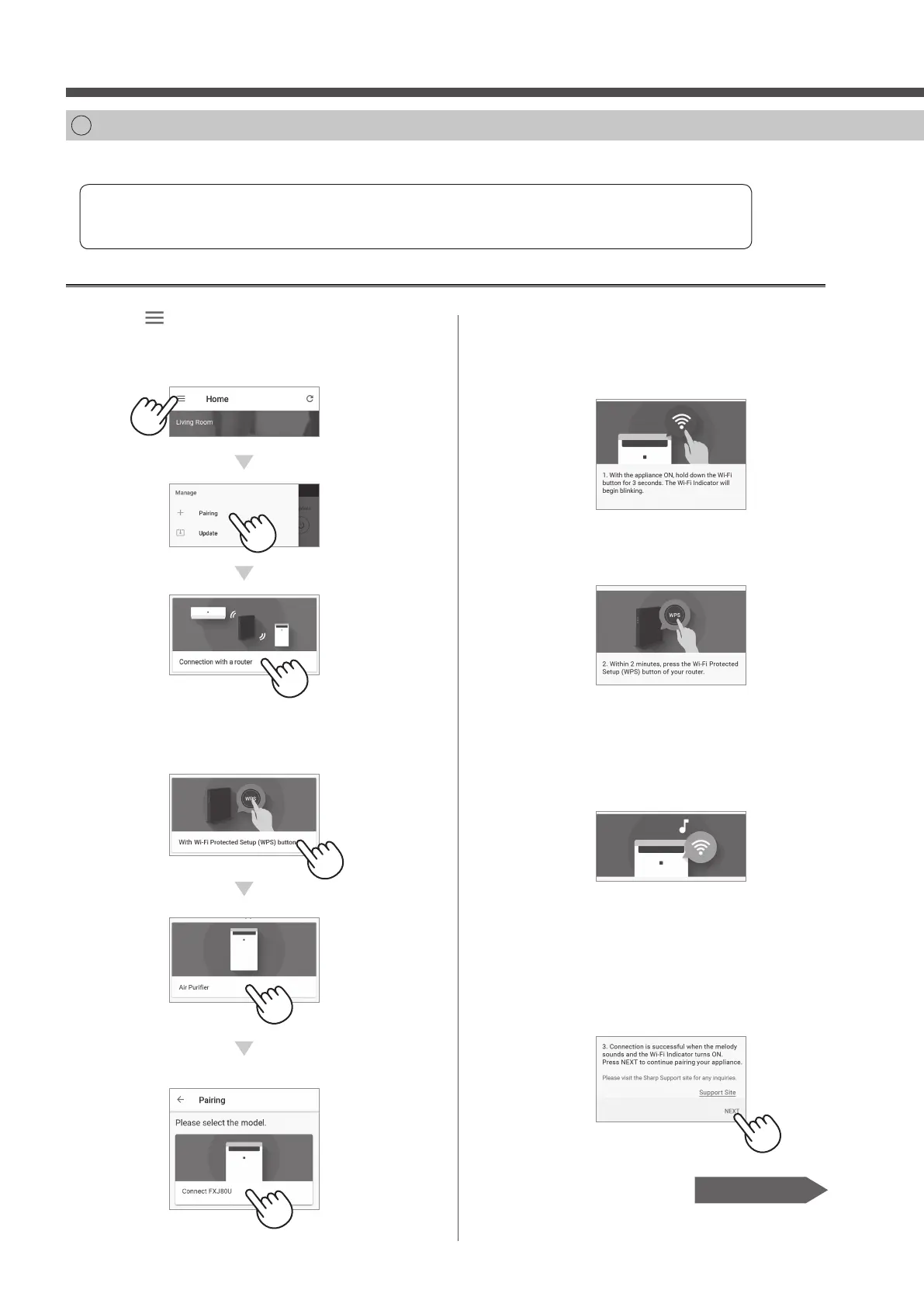
Tap “ ” at the upper left part of the
“Home” screen, and select “Pairing”
→ “Connection with a router”.
2.
Select “With Wi-Fi Protected Setup
(WPS) button” → “Air Purifi er” →
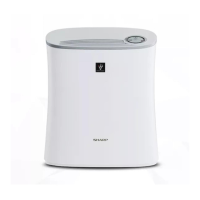
Select “FXJ80U”.
Please check whether the Wi-Fi Protected Setup (WPS) button function is available on the router.
If Wi-Fi Protected Setup (WPS) button is available: Proceed to (A)
If Wi-Fi Protected Setup (WPS) button is not available: Proceed to (B)
(A) The Wi-Fi Protected Setup (WPS) button function is available on the router.
3.
Please follow instructions on
the app.
i.
Hold down the Wi-Fi button for 3
seconds with the product ON.
ii.
Within 2 minutes, press the Wi-Fi
Protected Setup (WPS) button of
the router.
• Please refer to the router operation manual
for how to handle the Wi-Fi Protected Setup
(WPS) button.
iii.
A melody will sound, and the Wi-Fi
indicator will light up.
• It may take a few minutes to complete the
connection settings.
• If the connection settings cannot be
completed, it will beep 4 times and the light
of Wi-Fi indicator will be o . In that case,
please try again from Step 1.
iv.
Tap “NEXT”.
Page 8, Step 3
FX-J80U_Wi-Fi_EN.indd 4 2019/10/25 14:09:43



 To Next Page