39
LC-26GA5E
LC-32GA5E
LC-32GD8E/RU
LC-32BT8E/RU
LC-37GD8E/RU
LC-37BT8E/RU
LC-32/37GD8E/RU
LC-32/37BT8E/RU
Digital Board Software Updating , PCMCIA (continued)
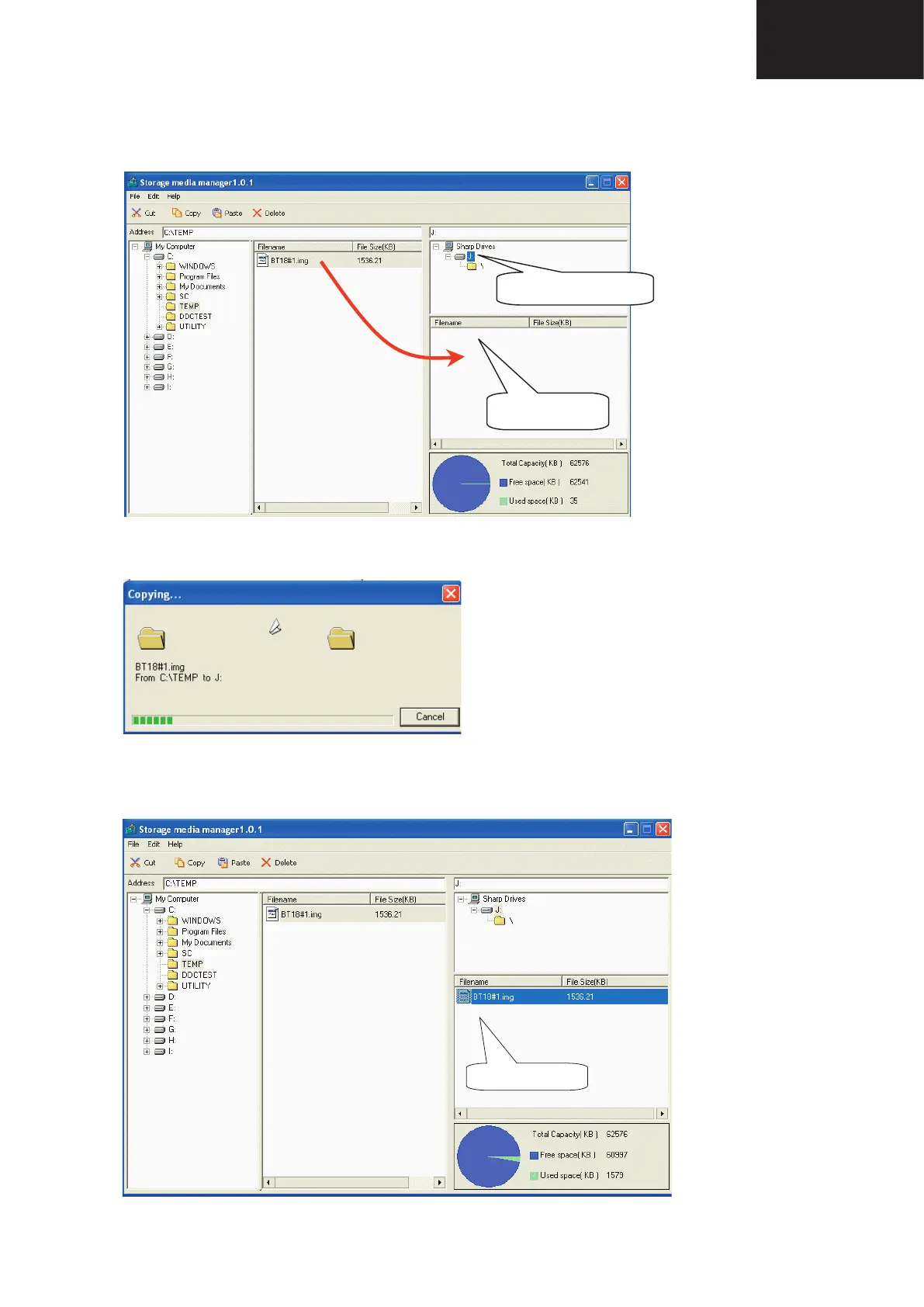
7. First of all, select copy target drive and then use Drag & drop for the “.img” fi le.
7
7. First of all, select copy target drive and then use Drag & drop for the “.img” file.
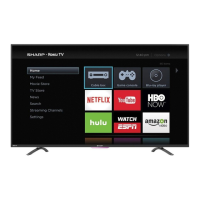
8. Wait, copy is in process.
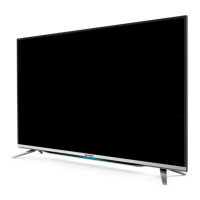
9. Copy is finished, when the Copying progress bar disappears and the name of data file appears in the File
Box.
At first, take care and select copy
drive. This is important.
After select copy drive,
Drag&Drop of ".img" file.
8. Wait, copy is in process.
Remove PCMCIA (Windows Task bar popup menu
9. Copy is fi nished, when the Copying progress bar disappears and the name of data fi le appears in the File
Box.
Remove PCMCIA (Windows Task bar popup menu










 To Next Page