EasyManua.ls Logo

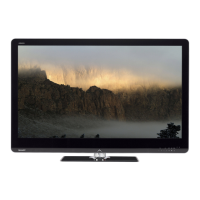
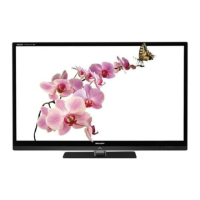
Sharp LC-60LE830X - User Manual

Sharp LC-60LE830X
80 pages
Print Icon
To Next Page IconTo Next Page
Loading...
MODEL
LC-60LE830X
LC-52LE830X
LC-46LE830X
LC-40LE830X
LCD COLOUR TELEVISION
OPERATION MANUAL
®

Table of Contents

Questions and Answers

  • M
    morenokaylaAug 11, 2025
    What to do if 3D images are not displayed on my Sharp LC-60LE830X LCD TV?
    • W
      William RobertsonAug 11, 2025
      If 3D images are not displaying on your Sharp LCD TV, ensure that “3D auto change” is not set to “No”; if it is, press the 3D button to switch to 3D mode. If “3D auto change” is set to “Yes” but no 3D images are displayed, verify the display format of the content. Some 3D signals may not be automatically recognized, so press the 3D button to select the appropriate format. Also, make sure the 3D glasses are powered on and not set to 2D mode. Finally, ensure there are no obstructions between the 3D glasses and the TV, and that nothing is covering the infrared receiver on the glasses, as they rely on a signal from the TV.
  • J
    jessica00Aug 19, 2025
    Why do my Sharp LCD TV 3D glasses turn off automatically?
    • E
      Eric WilliamsonSep 12, 2025
      If your 3D glasses for your Sharp LCD TV are turning off automatically, it's likely because they aren't receiving a signal from the TV. The glasses will automatically power down after three minutes without a signal. Ensure there is nothing blocking the signal between the TV's 3D infrared emitter and the infrared receiver on the 3D glasses.
  • A
    Amber StevensonAug 26, 2025
    What to do if pressing the power button on Sharp LC-60LE830X 3D glasses does not cause the LED light to light?
    • M
      martha60Aug 26, 2025
      If pressing the power button on your Sharp LCD TV 3D glasses doesn't illuminate the LED light, it likely means the battery is exhausted. Replace the battery to resolve this issue.
  • M
    Miranda RamirezSep 3, 2025
    Why sliding the switch to 3D on Sharp LCD TV 3D glasses does not cause the LED light to light?
    • O
      Omar RaySep 3, 2025
      If sliding the switch to 3D on your Sharp LCD TV 3D glasses doesn't turn on the LED light, the battery is likely dead. Either recharge the battery or connect the 3D glasses to the TV using the USB cable as described in the 3D glasses' operation manual.

Sharp LC-60LE830X Specifications

General IconGeneral
Screen Size60 inches
Display TypeLCD
Backlight TypeLED
HDMI Ports4
USB Ports2
Smart TVYes
3D CapableYes
Refresh Rate120 Hz
Built-in Wi-FiYes
DLNA CertifiedYes
Energy Efficiency ClassA
Resolution1920 x 1080 pixels
Audio Output20W (10W x 2)

Related product manuals