38
Selecting a tray
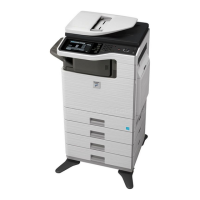
To select paper, touch the [Paper
Select] key or the image of the
machine in the base screen of copy
mode.
Touch a key to select a tray.
(A) Touch to select one of trays 1 to 4.
(B) Touch to select the bypass tray.
(C) Touch to set the type of paper in the
bypass tray.
Plain
1.
8½x11
2.
5½x8½
3.
8½x14
4.
8½x11
8½x11
Copy Ratio
Original Paper Select
Auto
8½x11
Plain
Exposure
Auto
100%
Paper Select
Paper Tray
Bypass Tray
OK
Plain
Plain
8½x11
3. 8½x14
Plain
3. 5½x8½
Plain
1. 8½x11
4. 8½x11
Plain
Special Modes
2-Sided Copy
Output
File
Quick File
(B)
(C)
(A)
mxb401_us_qck.book 38 ページ 2009年1月8日 木曜日 午後2時1分


 To Next Page