MX-C250 DISASSEMBLY AND ASSEMBLY 10 – 30
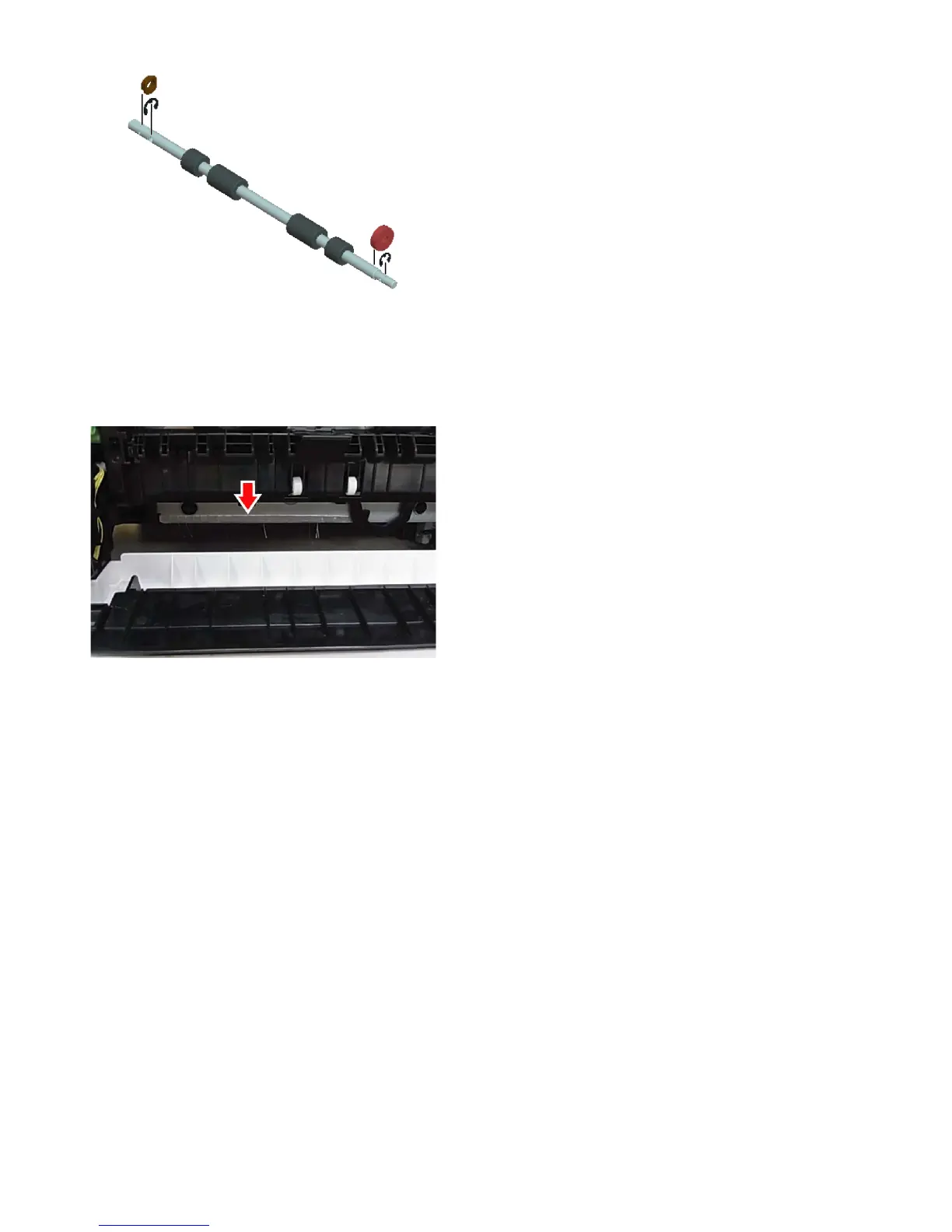
3) Remove the paper exit roller.
c.Discharge brush
1) Remove the knob.
NOTE: When replacing the discharge brush, put it with aligning the
alignment line.
NOTE: When replacing the discharge brush, clean up dirt and
adhesive material on the surface of the plate.





 To Next Page