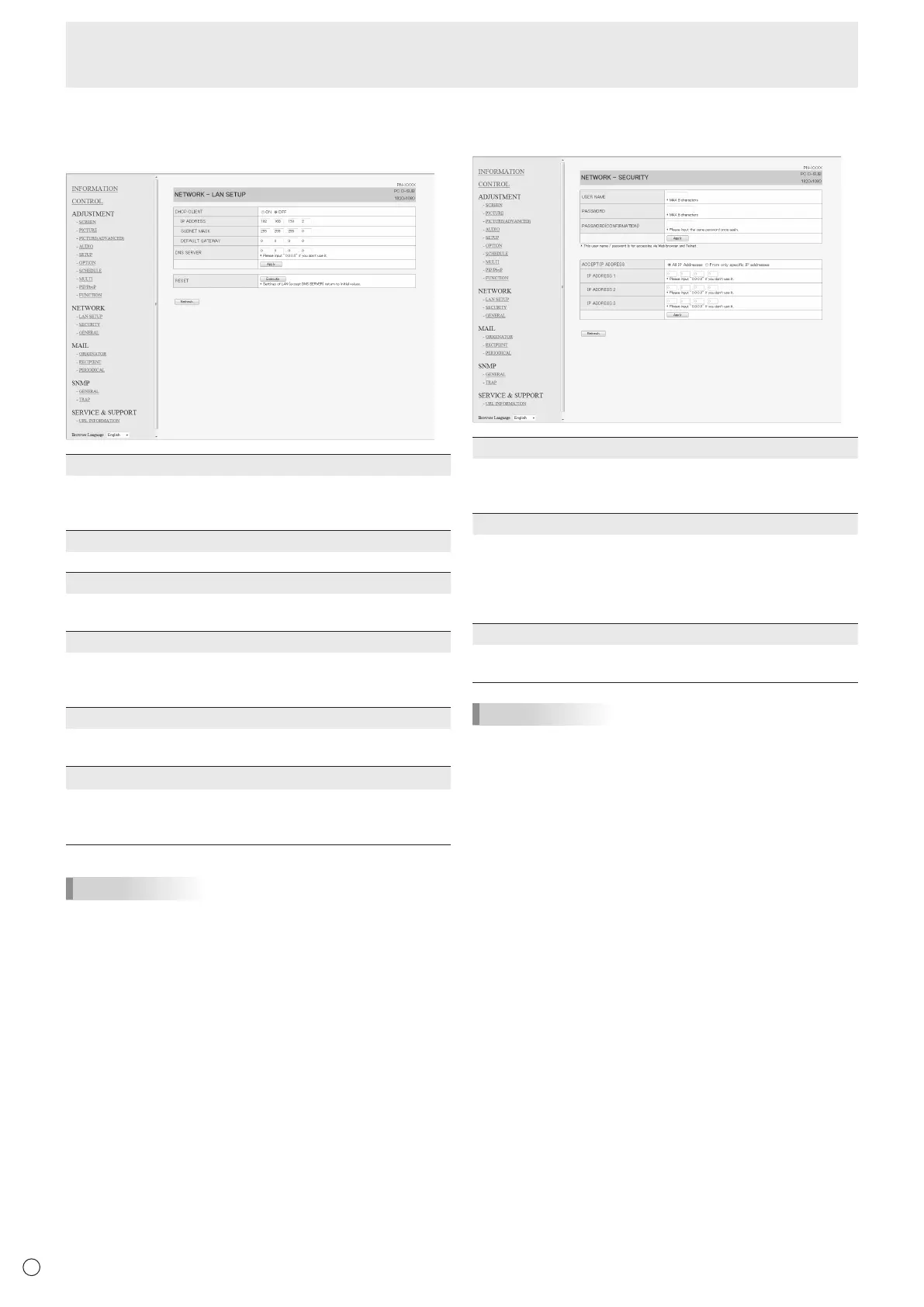
■ NETWORK (LAN SETUP)
This screen allows you to set the settings necessary when the
monitor is connected to a LAN.
DHCP CLIENT
IfyourLANhasaDHCPserverandyouwishtoobtainan
address automatically, change this setting to “ON”.
Tosettheaddressmanually,setthisto“OFF”.
IP ADDRESS
IftheDHCPCLIENTissetto“OFF”,specifyanIPaddress.
SUBNET MASK
IftheDHCPCLIENTissetto“OFF”,specifythesubnet
mask.
DEFAULT GATEWAY
IftheDHCPCLIENTissetto“OFF”,specifythedefault
gateway.
Ifyouarenotusingadefaultgateway,specify“0.0.0.0”.
DNS SERVER
SpecifytheDNSserveraddress.
IfyouarenotusingaDNSserver,specify“0.0.0.0”.
RESET
Clicking[Execute]returnsalloftheLANSETUPsettings
tothefactory-presetvaluesexceptfortheDNSSERVER
setting.
TIPS
• WhentheIPaddressissetmanually,theIPaddressesof
themonitorconnectedtotheRS-232Coutputterminal and
the daisy chain of connected monitors that follows can be
assignedautomatically.(Seepage23.)
■ NETWORK (SECURITY)
Thisscreenallowsyoutospecifythesecurity-relatedsettings.
USER NAME / PASSWORD
Sets up a user name and password to restrict access to this
monitor.
Afterenteringausernameandpassword,click[Apply].
ACCEPT IP ADDRESS
You can limit access to this monitor by registering IP
addressesofPCsthatshouldhaveaccess.
Tolimitaccess,specifytheoption“FromonlyspecicIP
addresses”.Otherwise,toallowaccessfromanyPC,specify
“All IP Addresses”.
IP ADDRESS 1 to 3
If“ACCEPTIPADDRESS”issetto“FromonlyspecicIP
addresses”, enter the IP addresses that you want to allow.
TIPS
• TheUSERNAMEandPASSWORDcanbeupto8
alphanumeric characters or symbols.
• Tocanceltheusernameand/orpasswordafterithasbeen
set,maketheboxemptyandclick[Apply].
Controlling the Monitor with a PC (LAN)



 To Next Page