EasyManua.ls Logo

Sharp WF-5000W - User Manual

Sharp WF-5000W
24 pages
Print Icon
To Next Page IconTo Next Page
Loading...
06/2/22 WF-5000W(U)_FRONT.fm
TINSEA095AWZZ
Thank you for purchasing this SHARP product. To obtain the best
performance from this product, please read this manual carefully. It will
guide you in operating your SHARP product.
Nous vous remercions d'avoir porté votre choix sur ce produit SHARP. Pour
en tirer le meilleur parti, veuillez lire ce mode d'emploi très attentivement.
Muchas gracias por haber adquirido este producto SHARP. Lea atentamente
este manual para conseguir el mejor rendimiento del aparato. Le servirá
también como guía operativa de este producto SHARP.
謝惠購夏普
SHARP
)產品。為發揮本產 品的最佳性 能,請仔細閱讀本 手冊。
它是此夏普
SHARP
)產品的操作指南。
SHARP CORPORATION
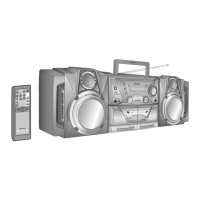
PORTABLE STEREO
MODEL
MODÈLE
MODELO
WF-5000W
OPERATION MANUAL
MODE D’EMPLOI
MANUAL DE MANEJO
COMPONENT SYSTEM
SISTEMA COMPONENTE DEL
SYSTÈME STÉRÉO PORTABLE
EQUIPO PORTÁTIL
便攜式立體聲組合系統

Questions and Answers

  • B
    Brenda MendozaJul 31, 2025
    Why is there no sound coming from my Sharp WF-5000W?
    • T
      Timothy MorenoJul 31, 2025
      If you're not getting any sound from your Sharp Portable Stereo System, first check if the volume level is set to "0". Also, make sure headphones are not connected and that the speaker wires are properly connected.
  • D
    davidgonzalezAug 7, 2025
    What to do if buttons on my Sharp WF-5000W Portable Stereo System don't respond?
    • M
      Matthew GambleAug 7, 2025
      If your Sharp Portable Stereo System isn't responding when you press a button, try setting the unit to power stand-by mode and then turning it back on. If that doesn't work, reset the unit.
  • K
    Karen CruzAug 14, 2025
    Why can't I record with my Sharp WF-5000W Portable Stereo System?
    • E
      elliottrobertAug 15, 2025
      If you cannot record with your Sharp Portable Stereo System, check if the erase-prevention tab has been removed.
  • L
    Leslie BuckAug 22, 2025
    Why is the sound quality poor when recording on my Sharp Portable Stereo System?
    • B
      brandonparrishAug 22, 2025
      If you're having trouble recording tracks with good sound quality on your Sharp Portable Stereo System, make sure you are using a normal tape. Note that you cannot record on a metal or CrO tape.

Summary

General Information

Precautions

Safety and operational guidelines for product placement and handling.

Preparation for Use

Basic Operation

Radio

Tuning and Reception

Instructions on tuning into radio stations and FM stereo reception.

Tape Playback

Playing Cassette Tapes

Steps for playing cassette tapes on Tape 1 or Tape 2, including continuous playback.

Tape Recording

Recording to Cassette Tape

Instructions for recording audio onto cassette tapes and tape protection.

Advanced Features

References

Troubleshooting Guide

Solutions for common problems encountered with the unit.

Sharp WF-5000W Specifications

General IconGeneral
TypePortable Stereo System
Tuner BandsFM
Power SourceAC
Batteries6 x D
Speaker Configuration2-way
InputsMicrophone

Related product manuals