71
■
PLUrange
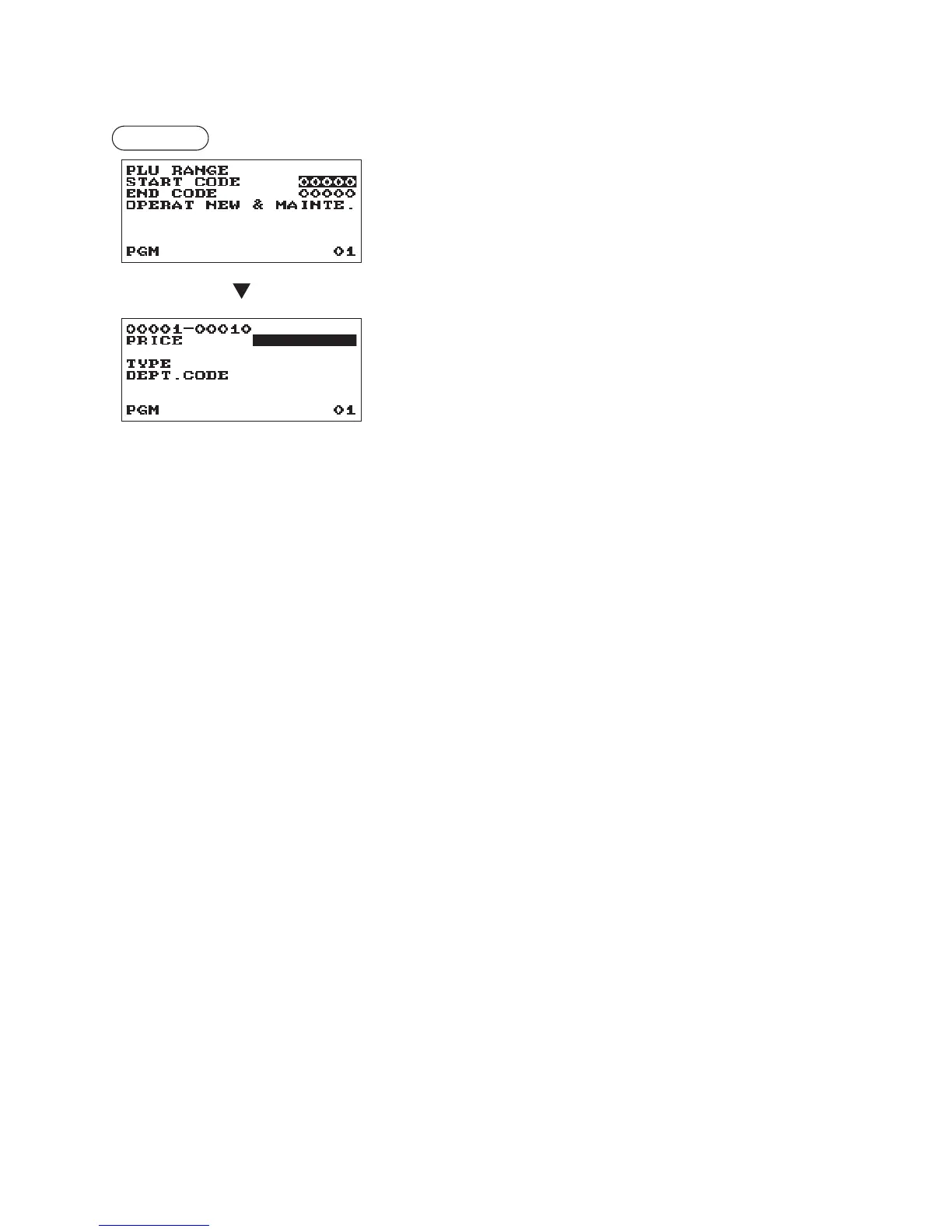
You can program PLUs in the designated range.
Procedure
Enter a value or select an option for each item as follows:
The screen continues in the same
format as those screens shown in
section “PLU.”
•STARTCODE(Usethenumericentry)
Starting PLU code (max. 5 digits)
•ENDCODE(Usethenumericentry)
Ending PLU code (max. 5 digits)
•OPERATION(Usetheselectiveentry)
MAINTE.: Enables you to change the setting you have
programmed.
NEW&MAINTE.: Enables you to change the current setting
when the specied codes have already been
created or to create new codes when the
specied codes have not been created yet.
DELETE: Enables you to delete a specied range of
PLUs.












 To Next Page