ENGLISH
E-12
Basic Operation
- General Control -
General Control
„
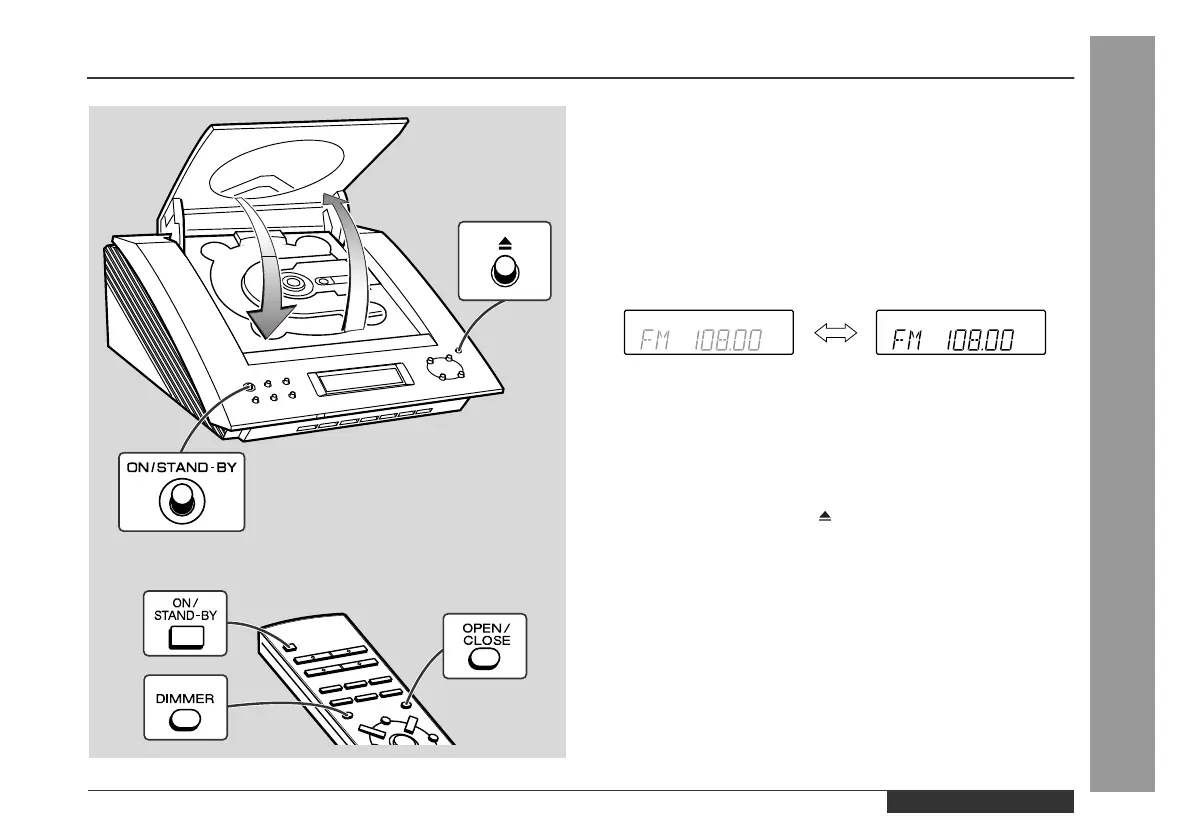
To turn the power on
Press the ON/STAND-BY button to turn the power on.
To set the unit to stand-by mode:
Press the ON/STAND-BY button again.
„
To change the display brightness (2 levels)
You can switch the display brightness by pressing the DIMMER but-
ton on the remote control.
„
Opening and closing the CD compartment
The CD compartment cover is motorised.
When the power is turned on, you can open or close the CD com-
partment cover by pressing the (OPEN/CLOSE) button.
Caution:
z
Do not open or close the CD compartment cover manually. It may
cause malfunctions to the unit.
z
Be careful not to jam your fingers in the CD compartment cover.
Dimmed Brightened


 To Next Page