13 / 21
13 / 21
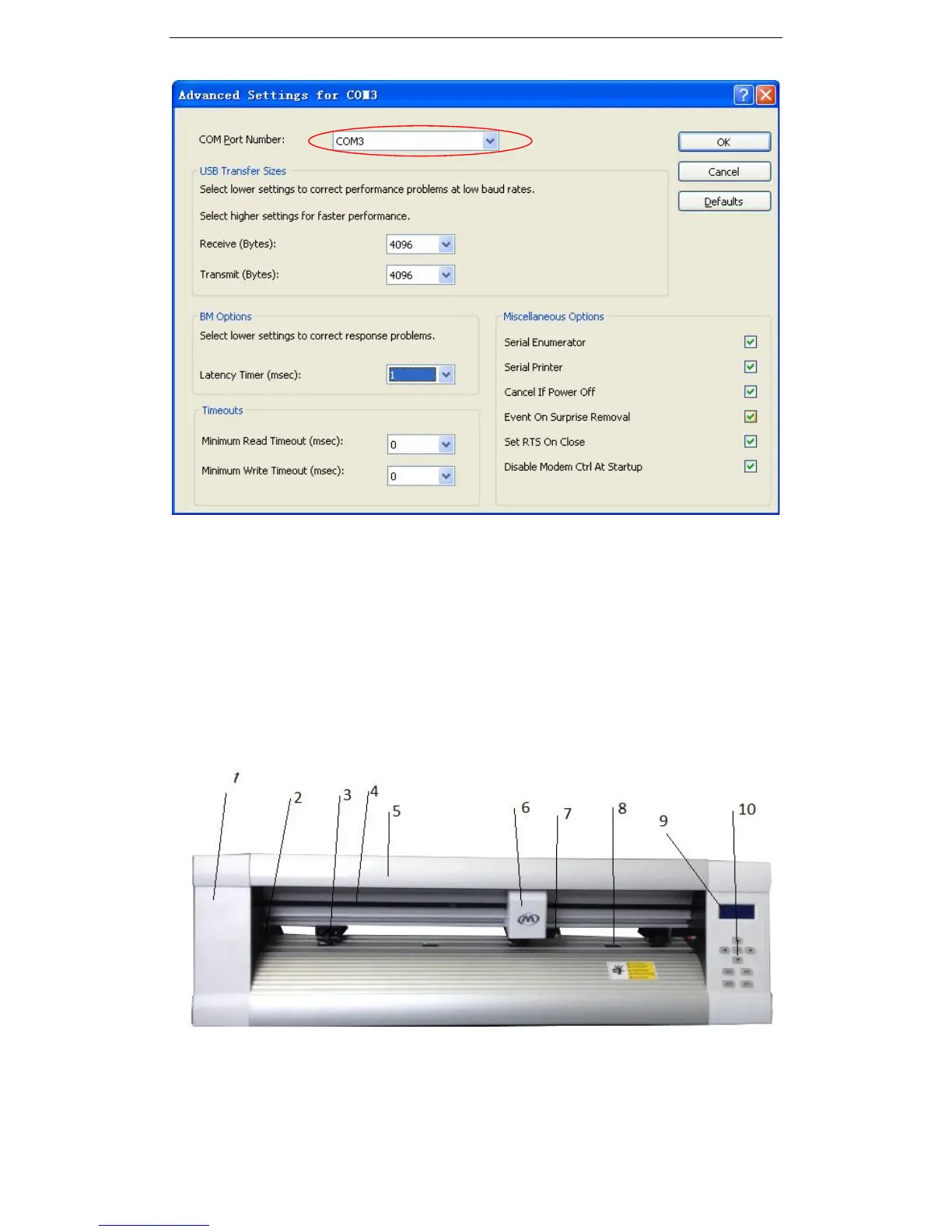
and click “advanced”, and see below, the COM port can be changed.
If it is COM3 in your computer, then in Flexisign, Artcut, Coreldraw, you need select COM3
as output port!
4. Instruction of the cutting plotter:
4.1 Name and function of parts
4.1.1 Front view


 To Next Page