

EasyManua.ls Logo

Shenzhen MG630 cutting plotter - User Manual

Shenzhen MG630 cutting plotter
21 pages
Print Icon
To Next Page IconTo Next Page
Loading...
1 / 21
1 / 21
SHENZHEN HUANSHENG MACHINERY CO.,LTD
www.myc ut.c om.c n
Add: Buildi ng 17#,2 2 8 I ndustr ial Zo ne, He ng Gang Tow n,S he nZhe n C hi na
Manual for MG series cutting plotter
1: Safety precautions
WARNING
Any improper operation
m
ay
results in hazard of life or
damage of equipment..
Definition of sign symbols
The symbol is prepared to arouse operator's highly attention.
The symbols in triangles specify the cases to be attentive. The
symbol in the left warns you of electric shock.
symbol in the circle specifies the acts to be forbidden. The
symbol in the left tells you no detachment.
WARNING
Do not use the power source
which does
not meet
the
rating
voltage, otherwise fire or electric shock may be resulted in.
If the machine gives out smoke or unpleasing smell, or
big
noise , please do not use it .in such cases, continuing using
may result in fire or electric shock.
D
o not
take
out
the plug when the power is
on
to avoid
damage to the machine.
Make sure the machine
grounded otherwise
electric shock or
mechanic default may be resulted in.
fire, electric shock, hazard of life may be resulted in
CAUTION
Question and Answer IconNeed help?

Do you have a question about the Shenzhen MG630 cutting plotter and is the answer not in the manual?

Summary

Safety Precautions

General Safety Warnings

Covers general warnings about improper operation, equipment damage, and electrical hazards.

Symbol Definitions

Explains the meaning of various warning, caution, and prohibition symbols used in the manual.

Specific Safety Instructions

Details safety measures related to liquids, sharp parts, power cables, and environmental conditions.

Standard Accessories

List of Standard Accessories

Details the items included as standard accessories with the cutting plotter.

Installation

Machine Installation and Connections

Guidance on placing the cutter, connecting to computer, and checking power/voltage.

Cutting Tool Installation

Instructions for adjusting the knife and assembling the tool carrier.

Computer Installation

Printer Mode Connection

Guides connection via USB and recognizing the plotter as a printer.

Printer Mode Driver Installation

Steps to install the necessary driver for the cutting plotter when using Printer mode.

VirtualCOM Port Mode Connection

Guides setting up VirtualCOM mode and installing the driver.

VirtualCOM Port Configuration

Configuration settings for the VirtualCOM port, including baud rate and advanced settings.

Cutting Plotter Operation

Parts Identification

Identifies and describes the parts visible on the front, keypad, and display.

Basic Operation Steps

Covers turning on the machine, installing media, and testing the blade.

Cutter Operation and Parameter Setting

Details adjusting speed, force, language, output mode, and other parameters.

Knife Off-setting

Setting Knife Offset in Software

Instructions for setting knife offset and sharp-angle compensation in the cutting software.

Troubleshooting

Common Troubleshooting Issues

Addresses character deformation, zigzagging, paper deviation, and lock-ups.

Plotter Operation Problems

Solves issues like no display, missed characters, low speed, and connection errors.

Maintenance and Halt Issues

Covers plotter maintenance, handling out-of-control situations, and halting causes.
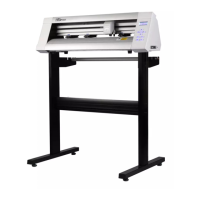
Shenzhen MG630 cutting plotter Specifications

General IconGeneral
BrandShenzhen
ModelMG630 cutting plotter
CategoryPlotter
LanguageEnglish