9 / 21
9 / 21
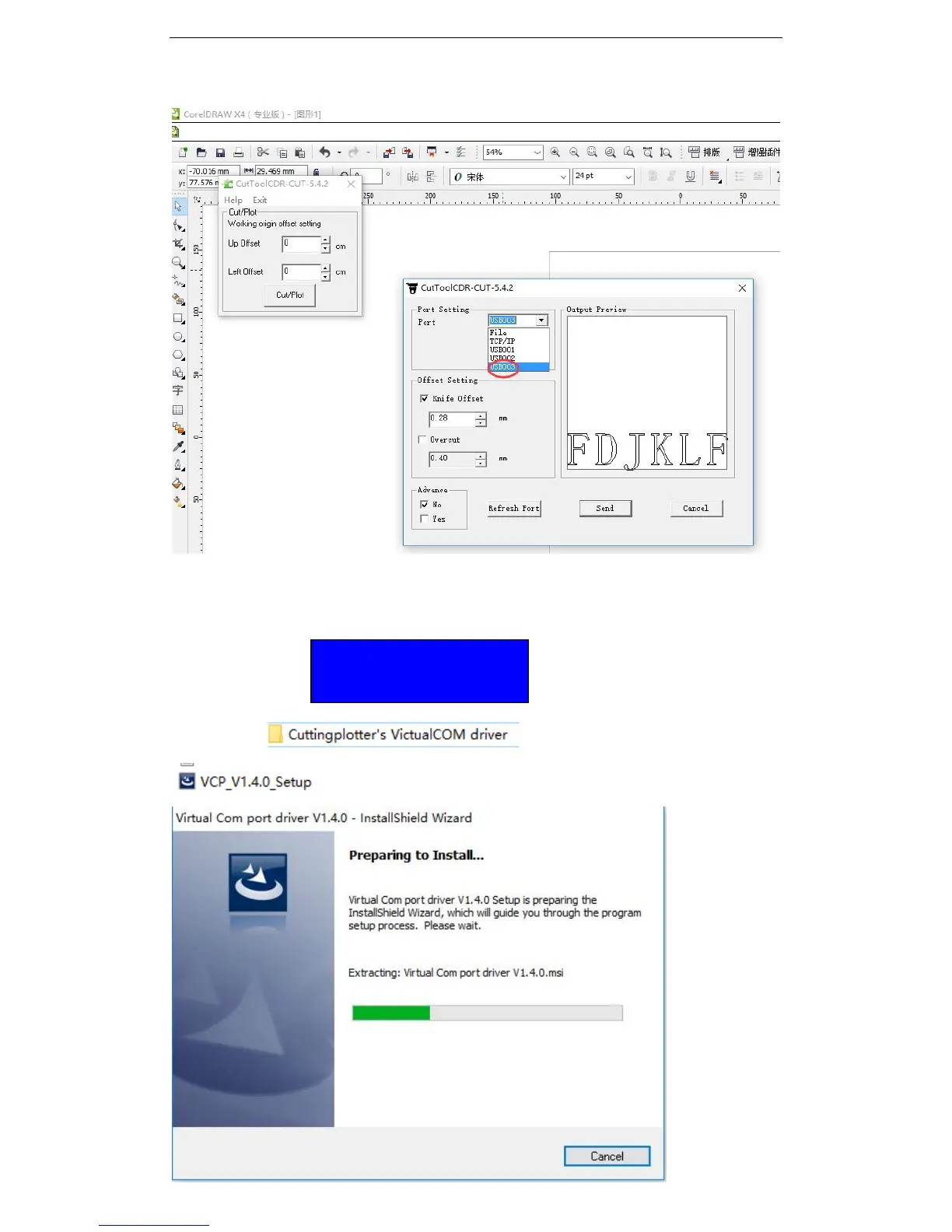
Take coreldrawplugin for example, in my computer the port is USB003, then in coreldraw,
we need to select USB003 as output port.
3.3.2 VirtualCOM port mode:
When the display display as below, it is VirtuaCOM port model:
Open the file which is inside the CD, find the driver
, and double click it to start installation, then you will see:
VirtualCOM Y
Printer N


 To Next Page