8 / 21
8 / 21
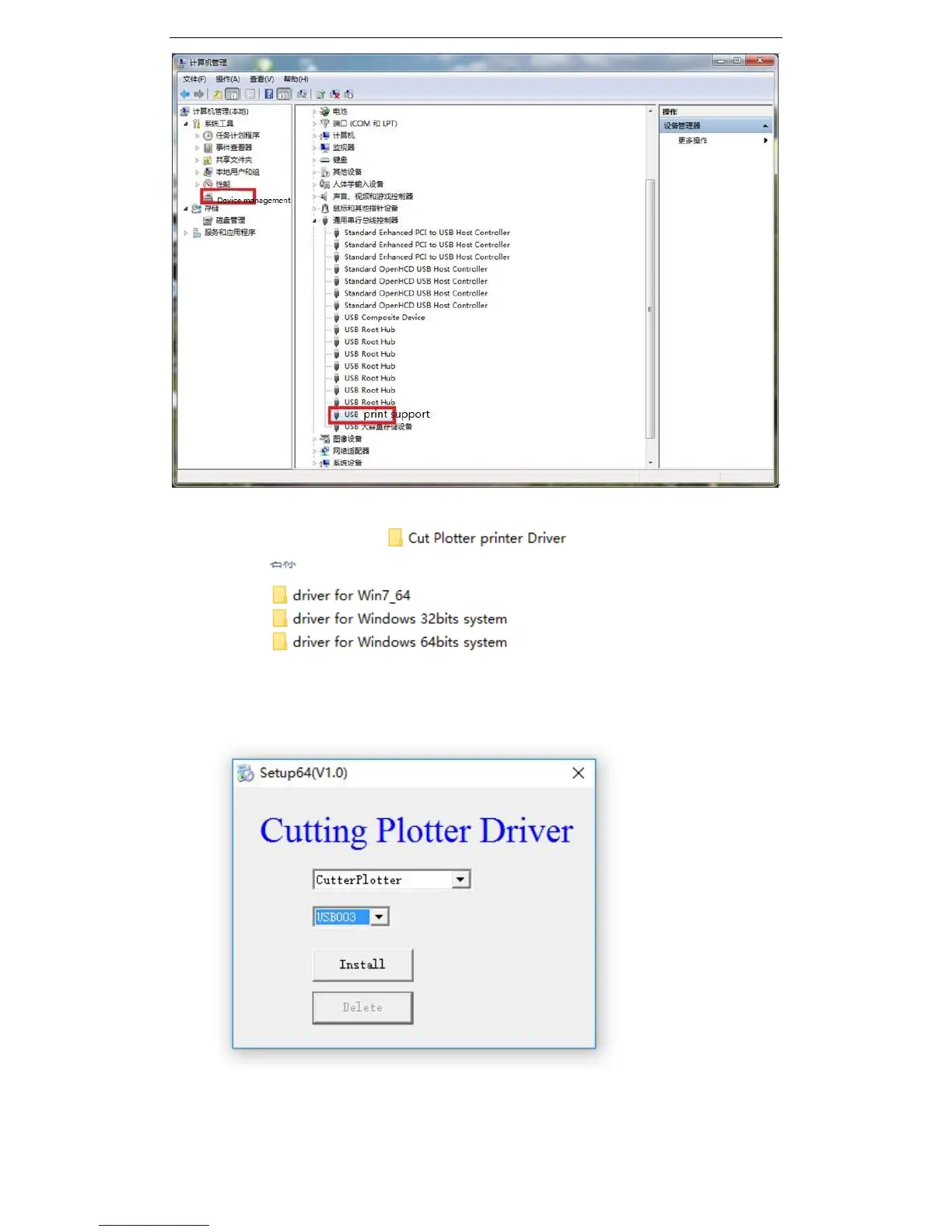
Open the CD, and find this file “ ”,
you will see “ “ , please select the file which is the
same as your computer’s system. Open the fold and run the “ setup” program. The
installation steps are as below:
Use the default value, and click Install , after several seconds, if you see Install successful,
then it means the installation is finished. When in Artcut, Flexisign or coreldraw, please
choose the same output port as this.
Please see below example:


 To Next Page