18 / 21
18 / 21
4.3.3 Machine state while it is working as below:
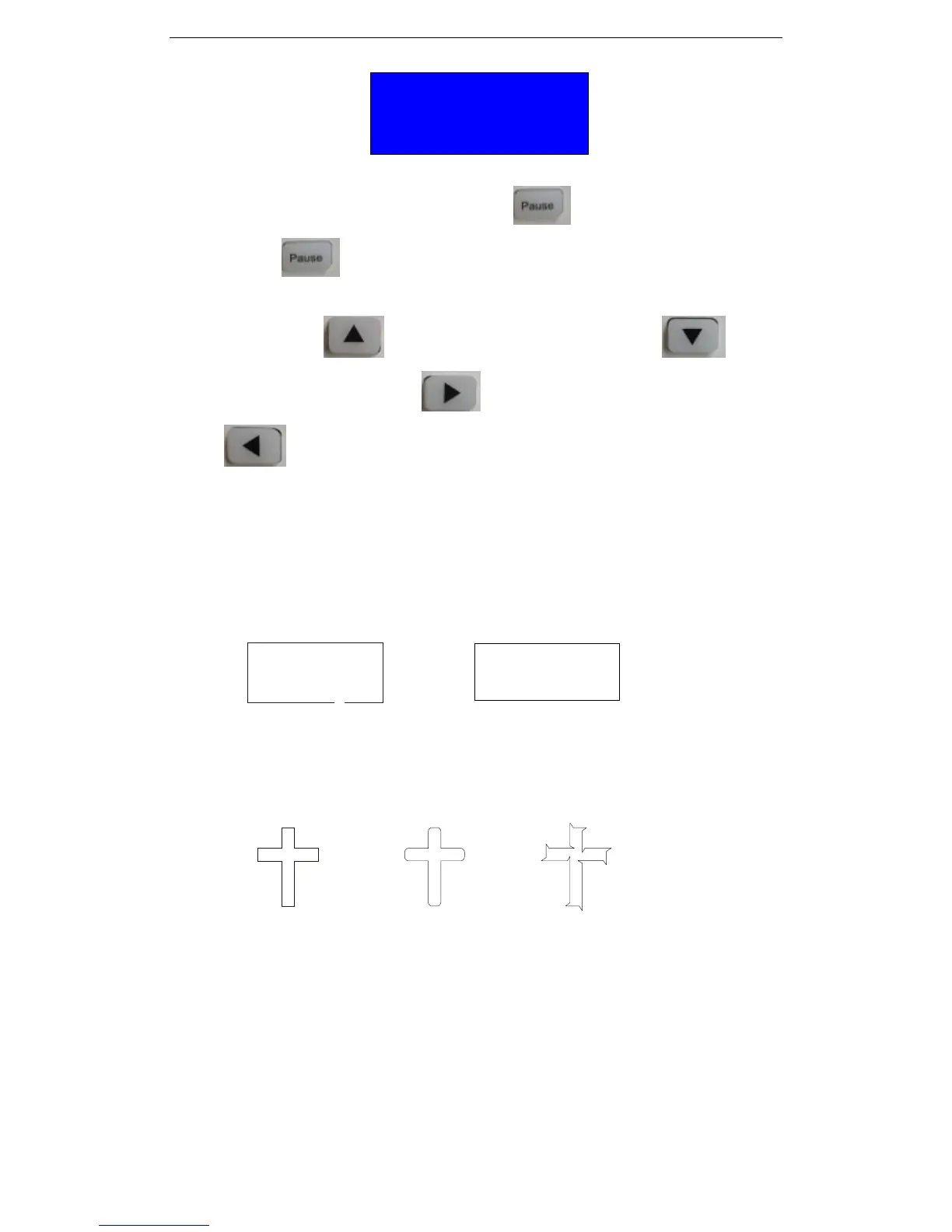
During cutting,you can press the “Pause” button to pause and then press
“Pause” button again, the machine will continue working, If you want to change
the cutting pressure and speed, you can pause the machine first then press the direction
key “Forward” button to increase speed,press “Backward” button to
decrease speed,press “Right” button to increase cutting pressure,press “Left”
button to decrease cutting pressure ,you also can adjust by the following way.
4.5 Knife off-setting
4.5.1 If it is not close during cutting, it needs to set offset in cutting software
(details please follow the software manual )as below:
No offset with off set
4.5.2 During cutting, if the right angles is not at right angles, please set the Sharp-angled
compensation in the cutting software
(Attention please off set value need to follow the actual situation)as below:
Correct not enough over
When you are using cutting software, we are recommend to select high precision output
6. Troubleshooting
6.1 Question: will the characters below 1CM be deformed?
Answer: When cuting small characters, please set offset in the software, for example, in”
Artcut” sign software:
(1). Click“plotting output”once, a plotting output picture will pop up.
(2). Click“set”once, a picture of setting plotter will pop up.
(3). Click“compensation setting”, a dialog box will pop up.
(4). Select“sharp-angle compensation”, adjust the value to required level.
Speed: 1000MM/S
Force: 378


 To Next Page