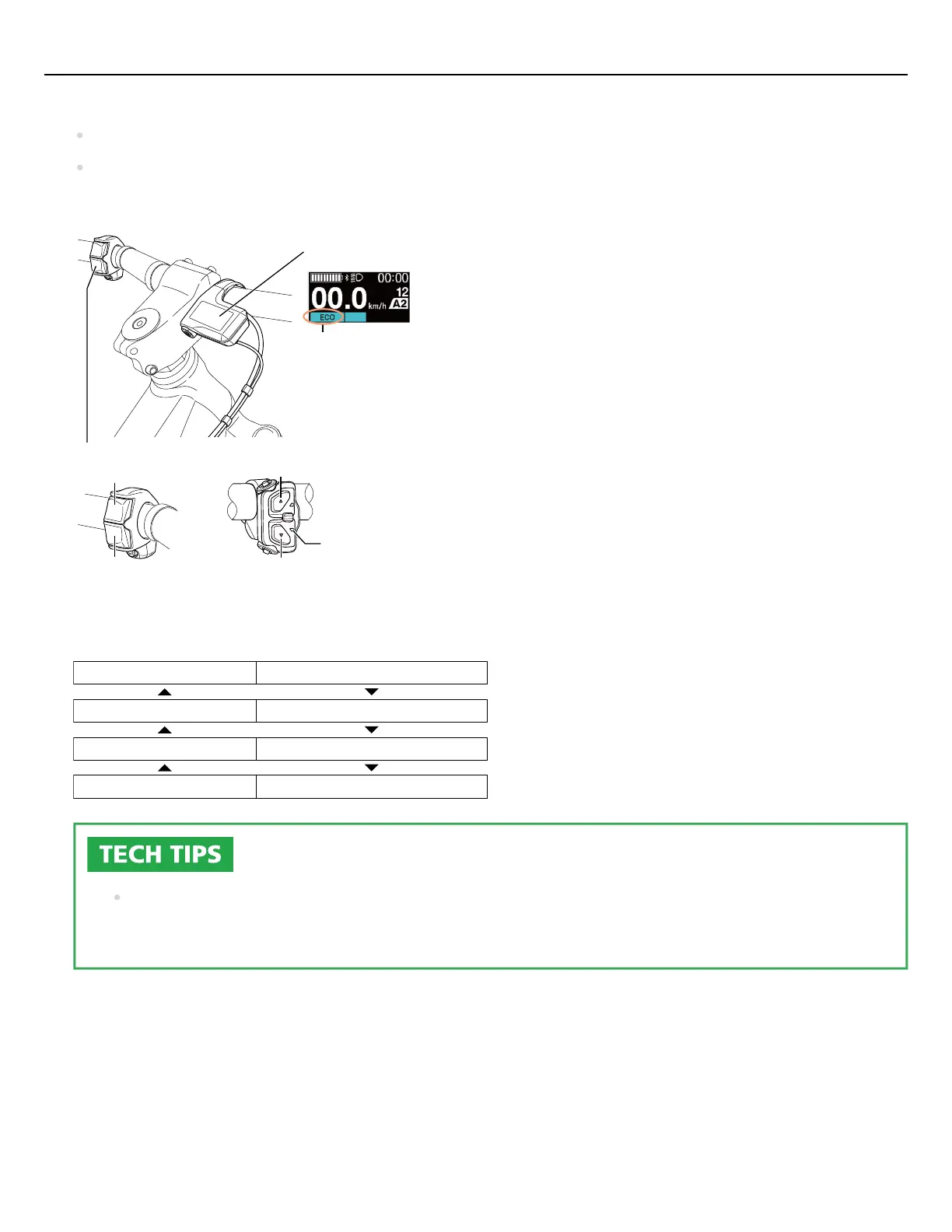
Select assist mode.
X
Y
Y
X
Switch unit
Assist mode display
2-switch type 3-switch type
Cycle computer example
LED2
LED2
Assist mode display
OFF [OFF]
Light blue [ECO]
Green [TRAIL] / [NORMAL]
Yellow [BOOST] / [HIGH]
Y X
When the power is turned off, the assist mode resets to [OFF].
The below shows the display for the [BASIC] assist profile. For the [Fine tune] assist profile display, refer to
the user's manuals for your cycle computer and switch unit.
Depending on the assist bicycle, you change the assist mode with the function switch of the satellite
system ON/OFF switch. Refer to “ Satellite System ON/OFF Switch User's Manual ” for details.
3.
Quick guide
20



 To Next Page