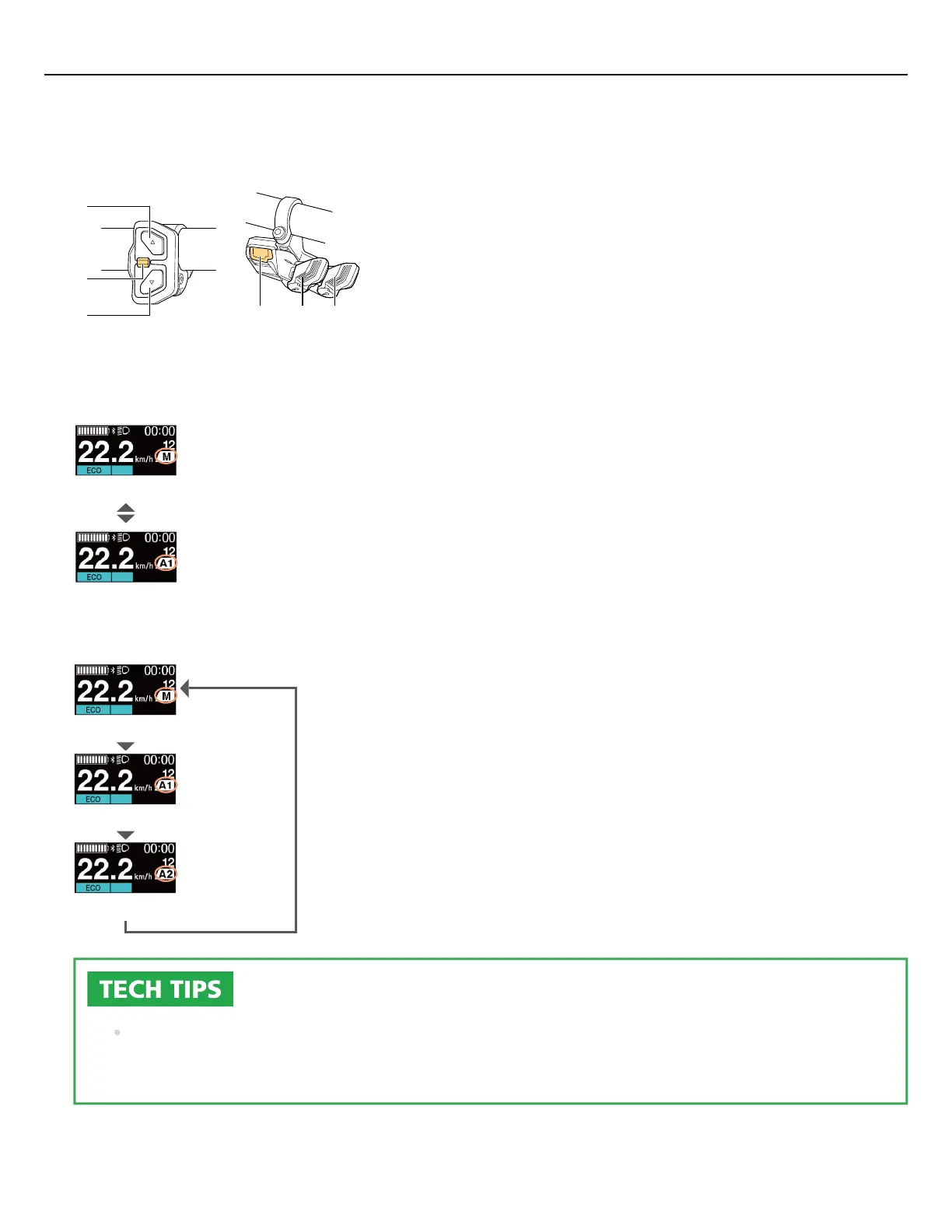
Switch between automatic and manual gear shifting.
Press A on the shift switch (right side of the handlebar).
Shifting switches between automatic and manual gear shifting as shown below.
X
A
Y
A X Y
3-switch type MTB type
When there is one automatic gear
shifting setting
Manual gear shifting
Automatic gear shifting
When there are two automatic gear
shifting settings
Manual gear shifting
Automatic gear shifting (AUTO1)
Automatic gear shifting (AUTO2)
The display will differ depending on the model of cycle computer. Refer to the user's manual of
your cycle computer.
1.
Quick guide
25



 To Next Page