33
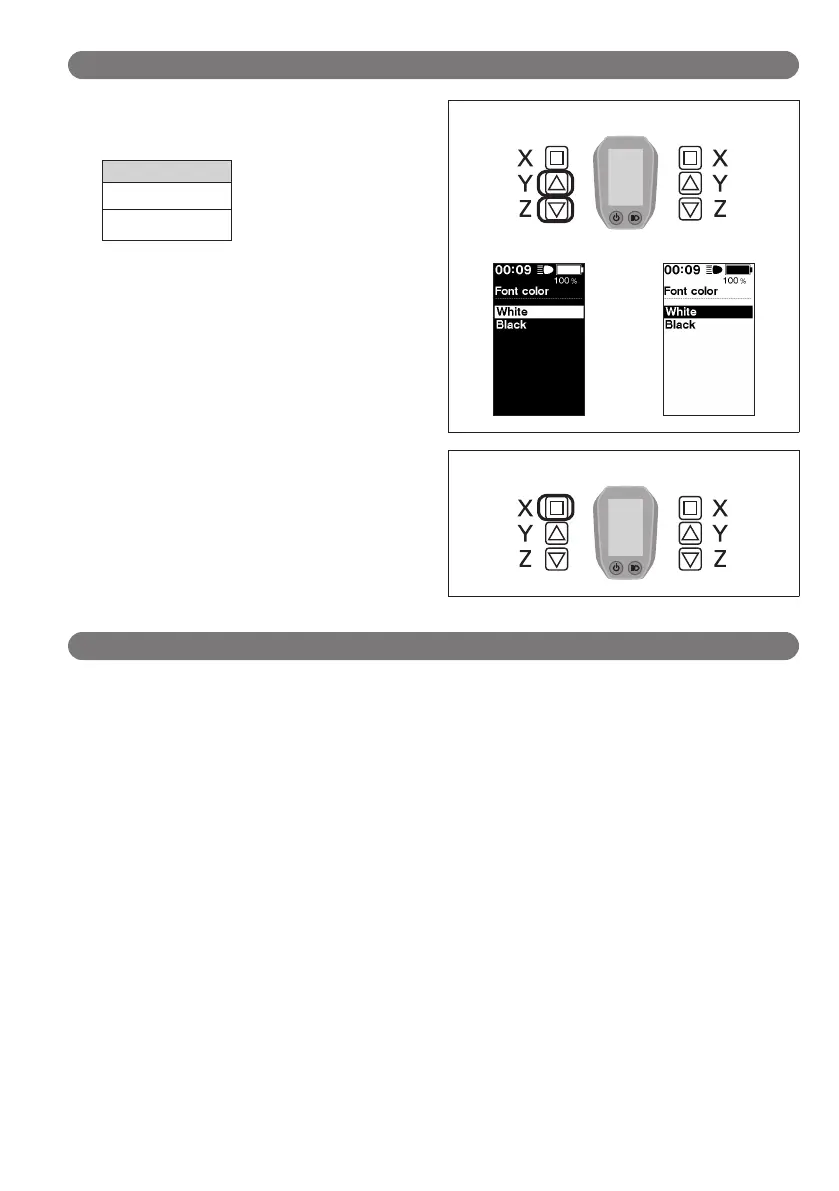
Font color (Font color settings) < SC-E6010 >
1.
Press the Assist-Y or Assist-Z to move the cursor to the
item you want to configure.
Configurable items
White
Black
Assist Shift
White
Black
2.
Pressing the Assist-X button enables the setting item
indicated by the cursor and takes you back to the
"Setting menu" screen.
Assist Shift
"Adjust" (Adjusting the power gear shifting unit)
You can adjust gear shifting only when a built-in electronic gear shifting unit is connected.
If you need to adjust the derailleur, contact the place of purchase.





 To Next Page