32
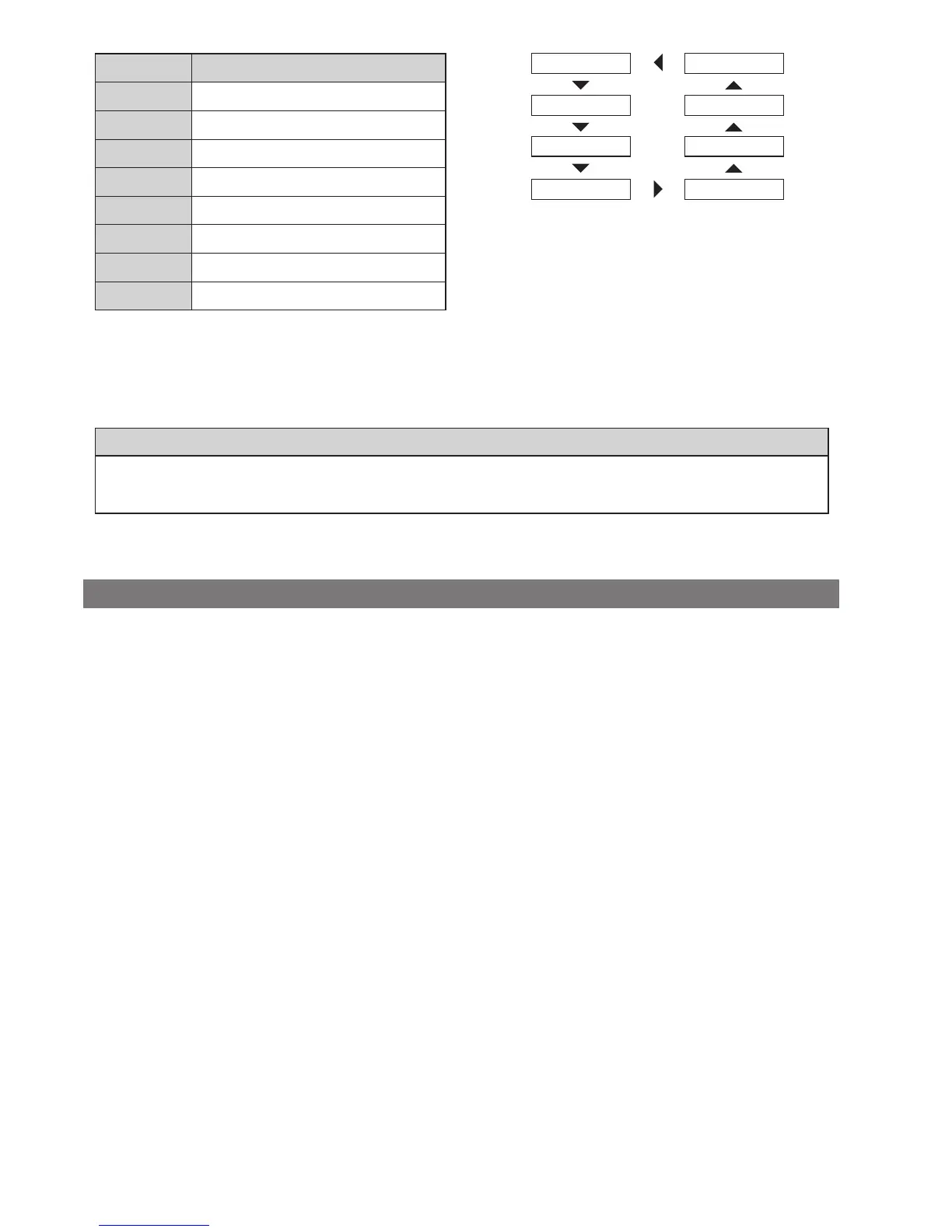
Display item Description
[DST] Traveling distance
[ODO] Cumulative distance
[RNG] Travelable distance *1*3
[TME] Travelable time *2
[AVG] Average speed *2
[MAX] Maximum speed *2
[CAD] Your crank rotation speed *2
[CLK] Current time *2
[DST] [CLK]
[ODO] [CAD]
[RNG] [MAX]
[TME] [AVG]
*1 When [RNG] is displayed, the battery level is not displayed. The traveling range should be used as a reference only.
*2 Optional item: You can configure the display settings in E-TUBE PROJECT. For details, refer to the "Connection and
communication with devices." section.
*3 When walk assistance is functioning, the on screen display [RNG] changes to [RNG ---].
NOTE
When traveling data is displayed, the screen returns to speed display after 60 seconds.
When speed data is displayed, pressing A changes the traveling data displayed starting with [DST].
Clearing the traveling distance
You can clear the traveling distance in the main screen. When the traveling distance is cleared, [TME], [AVG] and [MAX] are
also cleared.
1.
Change the traveling data display to [DST] and press
A for 2 seconds.
2.
Release the finger when the [DST] indication starts
blinking.
In this state, pressing A again clears the traveling
distance.
•
The [DST] indicator light stops blinking and the
screen takes you back to the basic screen after
leaving it alone for 5 seconds.



 To Next Page