31
Walk assist mode operation
1.
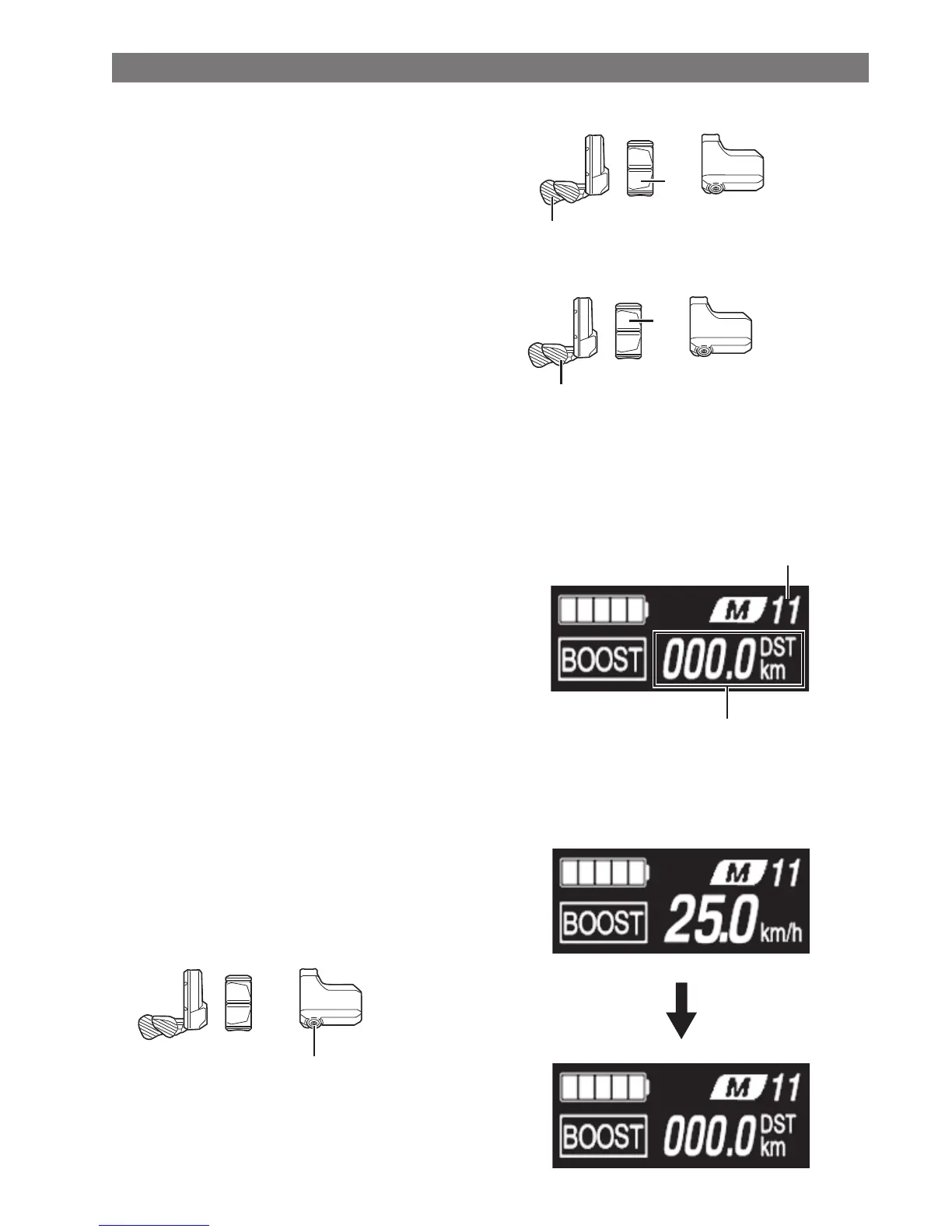
Continue to press Assist-Y while in walk assist mode.
•
Walk assist will function only while Assist-Y is
pressed.
•
If a switch unit is connected to EW-EN100, the LED
(inner side) will flash blue when walk assist starts.
Assist
Y
Y
2.
To cancel [WALK] mode, release Assist-Y and Assist-X.
•
When [WALK] mode is canceled, the mode active
before [WALK] mode was set, is re-activated.
Assist
X
X
Current gear and traveling data display (SC-E7000)
(A)
Gear position (Only displays when electronic gear
shifting is in use)
(B)
Traveling data display
(A)
(B)
Switching between displayed traveling data
The type of traveling data displayed changes each time
you press A.
•
Holding down A when DST is displayed clears all
traveling data.
Assist
A



 To Next Page