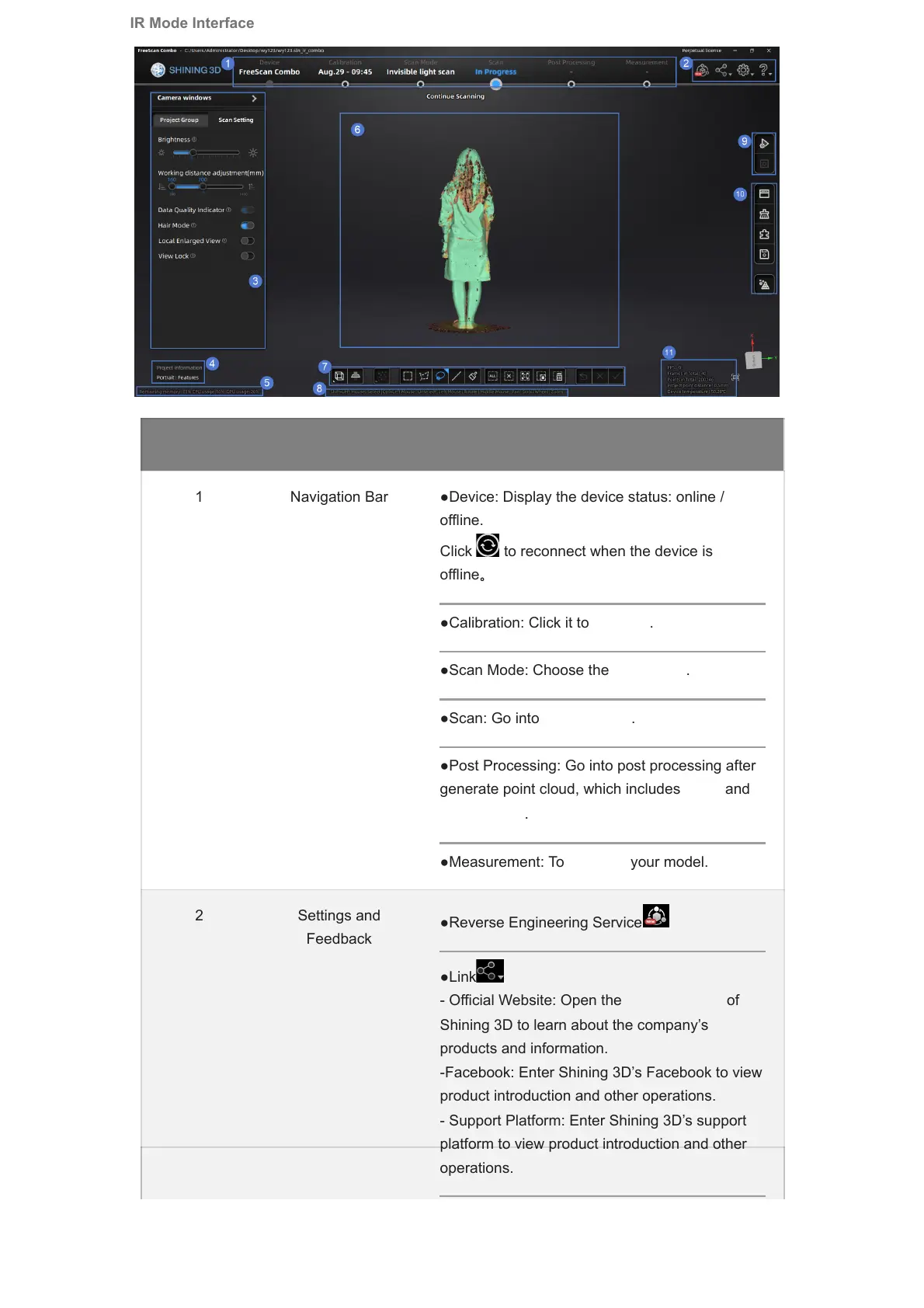
No. Function Description
1 Navigation Bar ●Device: Display the device status: online /
offline.
Click to reconnect when the device is
offline。
●Calibration: Click it to calibrate.
●Scan Mode: Choose the scan mode.
●Scan: Go into scan process.
●Post Processing: Go into post processing after
generate point cloud, which includes mesh and
mesh editing.
●Measurement: To measure your model.
2 Settings and
Feedback
●Reverse Engineering Service
●Link
- Official Website: Open the official website of
Shining 3D to learn about the company’s
products and information.
-Facebook: Enter Shining 3D’s Facebook to view
product introduction and other operations.
- Support Platform: Enter Shining 3D’s support
platform to view product introduction and other
operations.
IR Mode Interface




 To Next Page