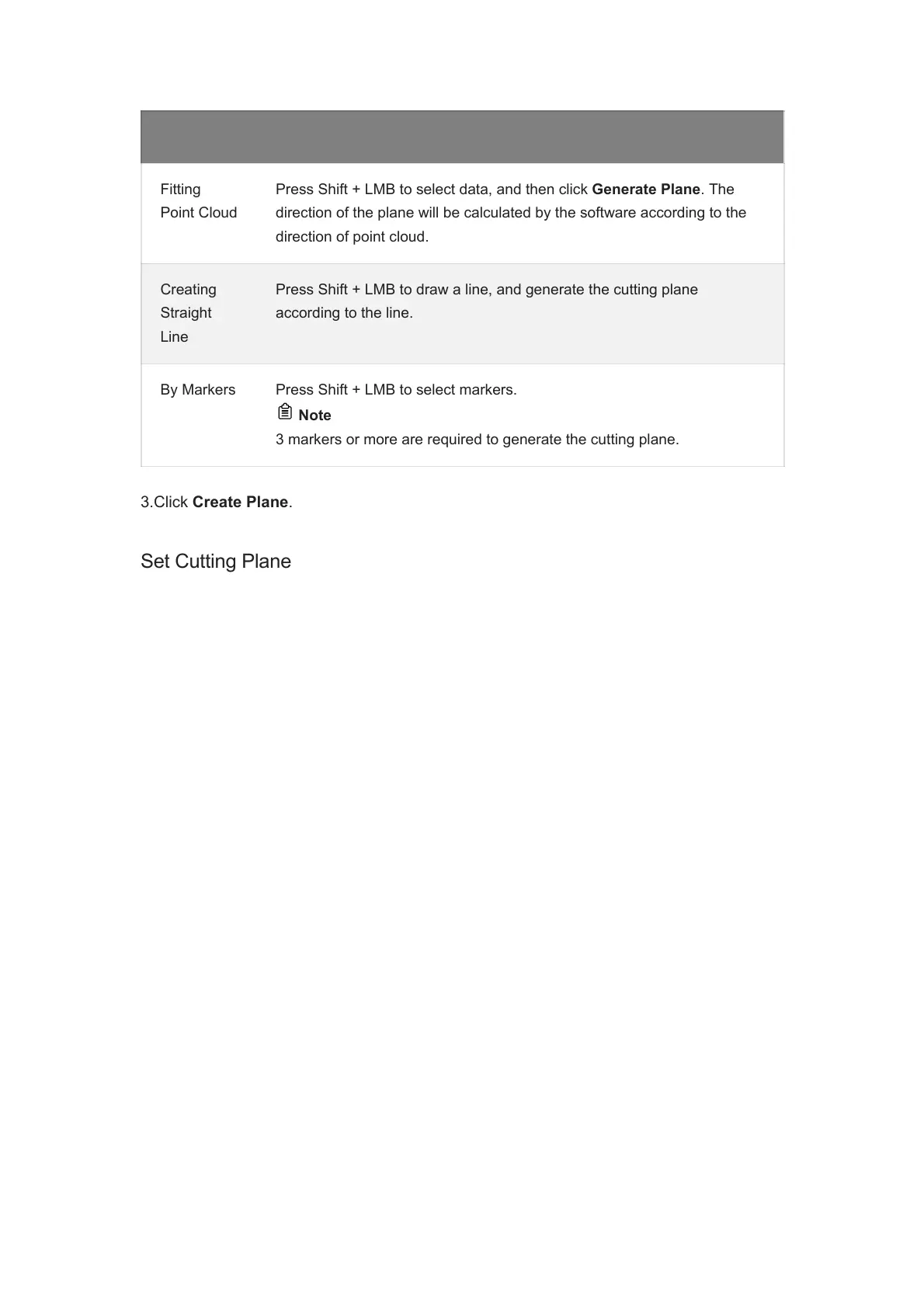
Method Instruction
Fitting
Point Cloud
Press Shift + LMB to select data, and then click Generate Plane. The
direction of the plane will be calculated by the software according to the
direction of point cloud.
Creating
Straight
Line
Press Shift + LMB to draw a line, and generate the cutting plane
according to the line.
By Markers Press Shift + LMB to select markers.
Note
3 markers or more are required to generate the cutting plane.














 To Next Page