Illusration Instruction
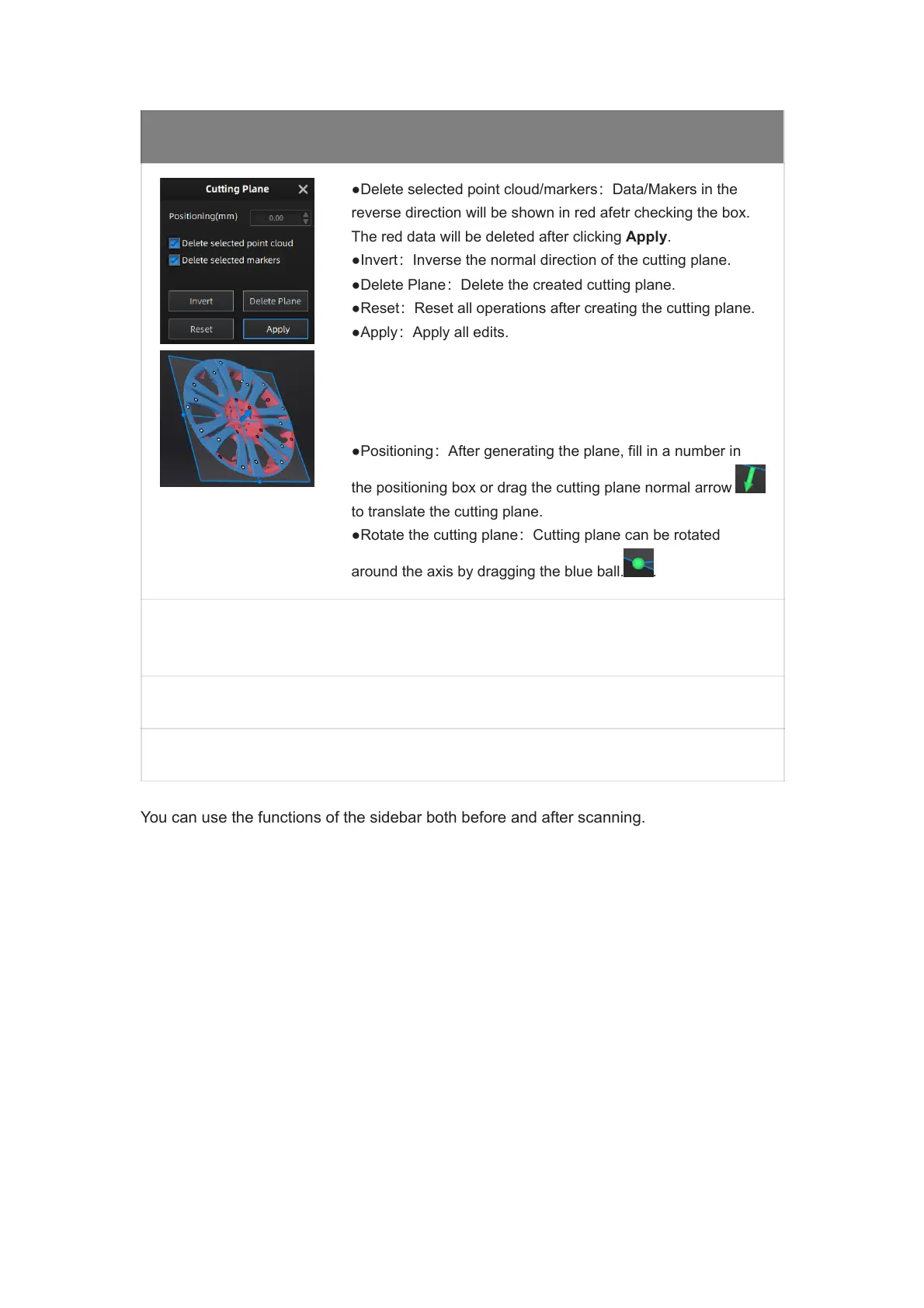
●Delete selected point cloud/markers:Data/Makers in the
reverse direction will be shown in red afetr checking the box.
The red data will be deleted after clicking Apply.
●Invert:Inverse the normal direction of the cutting plane.
●Delete Plane:Delete the created cutting plane.
●Reset:Reset all operations after creating the cutting plane.
●Apply:Apply all edits.
●Positioning:After generating the plane, fill in a number in
the positioning box or drag the cutting plane normal arrow
to translate the cutting plane.
●Rotate the cutting plane:Cutting plane can be rotated
around the axis by dragging the blue ball. .
You can use the functions of the sidebar both before and after scanning.














 To Next Page