Icon Name Description
Unwatertight For models with unclosed holes, use this mesh type to
keep the original state with less meshing time.
Semi-
watertight
Model
To fill the holes automatically.
Watertight To fill all holes automatically. The data can be 3D
printed directly.
Note
Only watertight model can set the mesh quality.
Illustration Option
Illustration Option
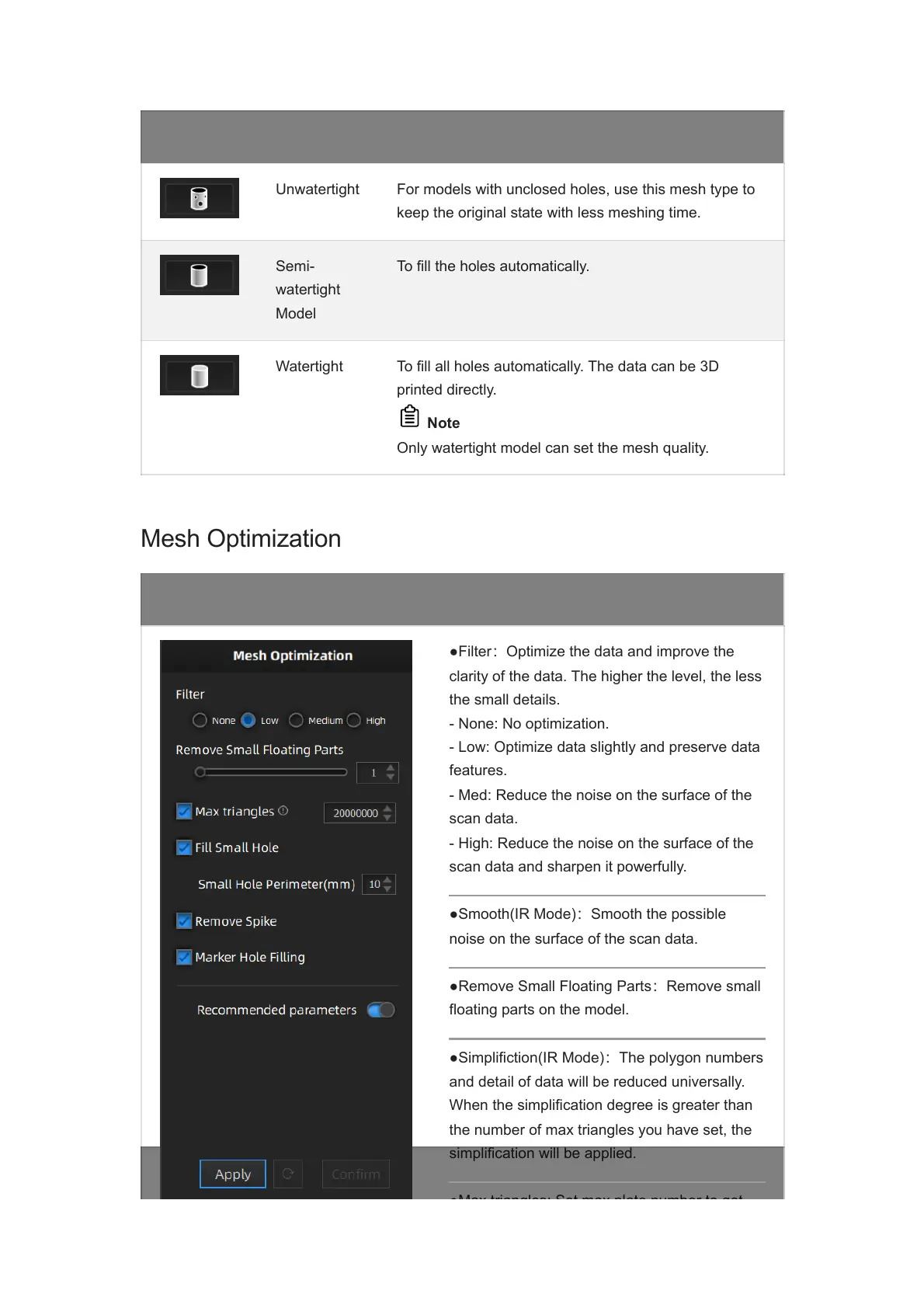
●Filter:Optimize the data and improve the
clarity of the data. The higher the level, the less
the small details.
- None: No optimization.
- Low: Optimize data slightly and preserve data
features.
- Med: Reduce the noise on the surface of the
scan data.
- High: Reduce the noise on the surface of the
scan data and sharpen it powerfully.
●Smooth(IR Mode):Smooth the possible
noise on the surface of the scan data.
●Remove Small Floating Parts:Remove small
floating parts on the model.
●Simplifiction(IR Mode):The polygon numbers
and detail of data will be reduced universally.
When the simplification degree is greater than
the number of max triangles you have set, the
simplification will be applied.
●Max triangles: Set max plate number to get














 To Next Page