-16-
Model D4902 (For Machines Mfd. Since 11/18)
SETUP
Adjusting Blade Clearance
In this procedure you will adjust the side support to be
parallel with the saw blade and
1
⁄2" away from it. Then
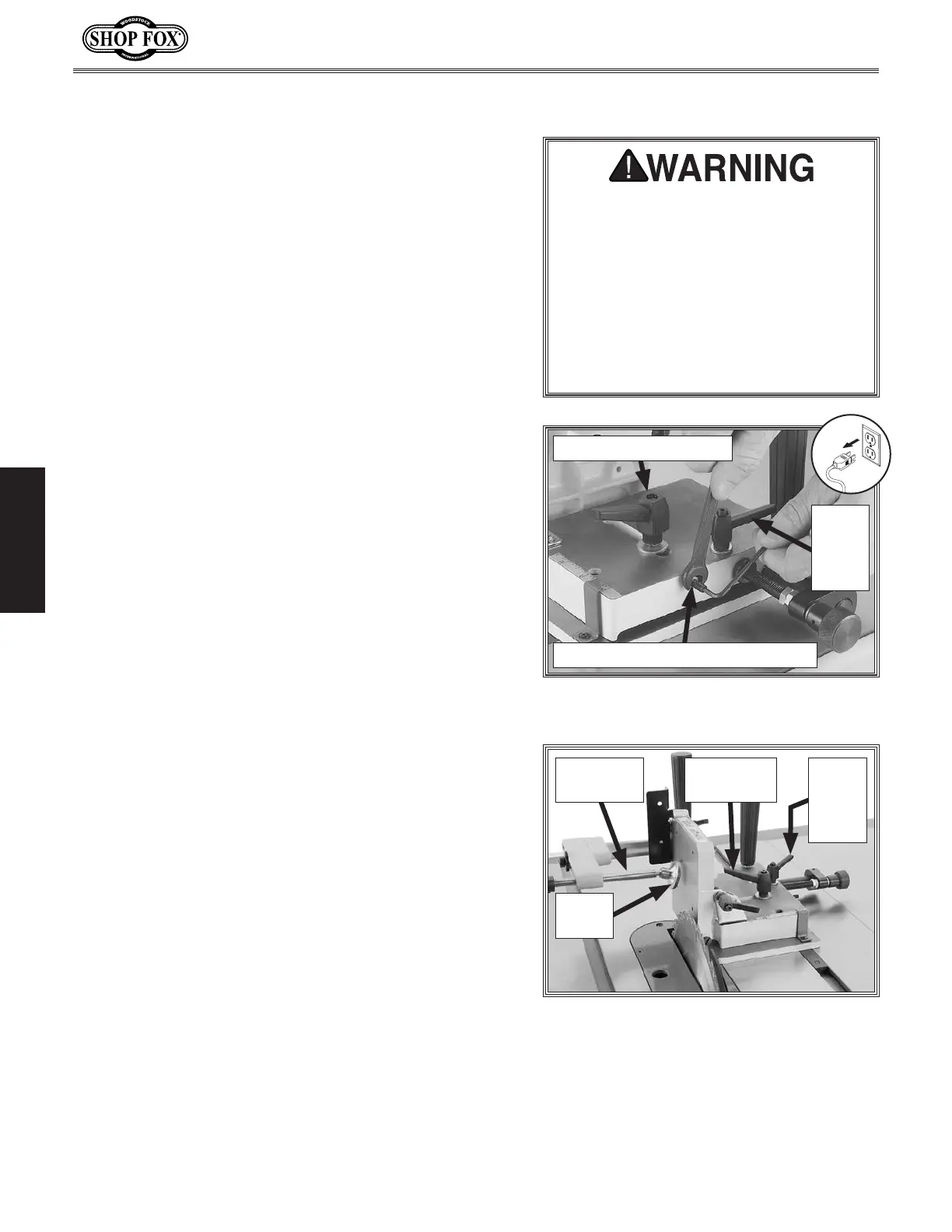
you will set the safety stop set screw (see Figure 14) so
that the side support cannot come into contact with the
blade when adjusting for different cuts.
To adjust blade clearance, do these steps:
1. DISCONNECT TABLE SAW FROM POWER!
2. Make sure saw blade is perpendicular to table and
parallel with miter slot.
3. Make sure tenoning jig side support is perpendicular
to table (refer to Adjusting Side Support on Page 14
for instructions).
4. Loosen jam nut on safety stop set screw, then back
the set screw out so that it will not interfere with
adjustments (see Figure 14).
5. Fully raise saw blade.
You must ensure side support safety
stop is adjusted so that support cannot
contact blade when jig is mounted
in left-hand table miter slot. Jig
side support must stay at least
1
⁄2"
away from blade at all times during
operation. If side support and blade
make contact during operation, serious
personal injury and damage to machine
could result.
Figure 14. Adjusting side support safety
stop.
Safety Stop Set Screw & Jam Nut
Micro-
Adjust
Lock
Lever
Slide Plate Lock Lever
6. Loosen slide plate and micro-adjust lock levers,
shown in Figure 15, then use clamp handwheel to
move clamp leadscrew and shoe out of the way for
the next step (see Figure 15).
Figure 15. Checking for side parallelism
with the saw blade.
Clamp
Leadscrew
Micro-
Adjust
Lock
Lever
Slide Plate
Lock Lever
Clamp
Shoe


 To Next Page