EasyManua.ls Logo

Shop fox W1828 - User Manual

Shop fox W1828
36 pages
Print Icon
To Next Page IconTo Next Page
Loading...
OWNER'S MANUAL
(FOR MODELS MANUFACTURED SINCE 4/11)
MODEL W1828
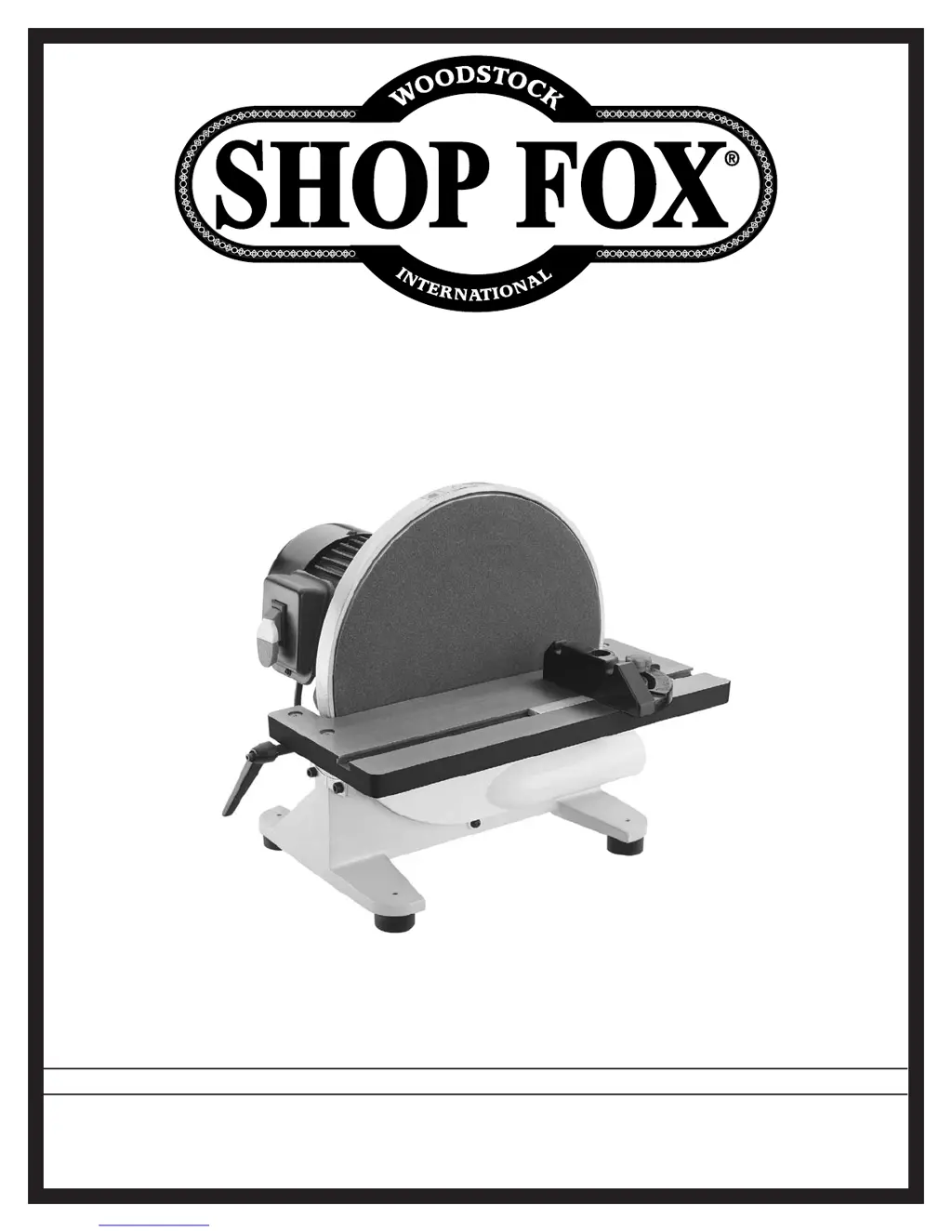
12" DISC SANDER
Phone: (360) 734-3482 • Online Technical Support: tech-support@shopfox.biz
COPYRIGHT © MAY, 2011 BY WOODSTOCK INTERNATIONAL, INC.
WARNING: NO PORTION OF THIS MANUAL MAY BE REPRODUCED IN ANY SHAPE OR FORM WITHOUT
THE WRITTEN APPROVAL OF WOODSTOCK INTERNATIONAL, INC.
#14118TS  Printed in China

Questions and Answers

  • B
    Brenda ColeAug 8, 2025
    Why does sandpaper on my Shop fox W1828 Sander clog quickly?
    • B
      brookssabrinaAug 8, 2025
      Sandpaper on your Shop fox Sander might be clogging quickly or burning due to several reasons. The sandpaper grit may be too fine for the job, so replace it with a coarser grit. If the workpiece is too moist, allow it to dry out. The sanding depth could be too aggressive; reduce it or install coarser sandpaper. Paint, varnish, pitch, or other coatings loading up the sandpaper can also cause this; install a coarse grit sandpaper, or strip the coating off before sanding. Finally, sanding a soft workpiece can contribute to clogging; either use different stock or accept the need to clean/replace discs frequently.
  • X
    xalexanderAug 23, 2025
    What to do if my Shop fox W1828 Sander stalls?
    • A
      Andrew WardAug 23, 2025
      If your Shop fox Sander stalls or slows down during operation, consider the following: You might be applying too much pressure when feeding the workpiece, so try reducing the pressure. A warped workpiece can also cause this issue; straighten it or use a different one. Ensure the workpiece is appropriate for the machine; only sand wood with a moisture content below 20%. Check the motor connections against the wiring diagram on the motor cover and correct any discrepancies. If the motor has overheated, let it cool down, clean it, and reduce the workload. Also, the centrifugal switch may be faulty (adjust or replace it if available), or there could be an issue with the motor itself (test, repair, or replace it).
  • C
    crystal52Aug 28, 2025
    How to prevent glossy spots when using Shop fox Sander?
    • S
      Sarah WalkerAug 28, 2025
      Glossy spots, burning, or streaks on your workpiece when using a Shop fox Sander can occur for several reasons. The sandpaper might be too fine for the desired finish, so try using a coarser grit. Avoid holding the workpiece still for too long; keep it moving. If the workpiece is too moist, allow it to dry out. Sanding stock with high residue can also cause these issues; use different stock or plan on frequent sandpaper cleaning/replacement. Worn sandpaper should be replaced. Additionally, reduce the sanding depth or install coarser sandpaper if the current depth is too aggressive.
  • H
    Henry HarperSep 2, 2025
    Why does abrasive rub off my Shop fox W1828 Sander easily?
    • I
      Isaac ChandlerSep 2, 2025
      If the abrasive rubs off easily on your Shop fox Sander, it might be because the sandpaper has been stored in an incorrect environment. Store sandpaper flat and away from extremely dry, hot, or damp conditions.
  • D
    debra08Nov 12, 2025
    Why my Shop fox Sander won't start?
    • J
      Joshua BushNov 12, 2025
      Your Shop fox Sander might not be starting due to several reasons. It could be that the switch disabling key has been removed, so try reinstalling it. There might be a break or short in the wiring, loose connections, or a corroded plug. Inspect and replace any broken wires, fix loose connections, and correct the wiring. Also, ensure the power supply is switched on and has the correct voltage. A blown fuse or tripped circuit breaker at the main panel could also be the cause; correct any overload issues and then reset or replace the fuse or breaker. If the motor connection is wired incorrectly, refer to the wiring diagram inside the junction box cover and correct it. Other potential issues include a faulty motor ON/OFF switch (replace it), a blown start capacitor (test and replace if needed)...
  • T
    Theresa MitchellNov 17, 2025
    How to reduce vibration in my Shop fox W1828 Sander?
    • L
      Lindsey MorenoNov 17, 2025
      Excessive vibration or noise in your Shop fox Sander can stem from several factors. First, ensure the workpiece is correctly secured with the appropriate holding fixture and properly clamped. Check if the motor fan is rubbing against the fan cover; if so, fix or replace the cover and replace any loose or damaged fan. Make sure the motor mounting is secure by tightening the mounting bolts/nuts, and consider using thread-locking fluid. Also, verify that the table tilt lock handle is tightened. Ensure the machine is correctly mounted to the bench by leveling/shimming the base and tightening/adjusting the mounting hardware. Other potential causes include a centrifugal switch that is out of adjustment (adjust or replace it) or worn/damaged motor bearings (replace the bearings or the entire moto...

Summary

Safety Guidelines

Standard Machinery Safety Instructions

General safety guidelines for operating machinery, covering personal protection and safe practices.

Disc Sander Specific Safety

Specific safety precautions and best practices for operating disc sanders.

Electrical Requirements

Extension Cord Usage Guidelines

Recommendations and requirements for using extension cords with the machine.

Setup and Installation

Operating Procedures

Maintenance and Care

Service and Troubleshooting

Troubleshooting Common Problems

Identifies common issues and provides corrective actions.

Electrical Safety and Wiring Diagram

Safety guidelines for electrical work and the machine's wiring schematic.

Shop fox W1828 Specifications

General IconGeneral
Disc Speed1725 RPM
Belt Speed1350 SFPM
Weight239 lbs.
Motor1 HP
Disc Diameter12 inches
Belt Size6 in x 48 in
Belt Table Tilt0 to 45 degrees
Disc Table Tilt0-45 degrees
Disc Size12 inches
Dust Port Size4 inches

Related product manuals