EasyManua.ls Logo

Shop fox W1850 - User Manual

Shop fox W1850
44 pages
Print Icon
To Next Page IconTo Next Page
Loading...
OWNER'S MANUAL
(FOR MODELS MANUFACTURED SINCE 06/17)
MODEL W1850
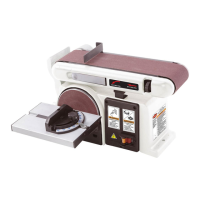
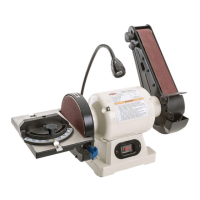
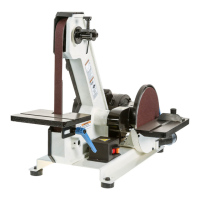
1" X 42" BELT w/8" DISC SANDER
Phone: (360) 734-3482 • Online Technical Support: techsupport@woodstockint.com
COPYRIGHT © SEPTEMBER, 2017 BY WOODSTOCK INTERNATIONAL, INC.
WARNING: NO PORTION OF THIS MANUAL MAY BE REPRODUCED IN ANY SHAPE OR FORM WITHOUT
THE WRITTEN APPROVAL OF WOODSTOCK INTERNATIONAL, INC.
#19106KB  Printed in China

Questions and Answers

  • L
    Luis ShafferAug 25, 2025
    What causes burn marks on the workpiece when using my Shop fox Sander?
    • L
      Lonnie FryAug 26, 2025
      Burn marks on the workpiece when using your Shop fox Sander can result from: * Using too fine of a sanding grit. Use a coarser grit sanding belt or disc. * Applying too much pressure. Reduce pressure on the workpiece while sanding. * Holding the workpiece still for too long. Avoid keeping the workpiece in one place for an extended period.
  • R
    Ryan PorterAug 28, 2025
    Why do sanding surfaces on my Shop fox Sander clog quickly or burn?
    • C
      Caleb SchultzAug 28, 2025
      Sanding surfaces on your Shop fox Sander might clog quickly or burn due to: * Applying too much pressure against the belt or disc. Reduce pressure on the workpiece while sanding. * Sanding softwood, or stock that has surface residue. Use different stock, or accept the characteristics of the stock and plan on cleaning or replacing belts/discs frequently.
  • D
    Dana MaynardSep 1, 2025
    How do I prevent deep sanding grooves or scars in my Shop fox W1850 Sander workpiece?
    • D
      Douglas YoungSep 1, 2025
      Deep sanding grooves or scars in your Shop fox Sander workpiece can be caused by: * Using sandpaper that's too coarse for the desired finish. Use a finer grit sanding belt or disc. * Sanding the workpiece across the grain. Sand with the grain. * Applying too much sanding force on the workpiece. Reduce pressure on the workpiece while sanding. * Holding the workpiece still against the belt or disc. Keep the workpiece moving while sanding on the belt or disc.
  • B
    beth21Sep 5, 2025
    Why do grains rub off the belt or disc easily on my Shop fox W1850?
    • G
      gilesmarcusSep 5, 2025
      Grains rubbing off the belt or disc easily on your Shop fox Sander can be attributed to: * The sanding belt or disc being stored in an incorrect environment. Store the sanding belt or disc away from extremely dry or hot temperatures. * The sanding belt or disc being folded or smashed. Store the sanding belt or disc flat, not folded or bent.
  • B
    Brandi ReedSep 9, 2025
    What causes glazed sanding surfaces on my Shop fox W1850?
    • K
      Kimberly CoxSep 9, 2025
      Glazed sanding surfaces on your Shop fox Sander can occur due to: * Sanding wet stock. Dry the stock properly before sanding. * Sanding stock with high residue. Use different stock, or accept the characteristics of the stock and plan on cleaning/replacing belts/discs frequently.
  • D
    Daniel WhiteNov 12, 2025
    What to do if my Shop fox W1850 does not start or the breaker trips?
    • D
      dayaliciaNov 12, 2025
      If your Shop fox Sander doesn't start or the breaker trips, there are several potential causes: * The switch disabling key might be removed. Install the switch disabling key. * The power supply could be switched OFF or at fault. Ensure the power supply is on and has the correct voltage. * The plug/receptacle might be faulty or wired incorrectly. Test for good contacts and correct the wiring. * The motor connection could be wired wrong. Correct the motor wiring connections. * The wall circuit breaker might have tripped. Ensure the circuit size is correct or replace the weak breaker. * The wiring might be open or have high resistance. Check and fix broken, disconnected, or corroded wires. * The start capacitor might be faulty. Test and replace it if necessary. * The motor ON...
  • D
    Dr. Matthew Anderson DVMNov 16, 2025
    Why does my Shop fox Sander stall or feel underpowered?
    • M
      Michelle JensenNov 16, 2025
      A Shop fox Sander might stall or feel underpowered due to several reasons: * Excessive pressure on the sanding surface. Reduce the workpiece pressure. * The machine is undersized for the task. Clean or replace the sandpaper and reduce workpiece pressure. * The workpiece material isn't suitable for the machine. Only sand wood and ensure the moisture content is below 20%. * A loose or slipping V-belt. Check and adjust the V-belt tension. * Incorrect motor wiring. Wire the motor correctly. * A pulley slipping on the shaft. Inspect and replace the loose pulley or shaft. * A faulty plug or receptacle. Test for good contacts and correct the wiring. * An overheated motor. Clean the motor, let it cool, and reduce the workload. * Faulty motor bearings. Test, repair, or replace th...
  • L
    lgrantNov 20, 2025
    How to fix vibration or noisy operation in my Shop fox Sander?
    • M
      Michael JenkinsNov 20, 2025
      Vibration or noisy operation in your Shop fox Sander can be caused by: * A loose or broken motor/mount. Tighten or replace it. * The machine being incorrectly mounted to the workbench. Adjust the feet, shim, or tighten the mounting hardware. * Incorrect sanding belt tracking. Adjust the sanding belt tracking. * A broken or damaged sanding belt. Replace the sanding belt. * A weak or broken sanding belt tension spring. Replace the spring. * The sanding disc rubbing, not properly centered, or the set screw not tight. Properly install or secure the sanding disc. * A worn or loose V-belt. Inspect or replace the belt. * A loose pulley. Realign or replace the shaft, pulley, set screw, and key. * The motor fan rubbing on the fan cover. Fix or replace the fan cover; replace the l...

Summary

SAFETY

Standard Machinery Safety Instructions

General safety guidelines and symbol meanings for operating machinery.

Belt & Disc Sander Specific Safety

Safety measures specific to belt and disc sanding, covering dust, workpiece, and entanglement hazards.

ELECTRICAL

Circuit Requirements

Power supply circuit specifications including voltage, frequency, and amperage for safe operation.

SETUP

Assembly

Step-by-step instructions for assembling the Model W1850 sander.

Test Run

Procedures for performing a test run to ensure proper assembly and function.

OPERATIONS

Disc Sanding Procedures

Step-by-step guide for performing sanding operations with the disc.

Belt Sanding Procedures

Step-by-step guide for performing sanding operations with the belt.

SERVICE

V-Belt Tension & Replacement

Steps for adjusting V-belt tension and replacing the V-belt.

Electrical Safety Instructions

Comprehensive safety guidelines for electrical work on the machine.

WARRANTY

Shop fox W1850 Specifications

General IconGeneral
Motor PhaseSingle-phase
Motor TypeTEFC Capacitor-Start Induction
Disc Speed1725 RPM
TypeCombination Sander
Motor Voltage110V
Belt Size6" x 48"
Disc Size9"

Related product manuals