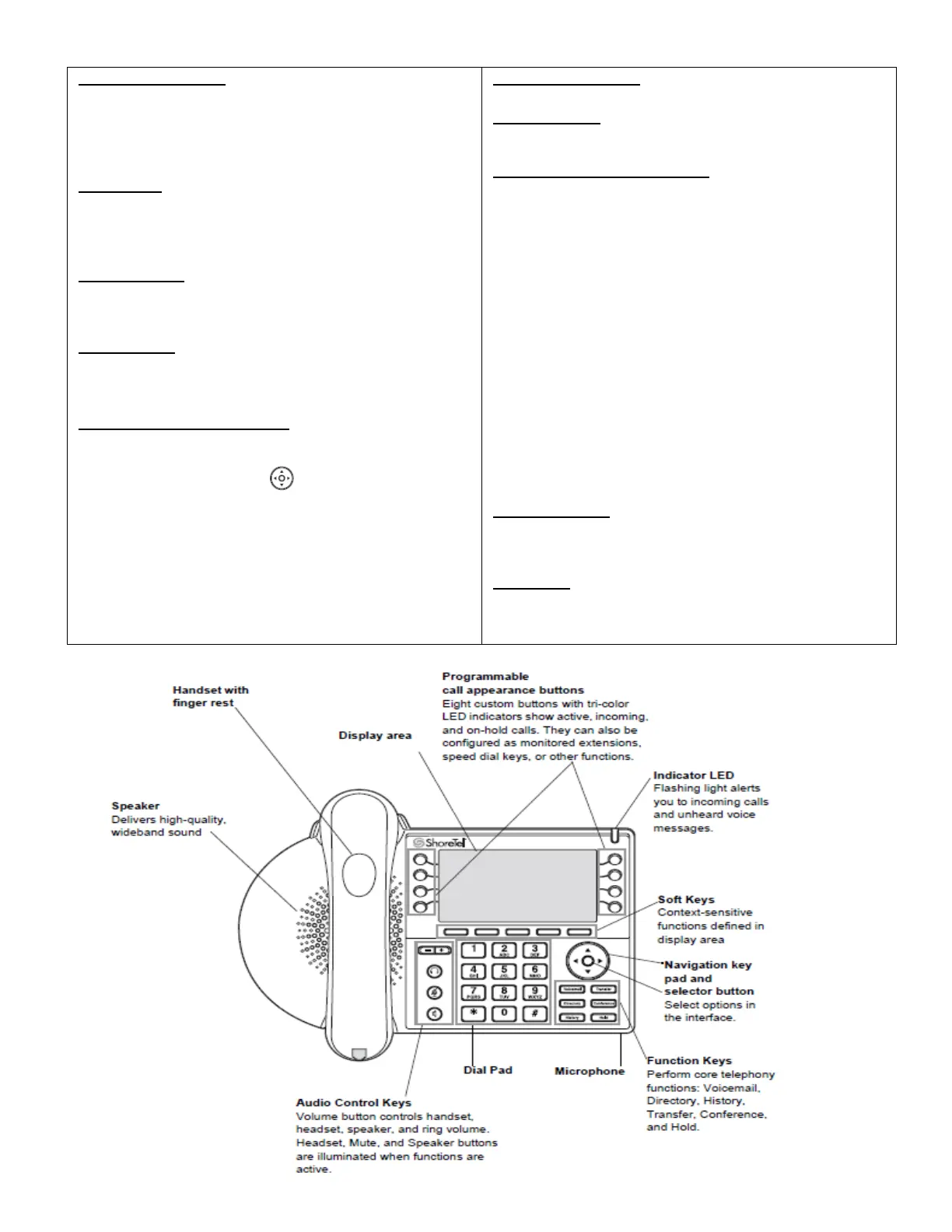
OPTIONS (Soft Key):
Password is required (same as Voicemail password)
With you Navigation Button, highlight one of the following
features and use the Soft Keys to select OK, Edit, Cancel, or
Done.
Availability:
To Customize a Status, Select 1 of 6 Available States to make
your change. (1-Standard, 2-In a Meeting, 3-Out of Office,
4-Vacation, 5-Custom or 6-Do Not Disturb)
Auto Off-Hook:
Device automatically activated when placing or receiving calls
when handset is not used (Speakerphone or Headset)
Headset Type:
Choose what type of Headset you may be using
(Wired vs. Wireless)
Ringtone: (Change Ring Tones)
1) Press Option (soft key)
2) Enter your Voicemail password, Press OK
3) Use Navigation Key to scroll down to
Ringtones
4) Press your Edit (Soft Key)
5) Scroll to preview and select the preferred ringtone
6) Press internal or external to play the ringtone
7) Highlight Ringtone you wish to save and Press OK
OPTIONS (Soft Key):
Audible Ringer:
On/Off
Program Buttons: (if applicable)
Program Speed Dial on a spare button:
1) Press Option (soft key)
2) Enter your Voicemail password, Press OK
3) On your display, scroll down to Program Buttons
and Press your Edit (Soft Key)
4) On your display, it will ask you the Button you wish
to program. Press the actual button you wish to
create
5) Highlight Dial Number on your display and Press
Select (Soft key).
6) Enter your speed dial number and Press Next (Soft
Key)
7) Enter a Label name for your number from Dial Pad
(this will the label on your phone display next to the
speed dial button you choose)
8) Press Done (Soft Key)
9) Press Exit (Soft Key)
Handsfree Mode:
IP phone users should instead use Auto Off-Hook feature
(recommended to keep setting at the default)
Time Zone:
By default, your phone uses the time zone specified by the
system installed. No need to adjust.



 To Previous Page