EasyManua.ls Logo

SHOWTEC compact par 7 MKII - User Manual

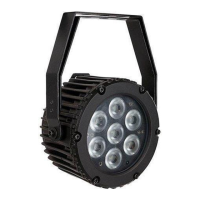
SHOWTEC compact par 7 MKII
24 pages
Print Icon
To Next Page IconTo Next Page
Loading...
Compact Par 7 MKII V1
Highlite International B.V. Vestastraat 2 6468 EX Kerkrade the Netherlands
Ordercode: 42595
MANUAL
ENGLISH

Questions and Answers

  • M
    Michelle HamptonAug 1, 2025
    What to do if my SHOWTEC compact par 7 MKII Flood Light has no light?
    • A
      Anna LawsonAug 1, 2025
      If your SHOWTEC Flood Light has no light, first, ensure the unit is properly plugged into a suitable power supply. If the power supply is not the issue, the fuse may be blown and require replacement. If these steps don't resolve the issue, the LEDs may be faulty, in which case you should return the fixture to your Showtec dealer for further assistance.
  • M
    Manuel BraunAug 6, 2025
    What to do if SHOWTEC compact par 7 MKII fixtures are completely dead?
    • V
      Vanessa JonesAug 6, 2025
      If one or more SHOWTEC Flood Light fixtures are completely dead, verify that the power is switched on and the cables are securely plugged in. If the issue persists, the primary fuse may have blown and needs to be replaced.
  • C
    christian83Aug 11, 2025
    Why does my SHOWTEC compact par 7 MKII have no response to DMX?
    • K
      Kelly GreenAug 11, 2025
      If your SHOWTEC Flood Light is not responding to DMX, verify the DMX settings and ensure the DMX addresses are correct. Also, check the DMX cable by unplugging the unit, changing the DMX cable, and then reconnecting the power. Finally, determine whether the controller or the light effect is at fault.
  • A
    Amanda SanchezAug 21, 2025
    What to do if SHOWTEC Flood Light fixtures reset correctly, but all respond erratically?
    • C
      christinewrightAug 21, 2025
      If SHOWTEC Flood Light fixtures reset correctly, but all respond erratically, first, ensure the controller is properly connected. If the 3-pin XLR Out of the controller does not match the XLR Out of the first fixture on the link (i.e., the signal is reversed), install a phase-reversing cable between the controller and the first fixture on the link.
  • J
    Jamie JamesAug 27, 2025
    Why does my SHOWTEC compact par 7 MKII cut out intermittently?
    • R
      Rachel BruceAug 27, 2025
      If your SHOWTEC Flood Light experiences intermittent light or lamp cutouts, several factors could be responsible: * The fixture might be overheating, so allow it to cool. * Ensure that the air vents at the control panel and front lens are not blocked. * Increase air conditioning to lower the ambient temperature. * The LEDs may be damaged, requiring you to disconnect the fixture and return it to your dealer. * The power supply settings may not match your local AC voltage and frequency; disconnect the fixture, check the settings, and correct them if necessary.
  • T
    Timothy RichardsonNov 15, 2025
    What to do if SHOWTEC compact par 7 MKII Flood Light fixtures reset correctly, but some respond erratically?
    • C
      Carolyn ChaseNov 15, 2025
      If SHOWTEC Flood Light fixtures reset correctly but some respond erratically, consider the following: * Check the data quality. * Inspect connections and cables, correcting poor connections and replacing damaged cables. * Insert a termination plug in the output jack of the last fixture on the link if the data link is not terminated with a 120 Ohm termination plug. * Check the address setting if the fixtures are incorrectly addressed. * Bypass one fixture at a time by unplugging both connectors and connecting them directly together until normal operation is regained. One of the fixtures may be defective and disturbing data transmission on the link. * Install a phase-reversing cable between the fixtures or swap pin 2 and 3 in the fixture that behaves erratically if the 3-pin XLR...

Summary

Warning

Unpacking Instructions

Steps for unpacking and checking the product upon receipt.

LED Expected Lifespan

Information on how heat affects LED lifespan and how to manage it.

Safety Instructions

General safety guidelines for installation, operation, and maintenance personnel.

Important Safety Precautions

Prohibited Actions

List of actions to avoid for safe operation and device longevity.

Operating Determinations

Rigging and Installation

Rigging Guidelines

Instructions and safety considerations for rigging and trussing.

Installation Procedure

Steps for safely mounting the fixture using clamps and safety attachments.

Mains Connection

Product Returns and Claims

Return Procedure

Steps to follow for returning a product for service or replacement.

Claims Process

Process for handling claims related to product defects or shipping damage.

Device Description

Key Features

Key specifications and capabilities of the Compact Par 7 MKII.

Frontside View

Frontside Components Identification

Labeling of the mounting bracket and lens on the front.

Backside View

Backside Components Identification

Labeling of buttons, display, and connectors on the rear.

Initial Installation

Setup and Connection

Removing packing, connecting cables, and safety during setup.

Setup and Operation

Control Modes Overview

Overview of available operation modes like Stand-alone, Master/Slave, and DMX.

Manual Control Setup

Setup instructions for operating a single unit manually.

Master;Slave Setup

Setup for linking multiple units in Master/Slave configuration.

DMX Control Setup

Fixture Linking and Data Cabling

Fixture Linking Procedure

Guidelines for connecting multiple fixtures in a DMX chain.

Data Cable Recommendations

Information on necessary data cables and their specifications.

Control Panel Interface

Control Panel Layout

Identification of LCD display and control buttons (Mode, Setup, Up, Down).

DMX Addressing Procedure

Steps to set DMX address and channel mode (3, 6, or 7 channels).

Control Mode Explanation

Display Auto-Off Feature

Menu Navigation Overview

Main Menu Configuration

DMX Addressing and Mode Selection

How to set the DMX address and DMX mode for the fixture.

Master;Slave Configuration

Configuration of the unit as a slave device in a Master/Slave setup.

Auto Run Mode Setup

How to activate and configure the device's automatic running mode.

Built-in Program Control

Built-in Program Settings

Adjusting flash frequency and program running speed for built-in programs.

Manual Color Control

Manual Color Adjustment

Setting Red, Green, Blue LED values and flash frequency for custom colors.

Sound Control Mode

DMX Channel Functions

3-Channel DMX Mode Functions

Channel functions for the 3-channel DMX mode (RGB dimmer).

6-Channel DMX Mode Functions

Channel functions for the 6-channel DMX mode (RGB dimmer, sound, strobe).

7-Channel DMX Mode Functions

Maintenance Procedures

General Cleaning and Care

Cleaning procedures for the housing, lens, and connections.

Fuse Replacement Guide

Troubleshooting Common Issues

No Light Troubleshooting

Steps to troubleshoot when the fixture does not produce light.

DMX Response Troubleshooting

Steps to troubleshoot when the fixture does not respond to DMX signals.

Factory Settings Reset

Troubleshooting Table

Problem, Cause, and Remedy Guide

Specific issues like dead fixtures, erratic response, and no light with solutions.

Product Specifications

Physical Dimensions

SHOWTEC compact par 7 MKII Specifications

General IconGeneral
BrandSHOWTEC
Modelcompact par 7 MKII
CategoryFlood Light
LanguageEnglish

Related product manuals