EasyManua.ls Logo

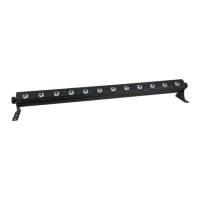
SHOWTEC Pixel bar 12 - User Manual

SHOWTEC Pixel bar 12
27 pages
Print Icon
To Next Page IconTo Next Page
Loading...
Pixel Bar 12
ORDERCODE 41301

Questions and Answers

  • K
    Katherine JohnsonJul 27, 2025
    What to do if SHOWTEC Pixel bar 12 Flood Light fixture is completely dead?
    • C
      Christopher TurnerJul 27, 2025
      If your SHOWTEC Flood Light fixture isn't powering on, first ensure that the power switch is on and the power cables are securely plugged in. If the issue persists, the primary fuse may have blown and needs replacement.
  • D
    deborah91Aug 4, 2025
    Why is there no light from my SHOWTEC Flood Light?
    • C
      clarkmatthewAug 4, 2025
      If your SHOWTEC Flood Light is not emitting any light, it could be due to a mismatch between the power supply settings and your local AC voltage and frequency. Disconnect the fixture and verify these settings, correcting them if necessary. Another potential cause is damaged LEDs, in which case you should disconnect the fixture and return it to your dealer.
  • A
    Andrew RodriguezAug 10, 2025
    What to do if SHOWTEC Pixel bar 12 fixtures reset but respond erratically?
    • T
      timothy26Aug 10, 2025
      If your SHOWTEC Flood Light fixtures reset correctly but respond erratically or not at all to the controller, it may be due to the controller not being connected. Ensure the controller is properly connected. Another cause may be a mismatch between the 3-pin XLR Out of the controller and the XLR Out of the first fixture. In this case, install a phase reversing cable between the controller and the first fixture.
  • D
    Daniel PerezAug 17, 2025
    How to troubleshoot erratic response in some SHOWTEC Pixel bar 12 fixtures?
    • K
      Kellie LeachAug 18, 2025
      If some of your SHOWTEC Flood Light fixtures are responding erratically or not at all, the issue could stem from poor data quality. Inspect connections and cables for damage and correct poor connections, repairing or replacing where necessary. Ensure the data link is terminated with a 120 Ohm termination plug in the output jack of the last fixture. Verify the fixture addressing. Try bypassing one fixture at a time to identify if a defective fixture is disturbing the data transmission, and have it serviced. If the 3-pin XLR Out on the fixtures does not match, install a phase-reversing cable or swap pin 2 and 3 in the fixture that behaves erratically.

Summary

WARNING

SAFETY INSTRUCTIONS

General Safety Precautions

Essential safety guidelines for installation, operation, and maintenance of the device.

OPERATING DETERMINATIONS

Important Safety Considerations

Critical warnings regarding device operation, potential damages, and safety.

Rigging

Rigging Procedures

Guidelines and procedures for safely rigging the Pixel Bar 12.

Return Procedure

Description of the Device

Product Features

Detailed features and specifications of the Showtec Pixel Bar 12.

Installation

Installation Procedure

Steps and precautions for installing the Pixel Bar 12 correctly.

Setup and Operation

DMX Control Setup

DMX Connection and Cabling

Details on DMX XLR connections and cable types.

DMX Protocol

DMX Addressing and Control

Detailed instructions on setting DMX addresses and controlling the unit.

Function Modes

DMX Mode Setup

DMX Mode Configuration

How to set up the DMX address and select DMX channel modes.

Master;Slave and Sound Control

Master;Slave Mode

Configuration steps for the Master/Slave operating mode.

Static Color Mode

DMX Channel Configurations

DMX Channel Configurations: 7-Channel

Maintenance

Replacing a Fuse

Step-by-step guide for replacing a blown fuse in the device.

Troubleshooting

No Response to DMX

Specific steps to diagnose and resolve DMX communication issues.

Product Specifications

Detailed Specifications

Comprehensive list of technical specifications for the Pixel Bar 12.

SHOWTEC Pixel bar 12 Specifications

General IconGeneral
TypeLED Pixel Bar
Number of LEDs12
LED TypeRGB
Power Consumption36W
Control ProtocolDMX-512
Protection RatingIP20
DMX Channels36
Voltage100-240V AC, 50/60 Hz
Beam Angle25 degrees

Related product manuals