13
Auto Run Mode
Operation by using the buttons on the device
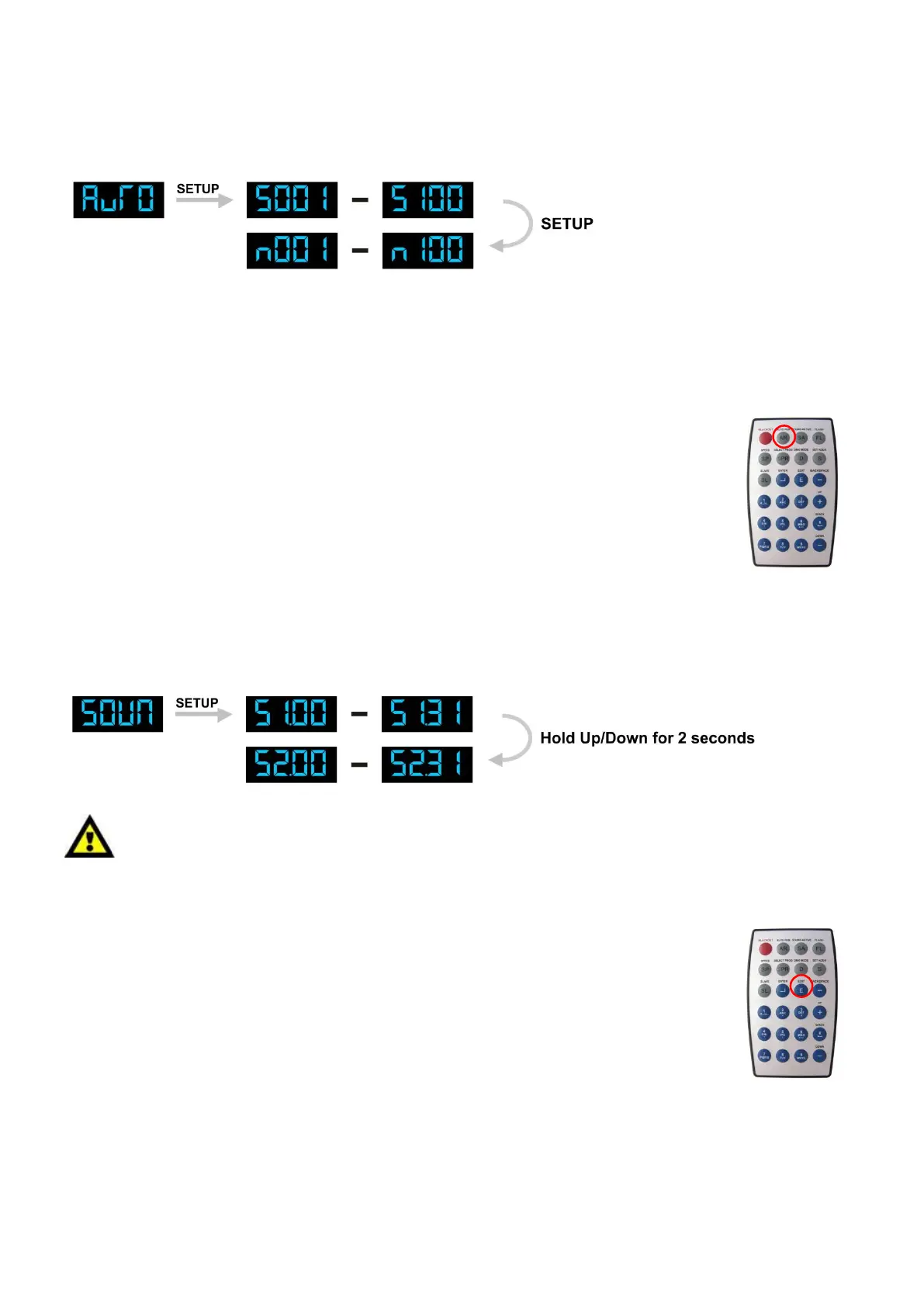
1) Press the MODE button on the device, until the display shows AUTO. The device is now in auto run
mode.
2) Press SET UP button, until the display shows SXXX. You can set the running speed for auto run mode.
Press the Up/Down buttons to set the running speed from S001 - S100.
3) Press SET UP button, until the display shows NXXX. You can set the running frequency for auto run
mode. The frequency for auto run mode means: the running time for each program.
Press the Up/Down buttons to set the running time from N001 - N100.
Operation by using the IR remote control
1) Press the AUTO RUN button (O) on the remote once, until the display shows AUTO.
2) Press the AUTO RUN button on the remote twice, until the display shows SXXX.
You can now set the running speed for Auto Run Mode from S001 - S100.
3) Press the AUTO RUN button on the remote tree times, until the display shows NXXX.
You can now set the running frequency for Auto Run Mode from N001 - N100.
4) Press the AUTO RUN button on the remote to return to Auto Run Mode.
Sound-control
Sound-control by using the buttons on the device
1) Press the MODE button on the device, until the display shows SOUN. Turn on the music and the LED
Messenger will react to the beat of the music.
The difference between S1.00 - S1.31 and S2.00 – S2.31.
Menu S1: The LEDs will keep running for 5 seconds after the sound has stopped.
Menu S2: The LEDs immediately stop running when the sound stops.
2) Press the Up/Down buttons to adjust the sound sensitivity level from S1.00 - S1.31.
00 being the least sensitive and 31 being the most sensitive.
3) When you hold down the Up or Down button for 2 seconds the menu jumps to S2.XX.
Press the Up/Down buttons to adjust the sound sensitivity level from S2.00 – S2.31.
Sound-control by using the IR Remote control
1) Press the SOUND ACTIVE button (O) and the display will show SU.XX.
2) Press the Up/Down buttons to adjust the sound sensitivity level from S1.00 - S1.31.
00 being the least sensitive and 31 being the most sensitive.
3) When you hold down the Up or Down button for 2 seconds the menu jumps to S2.XX.
Press the Up/Down buttons to adjust the sound sensitivity level from S2.00 – S2.31.











 To Next Page