14
Master/Slave Mode
Master/Slave Operation by using the buttons on the device
1) In order to select MASTER/SLAVE mode, press the MODE button and select SLAV.
Master/Slave Operation by using the IR remote control
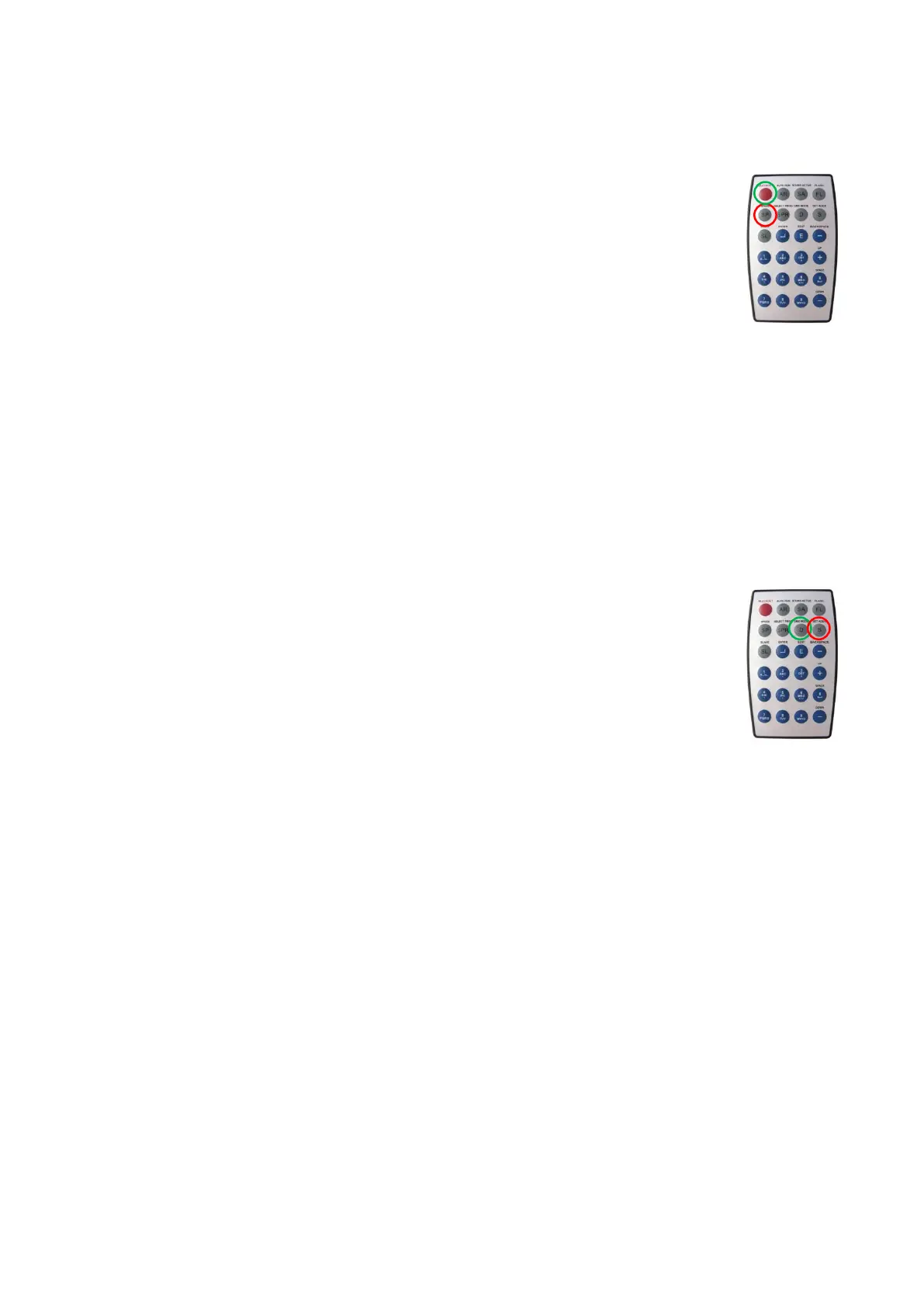
1) In order to select MASTER/SLAVE mode, press the SLAVE button (O) on the remote.
You can use the same functions on the master device as described on page 11-13
(Built-in Programs, Auto Run or Music control).
This means on the master device you can set your desired operation Mode and all
slave devices will react the same as the master device.
Note: Press the BLACK OUT button (O) to turn on/off the device.
After turning the unit off and turning it on again, the built-in programs will start running at the same
position, as when device was turned off.
DMX Mode
DMX Operation by using the buttons on the device
1) Press the MODE button to select DMX mode, until the display will show dXXX.
2) Press the Up/Down buttons to set the DMX address from d001 – d512.
DMX Operation by using the IR remote control
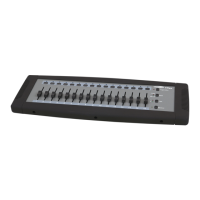
1) To set a certain DMX value, press the SET ADDR button (O), until the projected LEDs show dXXX.
2) Press 0 - 9 on the remote to set the DMX value. You can set the DMX address from d001 – d512.
For example
d … _ _ means you can enter the value in hundreds.
d 0 … _ means you can enter the value in tens.
d 0 0 … means you can enter the value from 0-9.
d 0 0 1 means DMX value is entered successfully.
If you have entered a DMX address that is below 512, the LCD display will show PASS after one second.
Otherwise the display will show FAIL and the address is not stored.
3) Press the DMX MODE button (O) to show the current DMX address.











 To Next Page