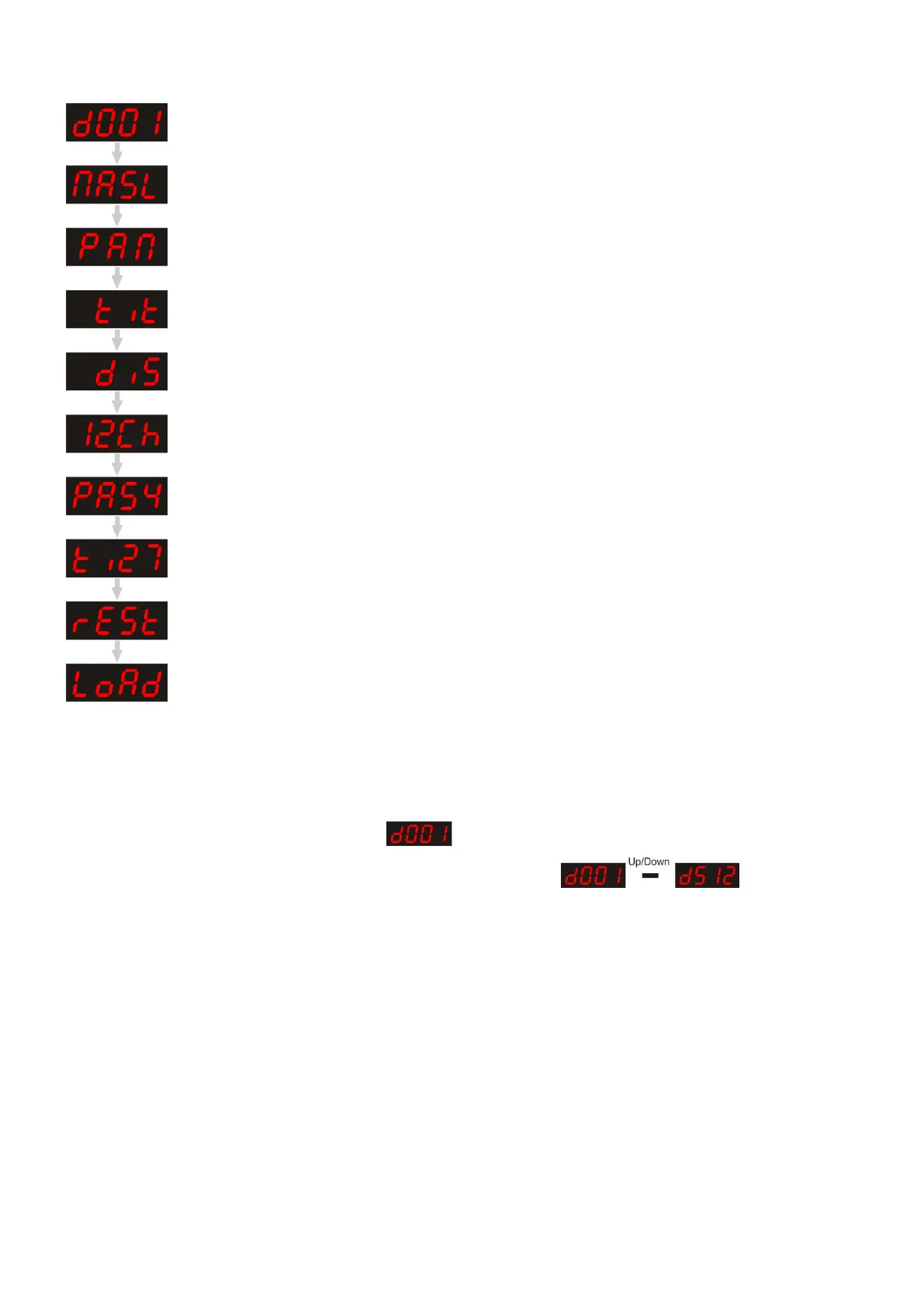
Main Menu Options
DMX address
Built-in Programs Slow/Fast/Sound-control/Remote control/Slave
Pan/Reverse Pan
Tilt/Reverse Tilt
Display/Reverse Display
Advanced 12 channels/ Basic 8 channels
Pan 540º, 360º, 180º
Tilt 270º, 180º, 90º
Reset
Load factory default settings
DMX Addressing
With this menu you can set the DMX address.
1. Press Mode/Esc, until the display shows .
2. Press Enter to confirm. You can choose 512 different DMX addresses.
Use the Up / Down buttons to select the required address from .
3. Once you have set the desired DMX address, press the enter button to store your DMX address.












 To Next Page