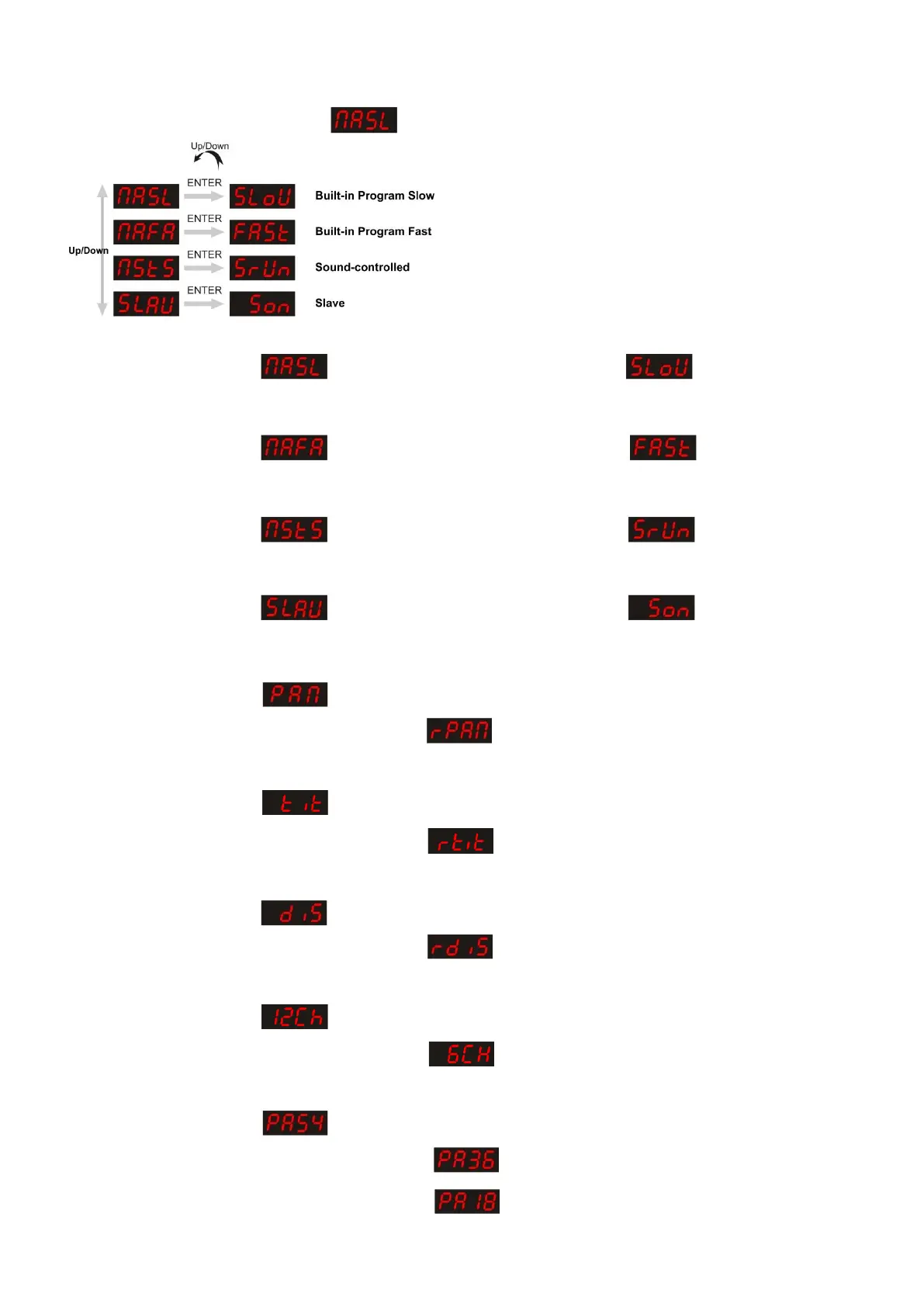
Built-in Programs Mode
You can select 4 different Programs when using the Phantom.
Press MODE until the display shows ,then press the UP / DOWN buttons to select all 4 programs.
Built-in Program Slow
When the display shows : ,then press ENTER. The display will show .
The device is now in a fast built-in program mode.
Built-in Program Fast
When the display shows : ,then press ENTER. The display will show .
The device is now in a slow built-in program mode.
Sound-controlled Mode
When the display shows : ,then press ENTER. The display will show .
The device is now sound-controlled and will react to the music.
Slave Mode
When the display shows : , then press ENTER. The display will show .
The device is now a slave device. It will now react the same as its master.
Pan movement Mode
When the display shows : , the device is in normal Pan Mode.
When you press Up/Down. The display will show . The Pan function is reversed.
Tilt movement Mode
When the display shows : , the device is in normal Tilt Mode.
When you press Up/Down. The display will show . The Tilt function is reversed.
Display Mode
When the display shows : , the device is in normal Display Mode.
When you press Up/Down. The display will show . The Display function is reversed.
Advanced/Basic Mode
When the display shows : , the device has 12 Channels.
When you press Up/Down. The display will show . The device now has 6 channels.
Pan Mode
When the display shows : , the Pan is 540º.
When you press Up/Down and the display shows , the Pan is 360º.
When you press Up/Down and the display shows , the Pan is 180º.













 To Next Page