Shure Incorporated
6/26
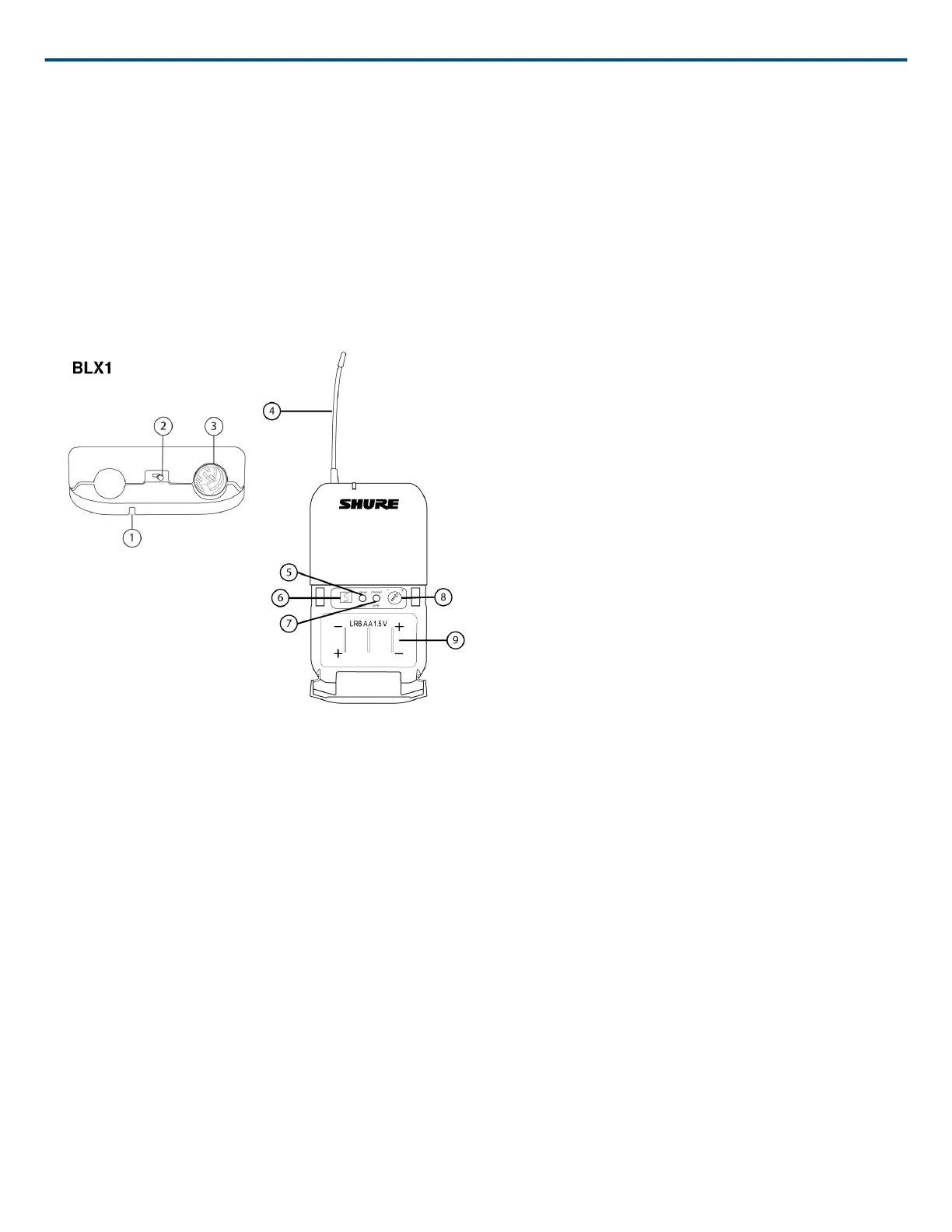
⑥ LED Display
Displays group and channel setting.
⑦ channel Button
Changes channel setting.
⑧ Battery Compartment
⑨ Audio Gain Adjustment
Rotate to increase or decrease transmitter gain.
BLX2
① LED Indicator
Displays power and battery status (see Transmitter LED Indicators).
② power Button
Push to turn power on or off.
③ group Button
Changes group setting.
④ channel Button
Changes channel and gain setting.
⑤ LED Display
Displays group and channel setting.
⑥ Identification Cap



 To Next Page
 Loading...