Shure Incorporated
5/26
④ group and channel Buttons
Scan: Push and release group button to scan for an open group and channel.
Manual: Push and hold group button to select a group. Push channel button to select a channel in the current
group.
⑤ power Button
Push and hold to turn power on or off.
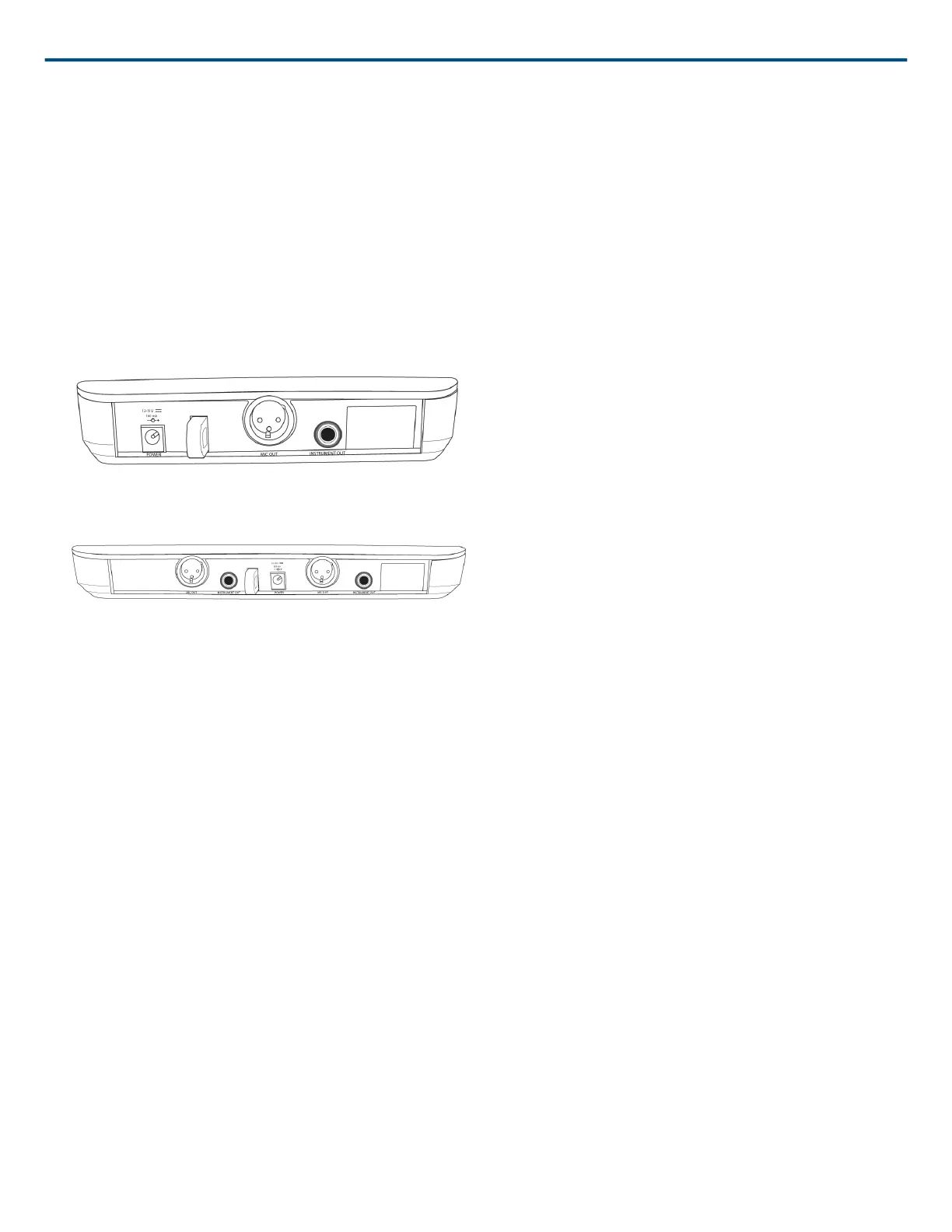
Back Panel
BLX4
BLX88
① DC Power Jack
② Adapter Cord Tie-Off
③ XLR microphone output jack (MIC out)
④ 6.35 mm (1/4") instrument level output jack (instrument out)
BLX1
① LED Indicator
Displays power and battery status (see Transmitter LED Indicators).
② power Switch
Toggles power on or off.
③ 4-Pin Microphone Input Jack (TA4 connector)
④ Antenna
⑤ group Button
Changes group setting.



 To Next Page
 Loading...