Shure Incorporated
9/23
1.
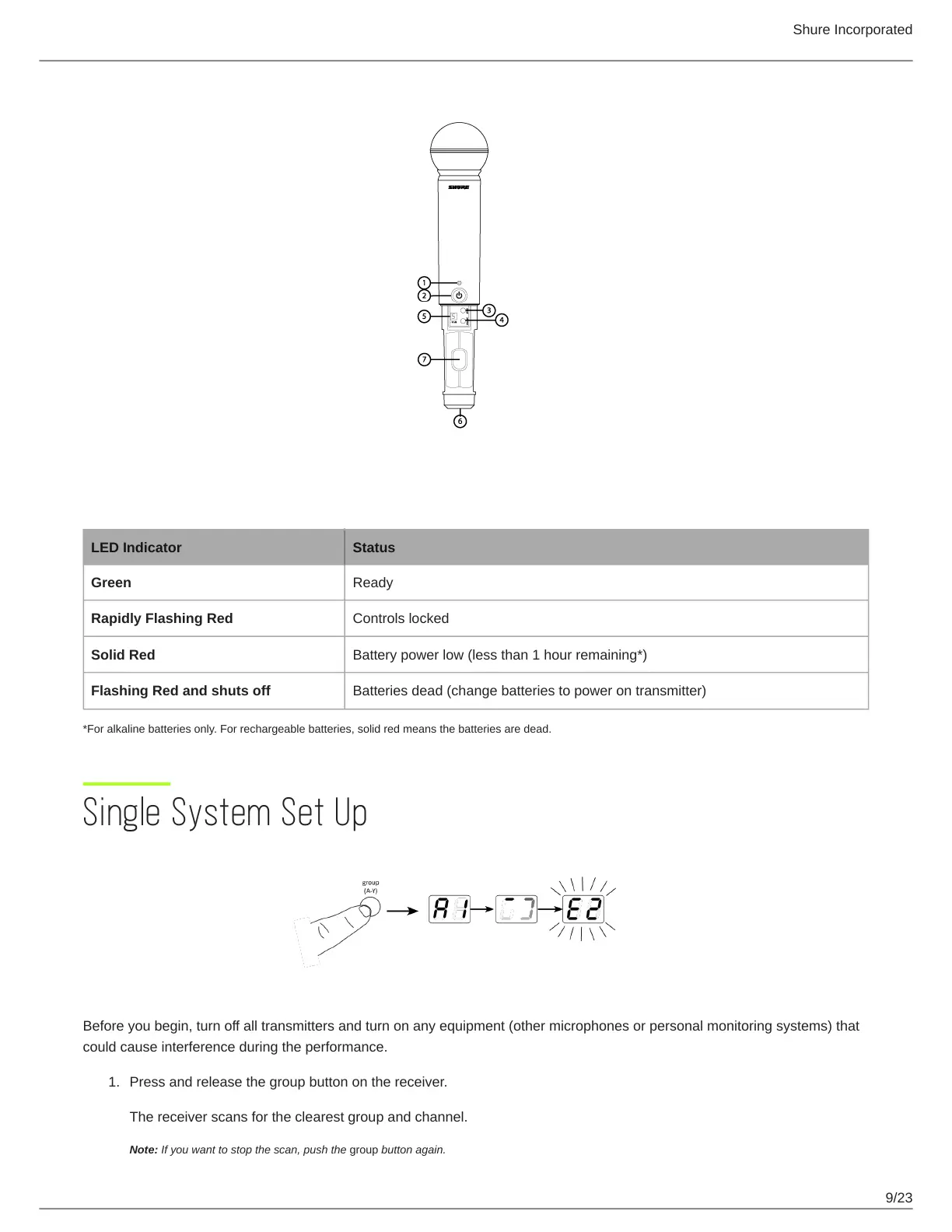
Transmitter LED Indicators
LED Indicator Status
Green Ready
Rapidly Flashing Red Controls locked
Solid Red Battery power low (less than 1 hour remaining*)
Flashing Red and shuts off Batteries dead (change batteries to power on transmitter)
*For alkaline batteries only. For rechargeable batteries, solid red means the batteries are dead.
Single System Set Up
Before you begin, turn off all transmitters and turn on any equipment (other microphones or personal monitoring systems) that
could cause interference during the performance.
Press and release the group button on the receiver.
The receiver scans for the clearest group and channel.
Note: If you want to stop the scan, push the group button again.



 To Next Page