Shure Incorporated
8/17
1.
2.
3.
1.
2.
3.
Adjusting EQ
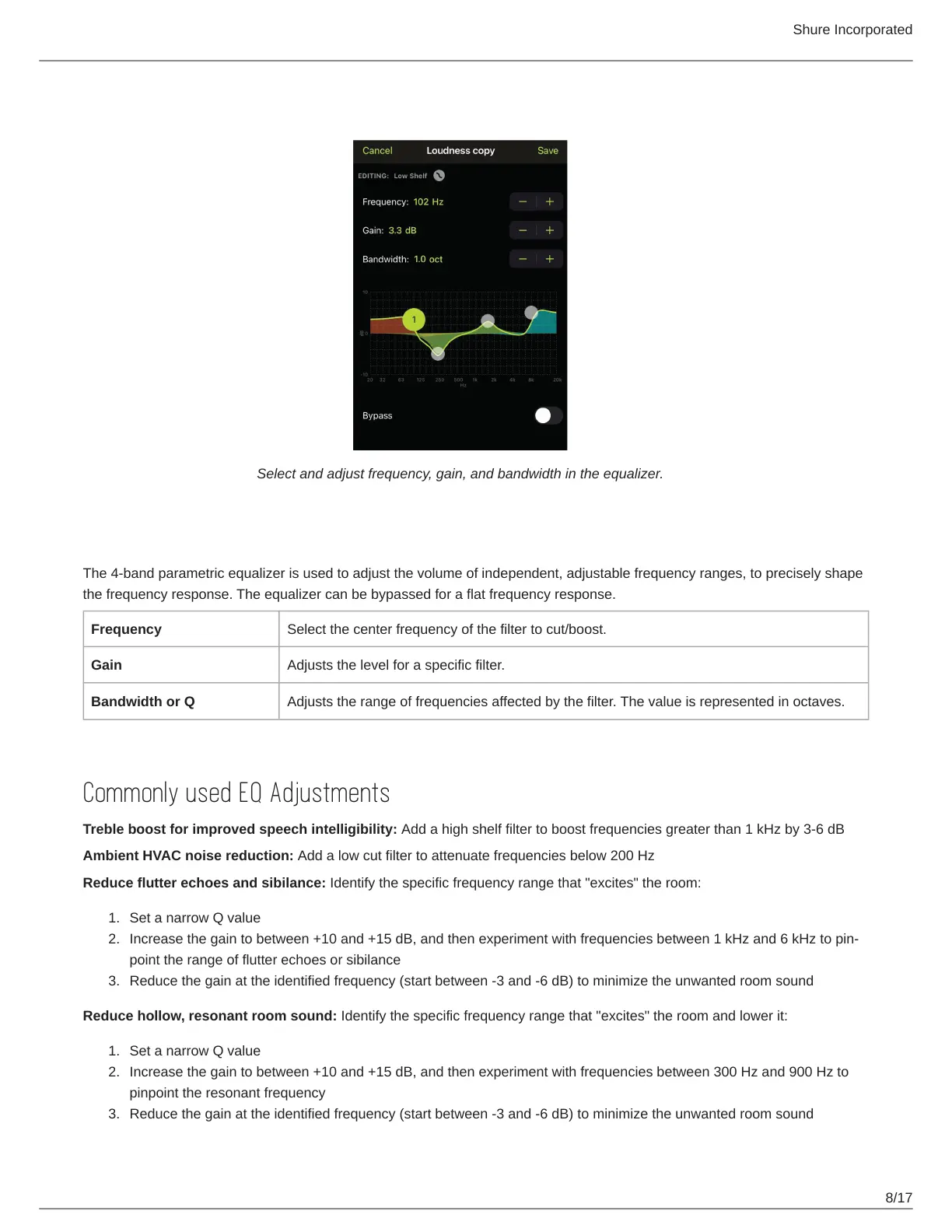
Select and adjust frequency, gain, and bandwidth in the equalizer.
Equalization Explained
The 4-band parametric equalizer is used to adjust the volume of independent, adjustable frequency ranges, to precisely shape
the frequency response. The equalizer can be bypassed for a flat frequency response.
Frequency Select the center frequency of the filter to cut/boost.
Gain Adjusts the level for a specific filter.
Bandwidth or Q Adjusts the range of frequencies affected by the filter. The value is represented in octaves.
Commonly used EQ Adjustments
Treble boost for improved speech intelligibility: Add a high shelf filter to boost frequencies greater than 1 kHz by 3-6 dB
Ambient HVAC noise reduction: Add a low cut filter to attenuate frequencies below 200 Hz
Reduce flutter echoes and sibilance: Identify the specific frequency range that "excites" the room:
Set a narrow Q value
Increasethegaintobetween+10and+15dB,andthenexperimentwithfrequenciesbetween1kHzand6kHztopin
point the range of flutter echoes or sibilance
Reduce the gain at the identified frequency (start between -3 and -6 dB) to minimize the unwanted room sound
Reduce hollow, resonant room sound: Identify the specific frequency range that "excites" the room and lower it:
Set a narrow Q value
Increase the gain to between +10 and +15 dB, and then experiment with frequencies between 300 Hz and 900 Hz to
pinpoint the resonant frequency
Reduce the gain at the identified frequency (start between -3 and -6 dB) to minimize the unwanted room sound



 To Next Page