Shure Incorporated
10/17
6.
◦
◦
◦
7.
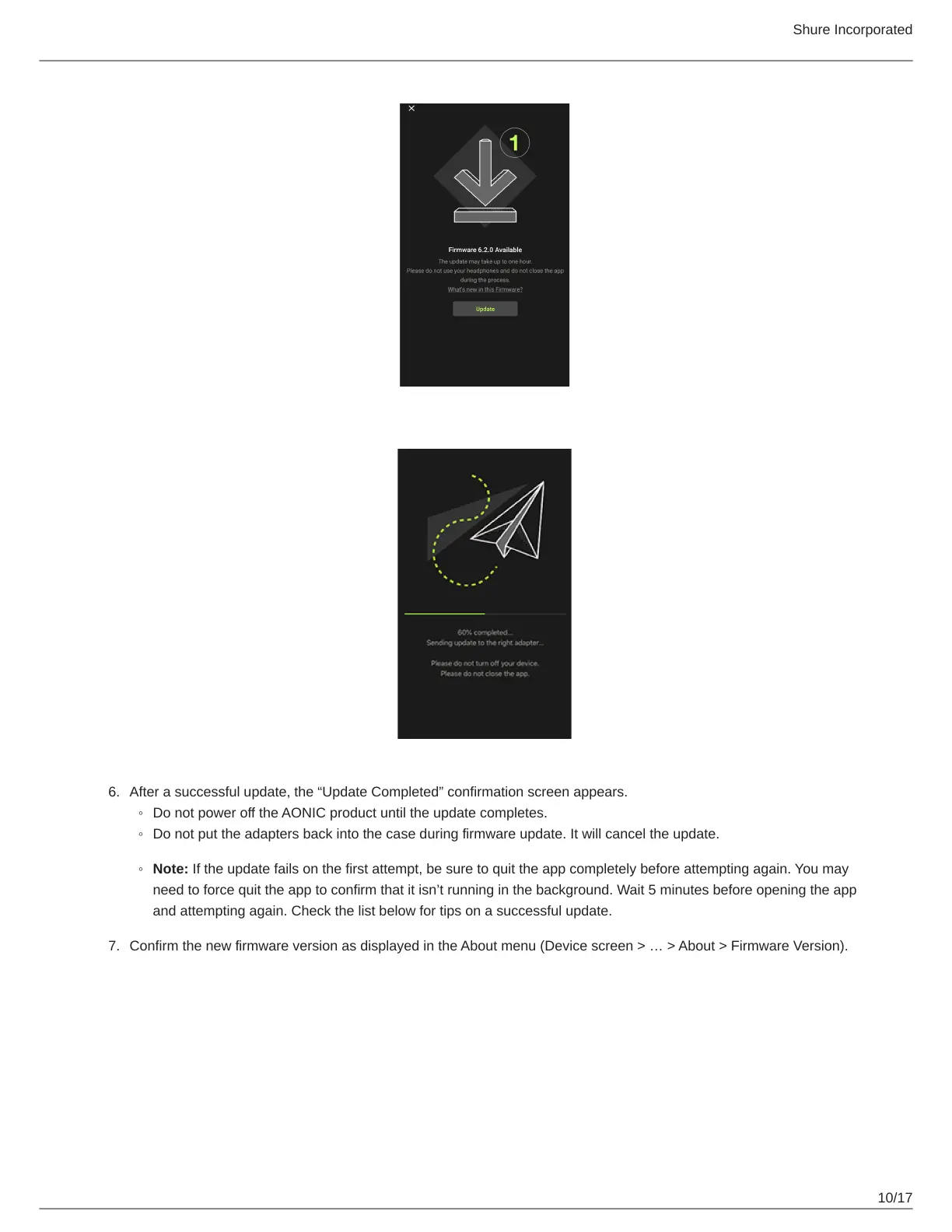
Afterasuccessfulupdate,the“UpdateCompleted”confirmationscreenappears.
Do not power off the AONIC product until the update completes.
Do not put the adapters back into the case during firmware update. It will cancel the update.
Note: If the update fails on the first attempt, be sure to quit the app completely before attempting again. You may
needtoforcequittheapptoconfirmthatitisn’trunninginthebackground.Wait5minutesbeforeopeningtheapp
and attempting again. Check the list below for tips on a successful update.
ConfirmthenewfirmwareversionasdisplayedintheAboutmenu(Devicescreen>…>About>FirmwareVersion).



 To Next Page