Shure Incorporated
46/93
1.
2.
3.
◦
◦
1.
2.
To return to default settings, open more options and select Reset.
Assigning Names and Seat Numbers
The chairperson and meeting operators will need to refer to the participants by either name, seat number, or both. The proper
assignment of names and seat numbers is critical to ensure the continuity of the discussion.
When setting up the installation for the first time, each conference unit appears with its default name and an automatically
assigned seat number according to the order they were powered on. Use the Devices tab to match wireless devices to the
anticipated seating chart.
Note: Devices already display the participant's name if an NFC card is inserted. See NFC Card Functionality for more details.
Draw a seating chart, or diagram, that represents the room. Number each seat that requires a microphone. Add
participant names to the seating chart.
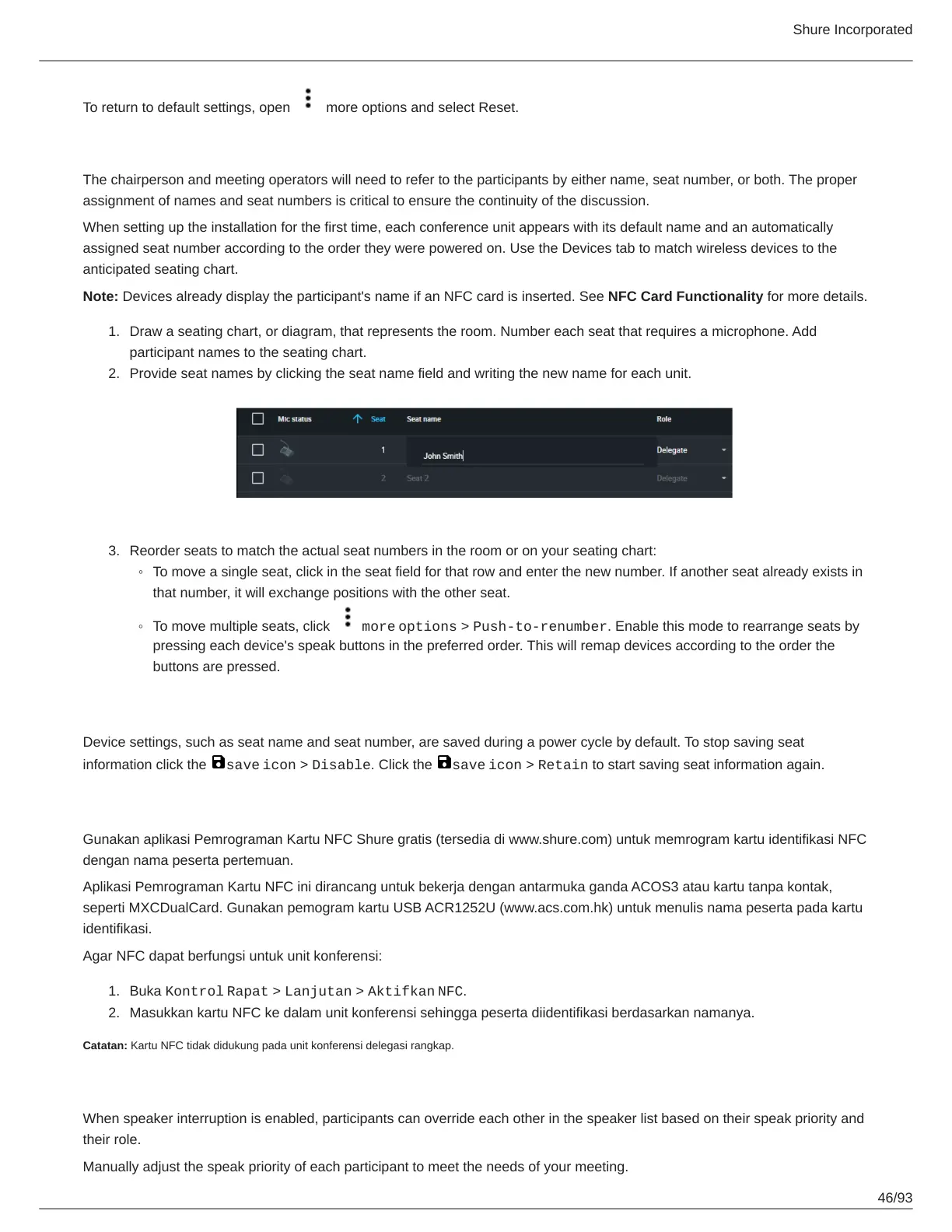
Provide seat names by clicking the seat name field and writing the new name for each unit.
Reorder seats to match the actual seat numbers in the room or on your seating chart:
To move a single seat, click in the seat field for that row and enter the new number. If another seat already exists in
that number, it will exchange positions with the other seat.
To move multiple seats, click more options > Push-to-renumber. Enable this mode to rearrange seats by
pressing each device's speak buttons in the preferred order. This will remap devices according to the order the
buttons are pressed.
Retain Seat Information
Device settings, such as seat name and seat number, are saved during a power cycle by default. To stop saving seat
information click the save icon > Disable. Click the save icon > Retain to start saving seat information again.
Fungsi Kartu NFC
Gunakan aplikasi Pemrograman Kartu NFC Shure gratis (tersedia di www.shure.com) untuk memrogram kartu identifikasi NFC
dengan nama peserta pertemuan.
Aplikasi Pemrograman Kartu NFC ini dirancang untuk bekerja dengan antarmuka ganda ACOS3 atau kartu tanpa kontak,
seperti MXCDualCard. Gunakan pemogram kartu USB ACR1252U (www.acs.com.hk) untuk menulis nama peserta pada kartu
identifikasi.
Agar NFC dapat berfungsi untuk unit konferensi:
Buka Kontrol Rapat > Lanjutan > Aktifkan NFC.
Masukkan kartu NFC ke dalam unit konferensi sehingga peserta diidentifikasi berdasarkan namanya.
Catatan: Kartu NFC tidak didukung pada unit konferensi delegasi rangkap.
Speak Priority
When speaker interruption is enabled, participants can override each other in the speaker list based on their speak priority and
their role.
Manually adjust the speak priority of each participant to meet the needs of your meeting.



 To Next Page