Shure Incorporated
6/16
Controls And Connectors
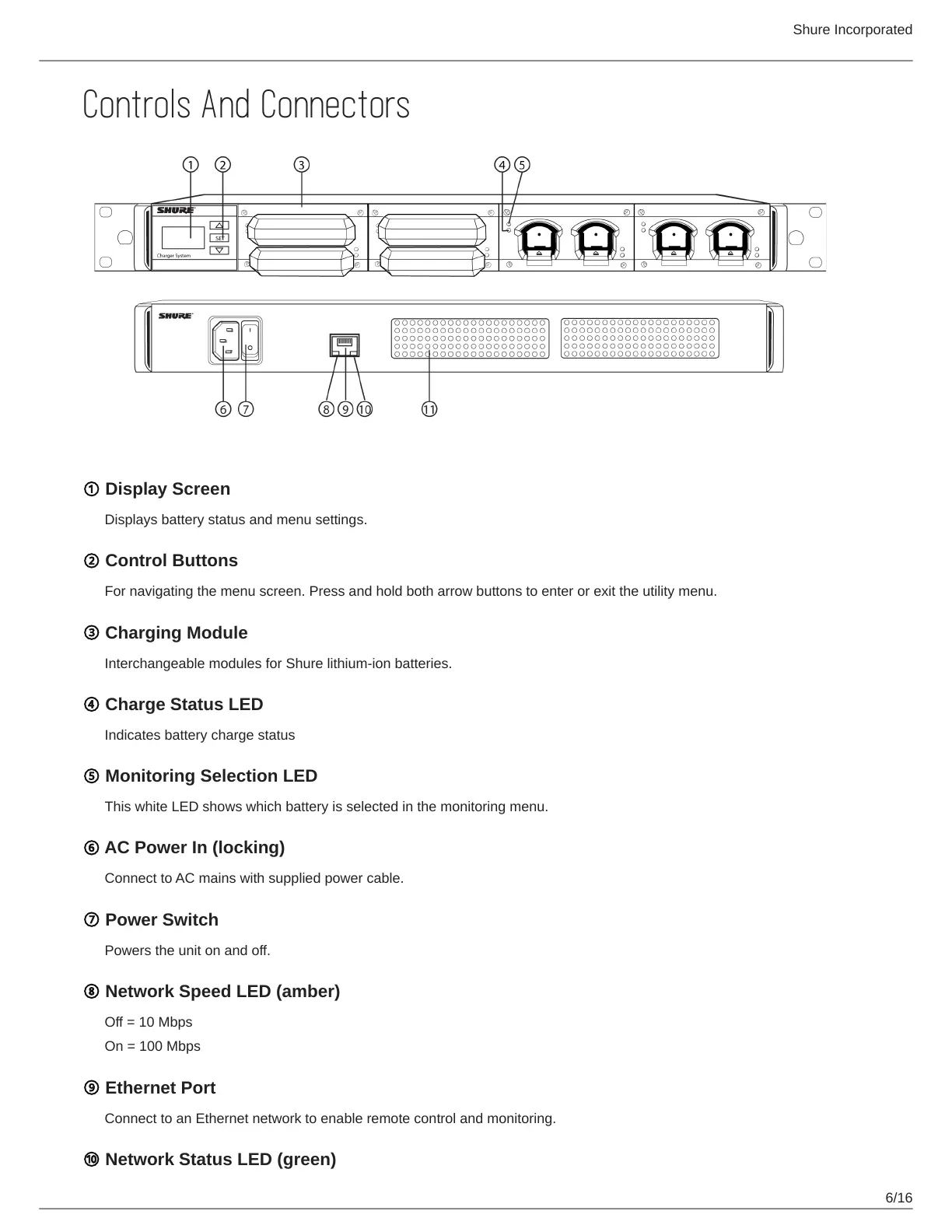
① Display Screen
Displays battery status and menu settings.
② Control Buttons
For navigating the menu screen. Press and hold both arrow buttons to enter or exit the utility menu.
③ Charging Module
Interchangeable modules for Shure lithium-ion batteries.
④ Charge Status LED
Indicates battery charge status
⑤ Monitoring Selection LED
This white LED shows which battery is selected in the monitoring menu.
⑥ AC Power In (locking)
Connect to AC mains with supplied power cable.
⑦ Power Switch
Powers the unit on and off.
⑧ Network Speed LED (amber)
Off = 10 Mbps
On = 100 Mbps
⑨ Ethernet Port
Connect to an Ethernet network to enable remote control and monitoring.
⑩ Network Status LED (green)



 To Next Page