11
English
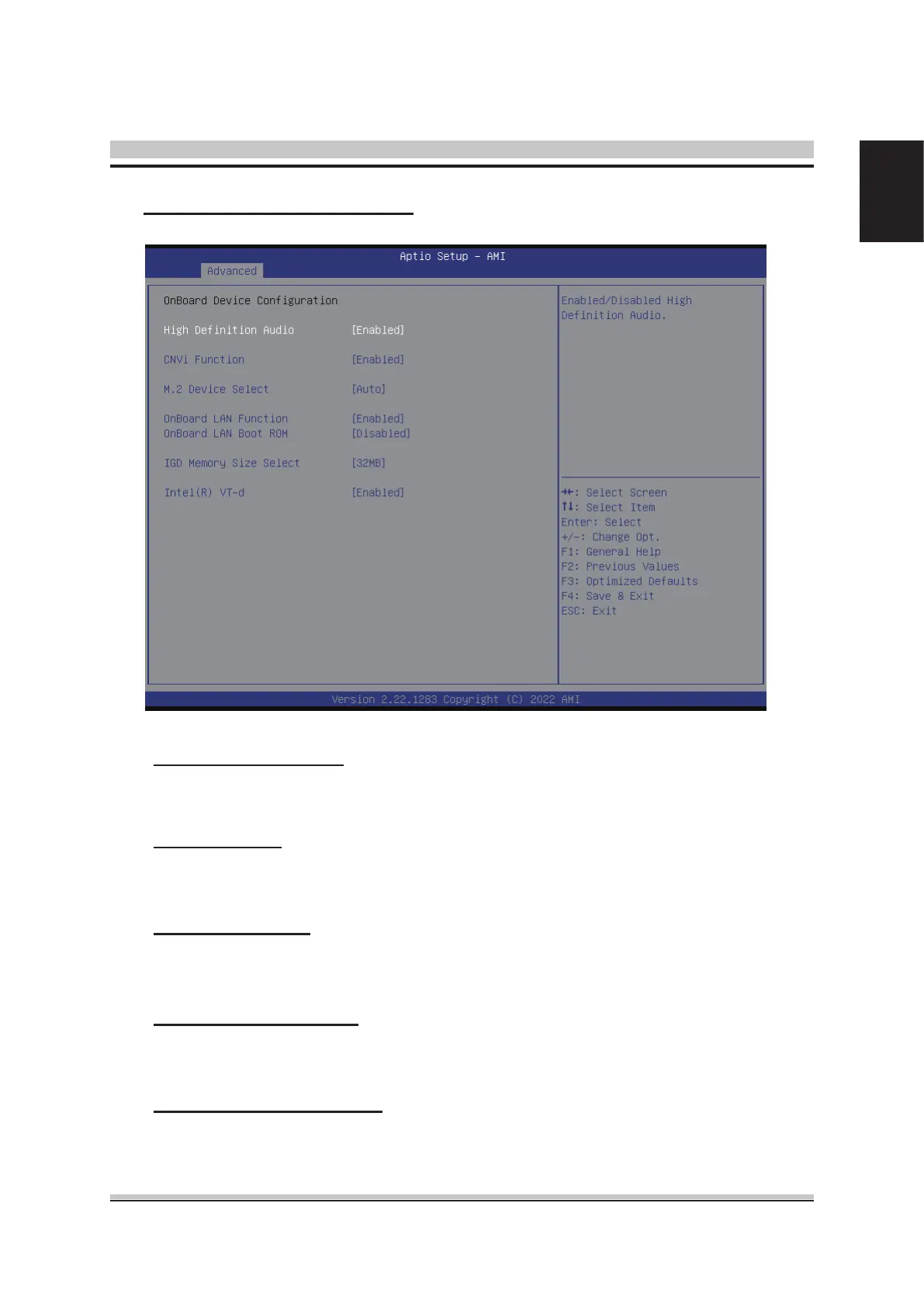
Onboard Device Conguration
High Denition Audio
This item allows you to enable or disable system High Denition Audio.
The choice: Enabled , Disabled.
CNVi Function
This item allows you to enable or disable CNVi interface function.
The choice: Enabled , Disabled.
M.2 Device Select
M.2 PCIe and SATA module selection.
The choice: Auto , PCIe , SATA.
Onboard LAN Function
This item allows you to enable or disable LAN Function.
The choice: Enabled , Disabled.
Onboard LAN BOOT ROM
This item allows you to enable or disable Onboard LAN BOOT ROM.
The choice: Enabled , Disabled.












 To Next Page