5
English
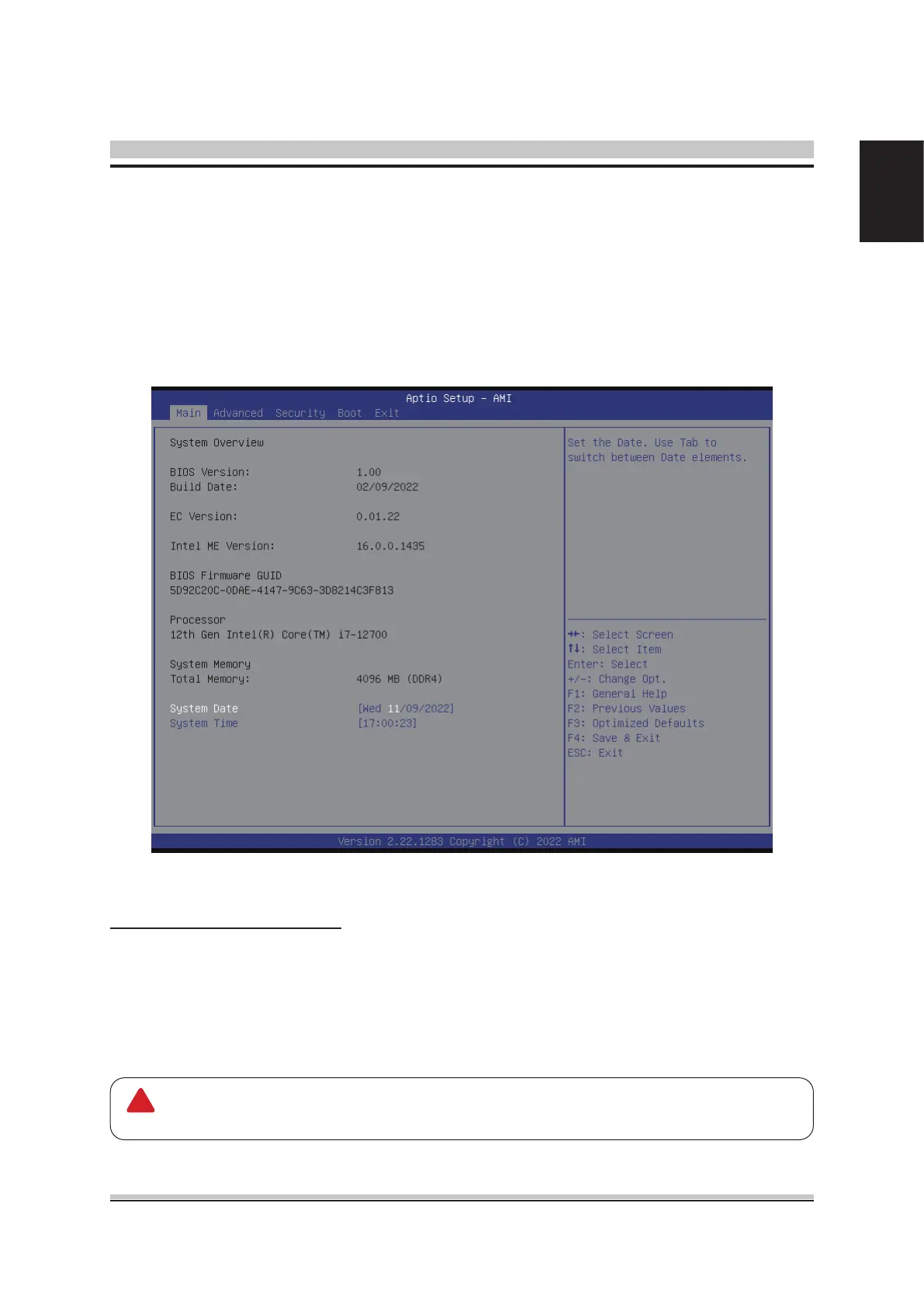
When you rst enter the BIOS Setup Utility, you will enter the Main setup screen.
You can always return to the Main setup screen by selecting the Main tab. There are
two Main Setup options. They are described in this section. The Main BIOS Setup
screen is shown below.
System Time/System Date
Use this option to change the system time and date. Highlight System Time or Sys-
tem Date using the <Arrow> keys. Enter new values through the keyboard. Press the
<Tab> key or the <Arrow> keys to move between elds. The date must be entered in
MM/DD/YY format. The time is entered in HH:MM:SS format.
Main Setup
The time is in 24-hour format. For example, 5:30 A.M. appears as 05:30:00,
and 5:30 P.M. as 17:30:00.
!














 To Next Page