14
English
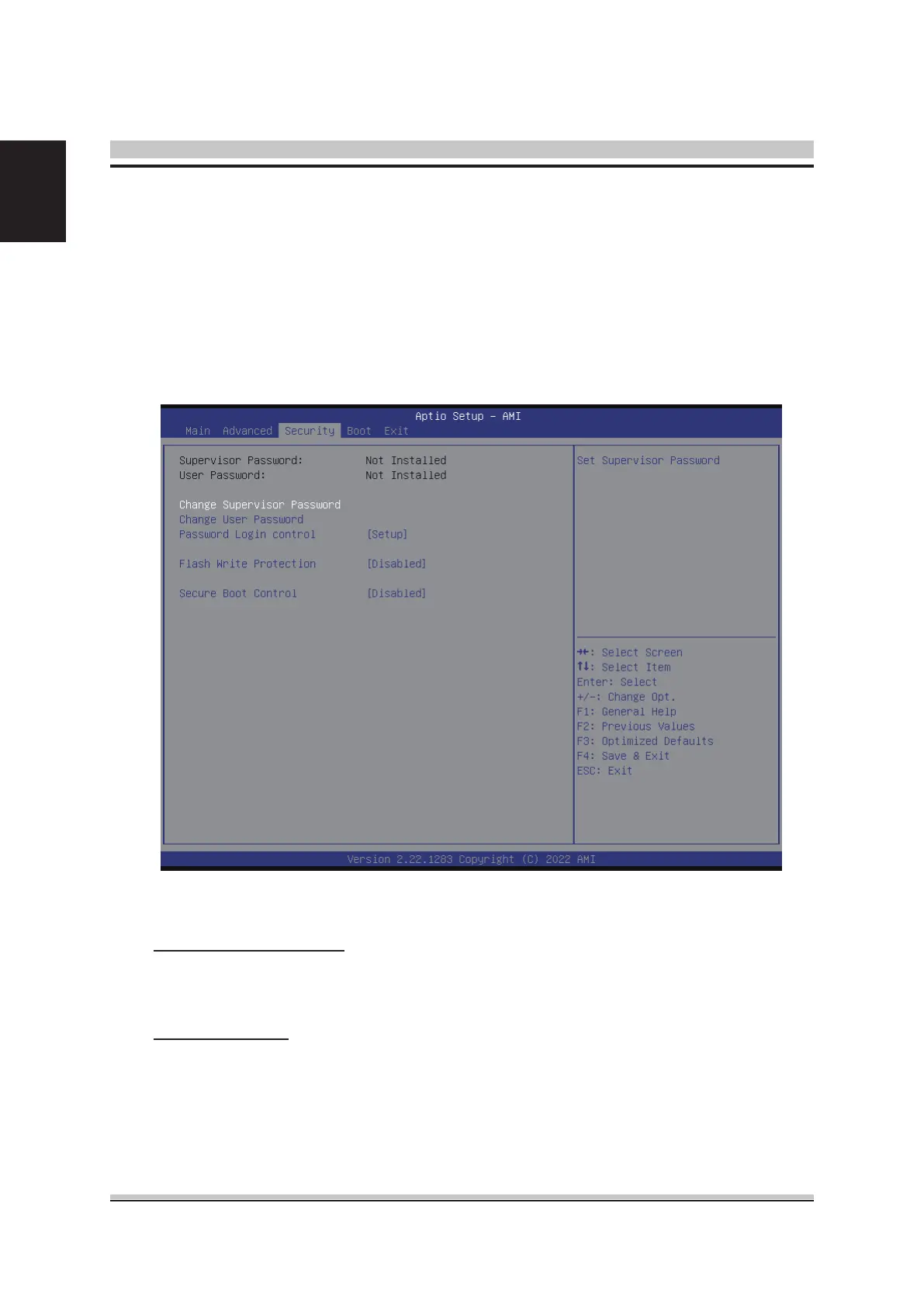
Select the Security tab from the BIOS setup screen to enter the Security BIOS Setup
screen. You can display an Security BIOS Setup option by highlighting it using the
<Arrow> keys. All Security BIOS Setup options are described in this section.
The Security Setup screen is shown below. The sub menus are documented on the
following pages.
Supervisor Password
Indicates whether a supervisor password has been set. If the password has
been installed, Installed displays. If not, Not Installed displays.
User Password
Indicates whether a user password has been set. If the password has been
installed, Installed displays. If not, Not Installed displays.
Security













 To Next Page